How HeyGen Works: Avatars, AI Studio and Video Agent
Creating an avatar
The setup starts with one question: who is this avatar of? You pick Myself, for an avatar that looks, moves and sounds like you, or A new character that you invent. For your own avatar the first step is a photo. HeyGen then tells you that you are never stuck with one look: once it has your photo, you can change the outfit, pose and setting later without new photos or recording.
A full video avatar goes further. In a video sponsored by HeyGen, creator Mia Meow says HeyGen recommends 2 to 10 minutes of training footage, and that the avatar is verified by reading a statement on camera.
AI Studio
AI Studio is the editor where you write the script, choose an avatar and voice, and arrange scenes. Its template tabs are sorted by use case, including Training, Corporate, Marketing, Sales, Tutorials and Explainer, Real Estate and Finance.
Video Agent
Video Agent builds a video from a prompt. The home screen suggests formats such as Ads and Promo, Educational Video, Expert Explainer, Tips and How To, News Brief and Video Podcast. HeyGen's credit guide prices it at 80 credits per minute, so it is the most expensive way to make a standard video.

HeyGen Pricing in 2026: Credits Replaced Unlimited
According to HeyGen's pricing page (vendor data, checked November 2026):
- Free: $0, 3 watermarked videos a month, up to 1 minute each, 720p.
- Creator: $29 a month ($24 billed yearly), 600 credits, videos up to 30 minutes, 1080p, no HeyGen branding.
- Pro: $49 a month, 1,000 credits, up to 4K export.
- Business: $149 a month plus $20 per extra seat, 1,500 credits.
The comparison table on the same page shows the gap clearly: maximum length is 1 minute on Free and 30 minutes on Creator and Pro, and export goes up to 1080p on Creator and up to 4K on Pro. On Free we got 720p, which matches HeyGen's help center even though the general FAQ still mentions 1080p.
What changed on May 15, 2026
HeyGen's help center says unlimited plans are no longer offered past May 15, 2026. Current subscribers can keep them while they stay active. Everyone else pays in credits.
How far the credits go
Per minute of video, Avatar IV with a video avatar costs 31 credits and Avatar V costs 48. That makes Creator's 600 credits worth about 19 minutes of Avatar IV or about 12 minutes of Avatar V, and Pro's 1,000 credits about 32 or 20 minutes. Monthly credits last up to 60 days. The pricing FAQ adds that credits do not carry over after you cancel, and only Business can buy extra credit packs.

4 Things HeyGen Does Well
1. Realistic avatars
Realism is HeyGen's strongest card. The reviewer at getaicraftly, after eight months of use, rated realism 5 out of 5. HeyGen announced Avatar V on April 8, 2026, and the credit guide now lists it at 48 credits a minute.
2. Translation
The Translate screen in our free account advertised 175+ languages, and Creator lists 175+ languages and dialects. Translation with lip sync costs 6 credits a minute in Speed mode or 10 in Precision mode, which is cheap compared with generating a new avatar video.
3. Templates and brand tools
AI Studio's templates by use case give you a starting layout for training, sales or real estate videos. The editor also has a brand kit panel, and the Brand System can start from your website URL. For teams that need many similar explainer videos, this saves real setup time.
4. A quick start, including on the phone
The avatar flow is simple: choose who the avatar is of, add a photo, then change looks later. HeyGen also has an iPhone app. Its App Store listing showed 4.78 stars from 30,266 ratings on November 1, 2026, and claims you can create your avatar in under 30 seconds. That claim is HeyGen's marketing, not something we timed.

3 Reasons I'd Pick Something Else
1. Credits make costs hard to predict
The getaicraftly reviewer scored pricing transparency 2 out of 5. Google's AI Overview for HeyGen reviews says users "frequently flag frustrations with its credit consumption and pricing," and a thread in r/AI_UGC_Marketing complains that failed renders still use credits. If you make a lot of long avatar videos, budget with the per minute rates above, not the plan name.
2. The free plan is a short demo
Free videos carry a watermark, stop at 1 minute and export at 720p. In our session a four step tutorial overlay covered AI Studio on first open, typing in the script box lagged, and a survey popup appeared. The App Store listing shows the in app purchases you meet next: Creator Monthly at $29.00 and HeyGen Pro 1000 Credit Monthly at $49.00.
3. It replaces you instead of helping you present
HeyGen is built to generate a presenter. In the parts of the app we used, we did not find a teleprompter recording flow for filming yourself. Long term users also notice limits in long videos: getaicraftly saw repetitive gestures after three to four minutes. If your audience buys from you because they know you, a real recording often works better.
To be fair to HeyGen, that is a choice, not a flaw. If you never want to film yourself, it gives you far more avatar minutes per dollar than BIGVU, whose AI Pro credits cover about a one minute talking photo video.

HeyGen vs BIGVU: The Verdict
Pick HeyGen for
Avatar explainers, training modules, translated versions of the same message and template driven videos where nobody needs to be on camera. Start on Free, check the lip sync and voice, then move to Creator if the output works for you.
Pick BIGVU for
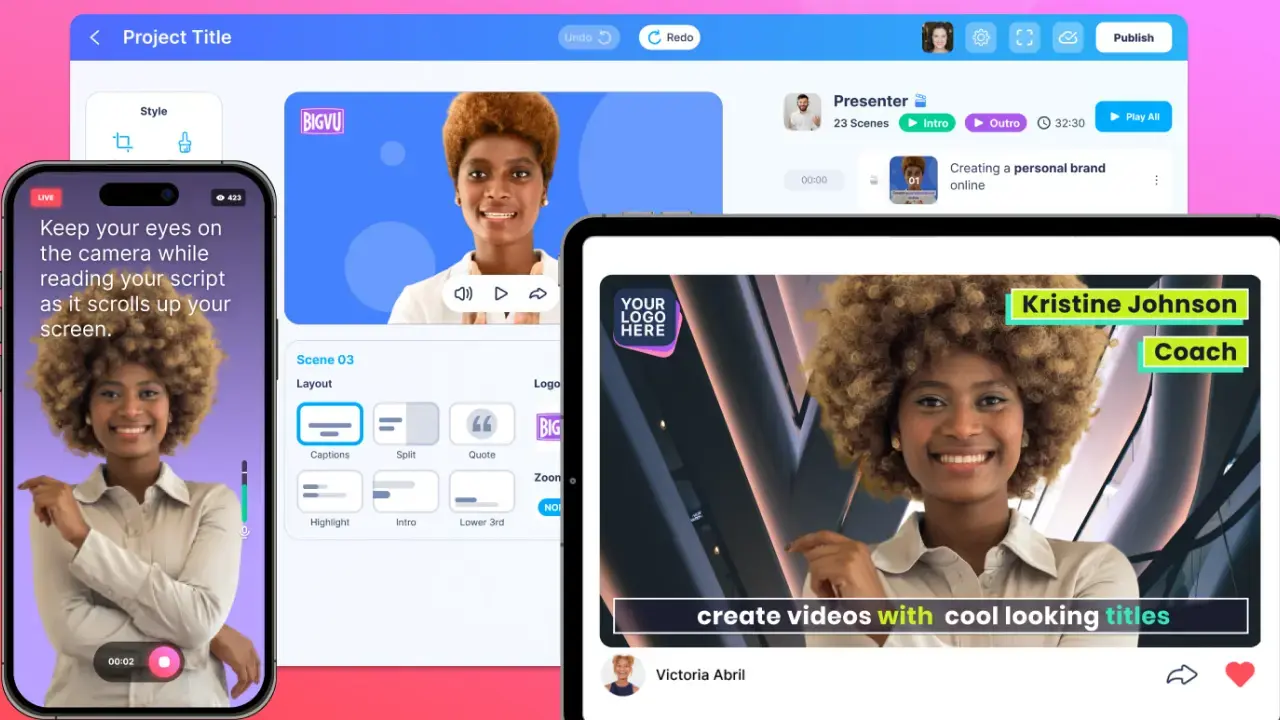
Videos of you. BIGVU starts before the recording with the AI Script Generator, then the teleprompter app follows your voice while you read. AI Eye Contact Correction fixes the gaze, captions and the brand kit finish the edit, Auto Shorts cuts clips and video email sends them to a lead. For quick avatar style clips there is the AI talking photo.
On BIGVU's pricing page, Free is $0 with 720p watermarked exports, and AI Pro is $19 a month billed yearly with 3,000 credits, HD and 4K export without a watermark and the full editor.
Bottom line
HeyGen is worth it in 2026 if avatar video is the job and you budget for credits. If the job is helping you show up on camera and publish, a recording workflow like BIGVU fits better. For a wider field, see our guide to the best AI avatar generators.