What to Look For in an AI Avatar Generator
Realism: Does It Actually Look Like You?
The gap between a generic stock avatar and a true digital twin is wider than most tools admit. A realistic AI avatar captures your face, your voice, and your natural movement — not just lip-sync over a placeholder. When evaluating any platform, the key test is simple: could a viewer who knows you believe it was a real recording? Most tools fall short on at least one of those three dimensions.
Voice Fidelity
Avatar realism doesn't mean much if the voice sounds synthesized. The best AI avatar generators either clone your actual voice from a short recording or produce voiceovers that match your speech patterns closely. Robotic-sounding delivery is the fastest way to lose a viewer's trust — especially in marketing and sales content where credibility matters.
Workflow Fit: Avatar-Only vs. Full Platform
Some tools generate an avatar and hand you a file. Others let you write the script with AI, record, generate the avatar, add captions, apply branding, and publish — all in one place. If you're a solo creator or small business owner, the second approach saves significant time. Avatar-only tools require you to stitch together multiple apps to get a finished video.
Language and Publishing Flexibility
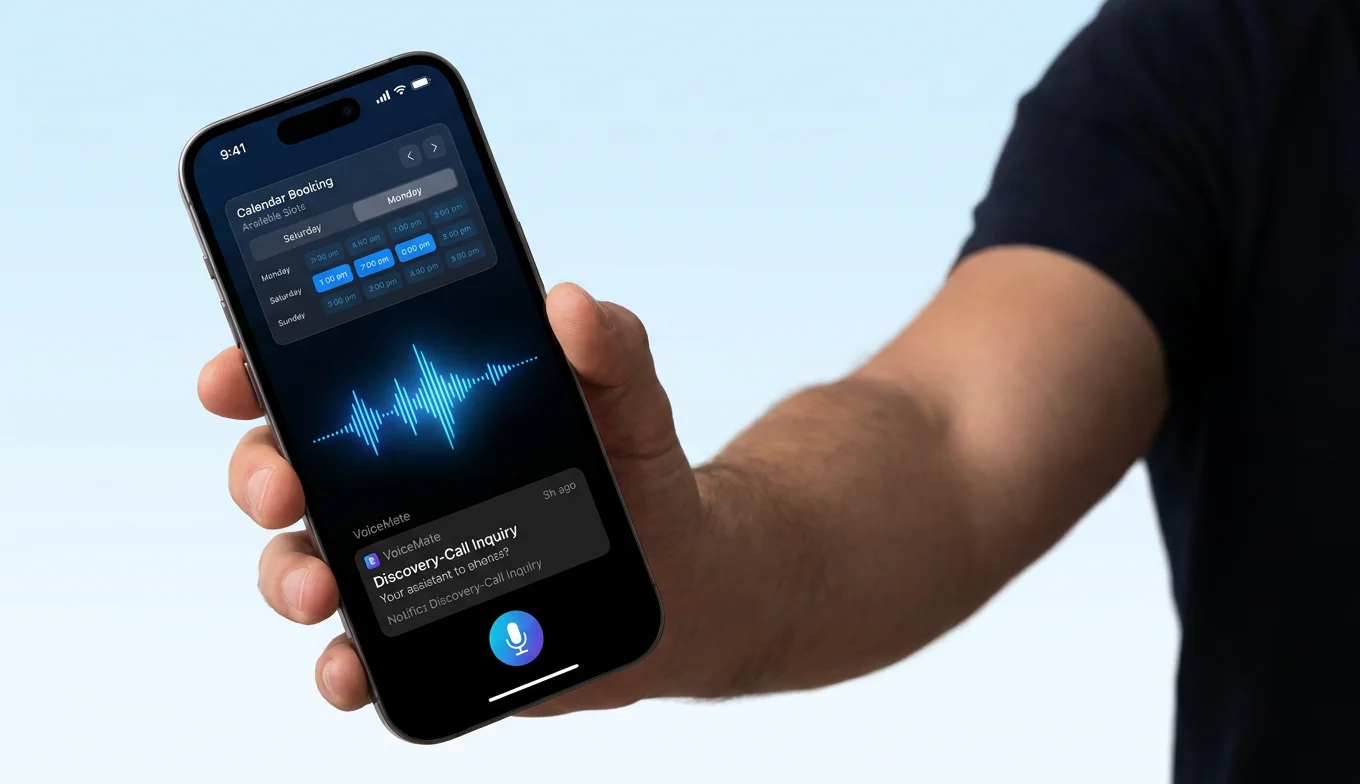
If you're reaching an international audience or want your content to work across multiple platforms, check whether the tool supports multilingual avatar output and whether it integrates with your publishing workflow. A 29-language avatar that can only be exported as a file is less useful than one you can publish directly from a mobile app.
![[object Object]](/blog/images/airtable/section1-best-ai-avatar-generators-to-create-your-digital-twin.webp)
BIGVU AI Twin Avatar: Best for Content Creators Who Want One Platform
How It Works
BIGVU's AI Twin Avatar starts with a short consent video — one minute of you speaking on camera. Within 6–10 hours, your digital twin is trained and ready. From that point, you feed it a script, select your delivery speed and expression settings, and it generates a video of you speaking those words in your voice with your movements.
The avatar output syncs directly into BIGVU's full editing environment, so you can add auto-captions, branded lower thirds, royalty-free music, and B-roll overlays in the same session. BIGVU's One Tap Video Enrichment feature automatically inserts relevant images and video clips at key moments, which solves one of the biggest weaknesses of talking-head avatar videos: they're visually static.
What Makes It Different
BIGVU is the only platform in this comparison that lets you mix AI avatar clips with real teleprompter recordings in a single project. That matters because a channel that's entirely AI-generated feels disconnected to viewers over time. Being able to blend both keeps your content feeling human while still saving hours per week.
Voice cloning is also built in — your avatar doesn't use a generic TTS voice, it uses yours. And the entire workflow, including editing and publishing, works from the mobile app, which none of the alternatives offer.
Pricing
The AI Max plan, which includes avatar creation, runs $49.90/month billed annually or $79.90/month month-to-month. It allows up to three personal AI avatars.
Best For
Content creators, small business owners, and marketers who need to produce video consistently and want a single tool that covers scripting, avatar generation, editing, and publishing — rather than managing a separate stack of apps.
![[object Object]](/blog/images/airtable/section2-best-ai-avatar-generators-to-create-your-digital-twin.webp)
HeyGen: Best for High-Fidelity Avatar Creation Without an Existing Workflow
Three Avatar Types, Very Different Quality Levels
HeyGen offers three avatar tiers. Instant avatars are created in minutes from a short webcam clip — fast, but noticeably lower quality, with voices that lean synthetic. Photo avatars animate a still image using text prompts, which works well for creative content but doesn't produce a realistic speaking likeness. Studio avatars are where HeyGen genuinely excels: 4K resolution, natural expression, and sharp lip-sync. The tradeoff is cost — studio-quality avatar creation starts at $10,000/year on their enterprise plan.
Where It Fits and Where It Doesn't
If you need a single high-production-value avatar for use across many videos — think an executive spokesperson or a brand character — HeyGen's studio tier is worth serious consideration. For most independent creators, though, the economics don't work. The $24/month plan caps videos at 5 minutes and doesn't include studio-quality output. The $69/month team plan extends length but still excludes 4K personal avatars.
HeyGen is also desktop-only, which limits how you integrate it into a mobile content workflow. And once it generates your video, you're exporting a file — there's no built-in captioning, no script editor, no publishing tools.
Pricing Summary
Creator plan: $24/month billed annually (1080p, 5-minute max). Team plan: $69/month billed annually (30-minute max, no studio avatar). Enterprise for 4K studio avatar: $10,000/year.
Best For
Teams that need a 4K branded avatar at enterprise scale, or creators who want the instant avatar option for quick marketing clips and have separate editing tools in their workflow already.
![[object Object]](/blog/images/airtable/section3-best-ai-avatar-generators-to-create-your-digital-twin.webp)
Synthesia: Best for Multilingual Corporate Video, with Real Limitations for Creators
Avatar Options and Setup
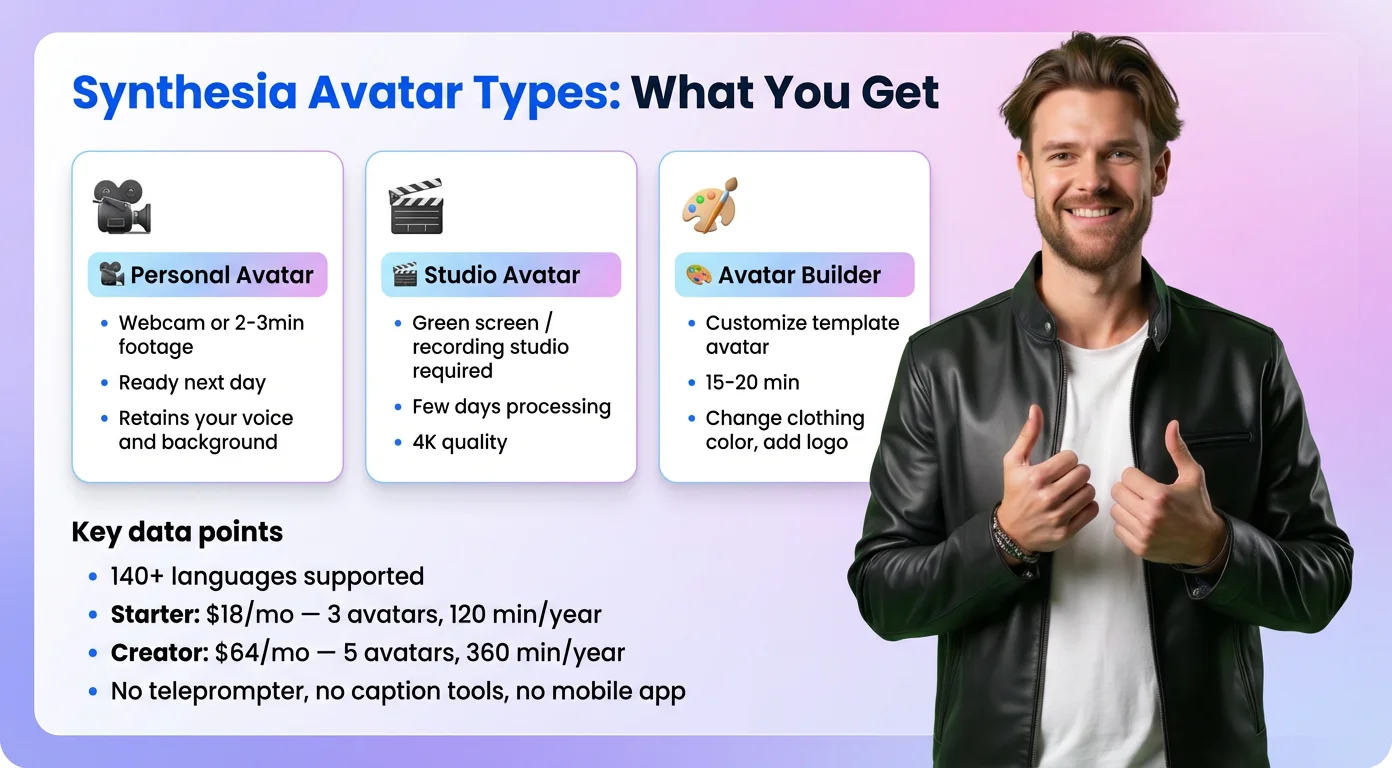
Synthesia offers three avatar types: personal (from a webcam or uploaded footage, ready the next day), studio (requires a partner recording studio or green screen footage, takes several days), and Avatar Builder (a customizable template avatar, ready in 15–20 minutes). The personal and studio tiers both require a consent recording before processing begins.
The headline strength is language coverage: Synthesia's avatars can speak in over 140 languages. For global brands producing training or corporate communications in multiple markets, that's a material advantage over BIGVU's 29-language ceiling.
What It Does Well and Where It Falls Short
Personal avatars in Synthesia capture voice and retain your original background, which gives them a naturalistic feel for casual or educational content. Studio avatars are the quality ceiling — they can be placed against any background and express emotion accurately, though the voice can still sound slightly synthetic.
What Synthesia doesn't offer: a teleprompter for recording real video, an AI script editor, caption tools, or a mobile app. It's an avatar generation and video assembly tool — you bring the script, it produces the output. Post-production happens elsewhere.
Pricing
Starter: $18/month billed annually — 3 personal avatars, 120 video minutes per year. Creator: $64/month billed annually — 5 personal avatars, 360 minutes per year.
Best For
Corporate teams producing localized training, HR, or internal communications content in multiple languages. Not the right fit for independent creators who need a full production workflow in a single app.
Which AI Avatar Generator Should You Choose?
The Short Decision Framework
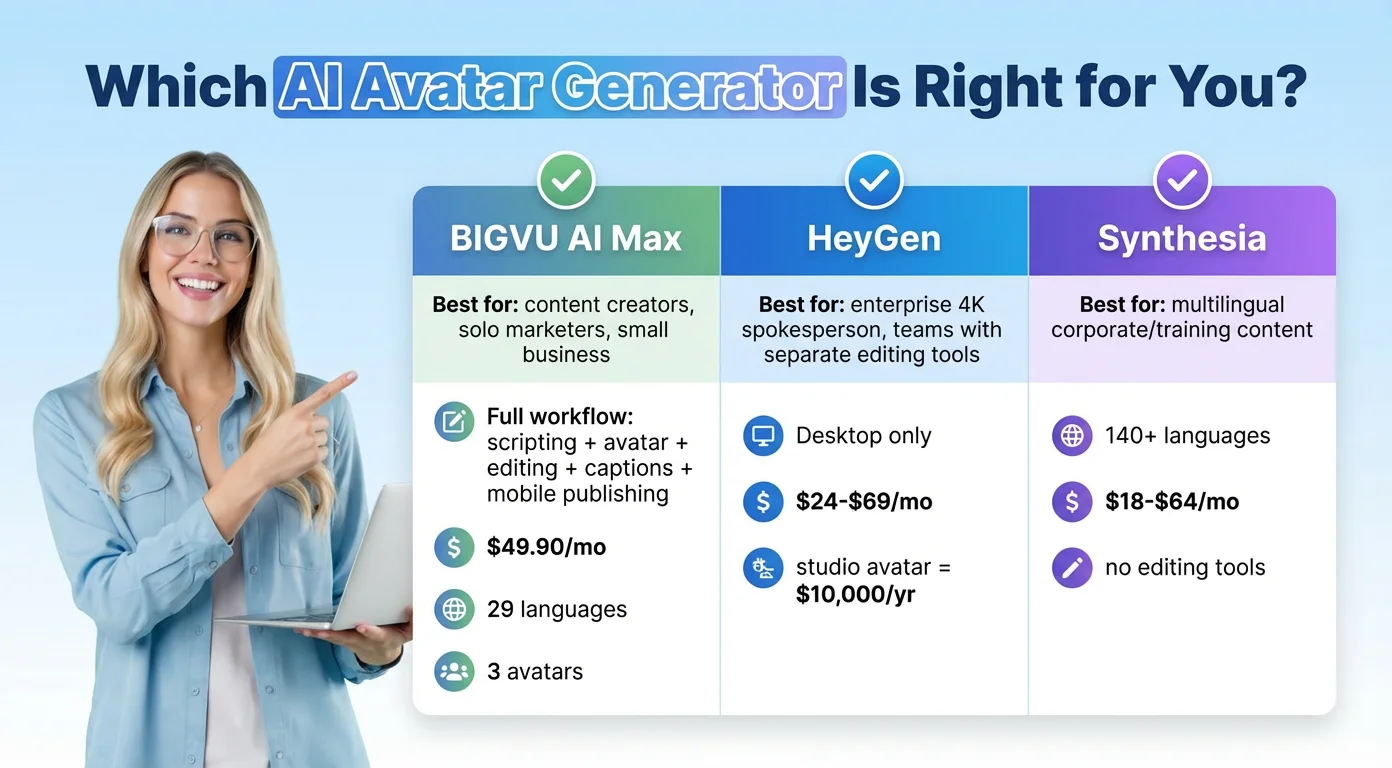
If you want to produce video regularly — marketing content, social posts, educational videos — and you don't want to manage five separate tools to do it, BIGVU is the default choice. The avatar quality is high, the full workflow is built in, and you can mix AI-generated clips with real footage so your channel doesn't feel artificial over time.
If you need a single enterprise-grade 4K spokesperson avatar and have separate tools for everything else, HeyGen's studio tier is the only option here that hits that quality bar — but the price reflects it.
If you're producing multilingual corporate content for large teams and volume is more important than creator flexibility, Synthesia's language coverage and team collaboration features make it a reasonable fit.
The Overlap Most Tools Miss
Where all three competitors fall short relative to BIGVU is the combination of avatar realism, voice cloning, captioning, teleprompter recording, and mobile publishing in one place. For solo creators and small businesses, that integration is what actually saves time — not just having an avatar, but having an avatar that fits into a real production workflow.
Quick Comparison
BIGVU AI Max: $49.90/mo billed annually — avatar + full editing + teleprompter + captions + mobile app + 29 languages.
HeyGen Creator: $24/mo billed annually — instant avatar only, desktop only, 5-min cap, no editing tools.
Synthesia Starter: $18/mo billed annually — 3 avatars, 120 min/year, no editing tools, 140+ languages.