
What Free AI Video Actually Means in 2026
Start with the exits. Sora is gone from the consumer product and from the API, so any 2025 list that still ranks it is outdated. Google's own Gemini help page says video generation in Gemini Apps needs a Google AI plan on a personal account, with no free personal tier for that feature. Google Flow still gives free users 50 credits a day, with Veo 3.1 Lite at 10 credits, Fast at 20, and Quality at 100, and free users can be blocked from about 2 PM to 5 PM UTC on busy days.
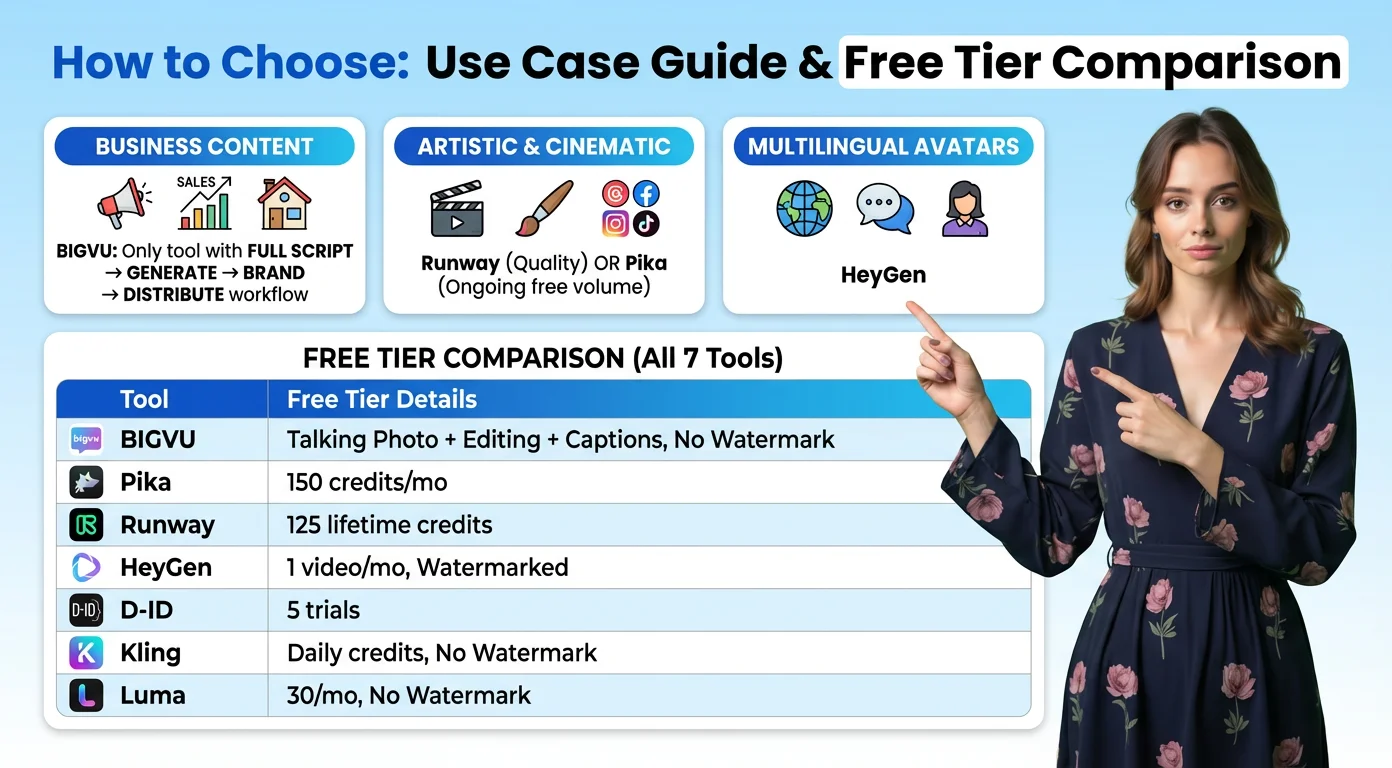
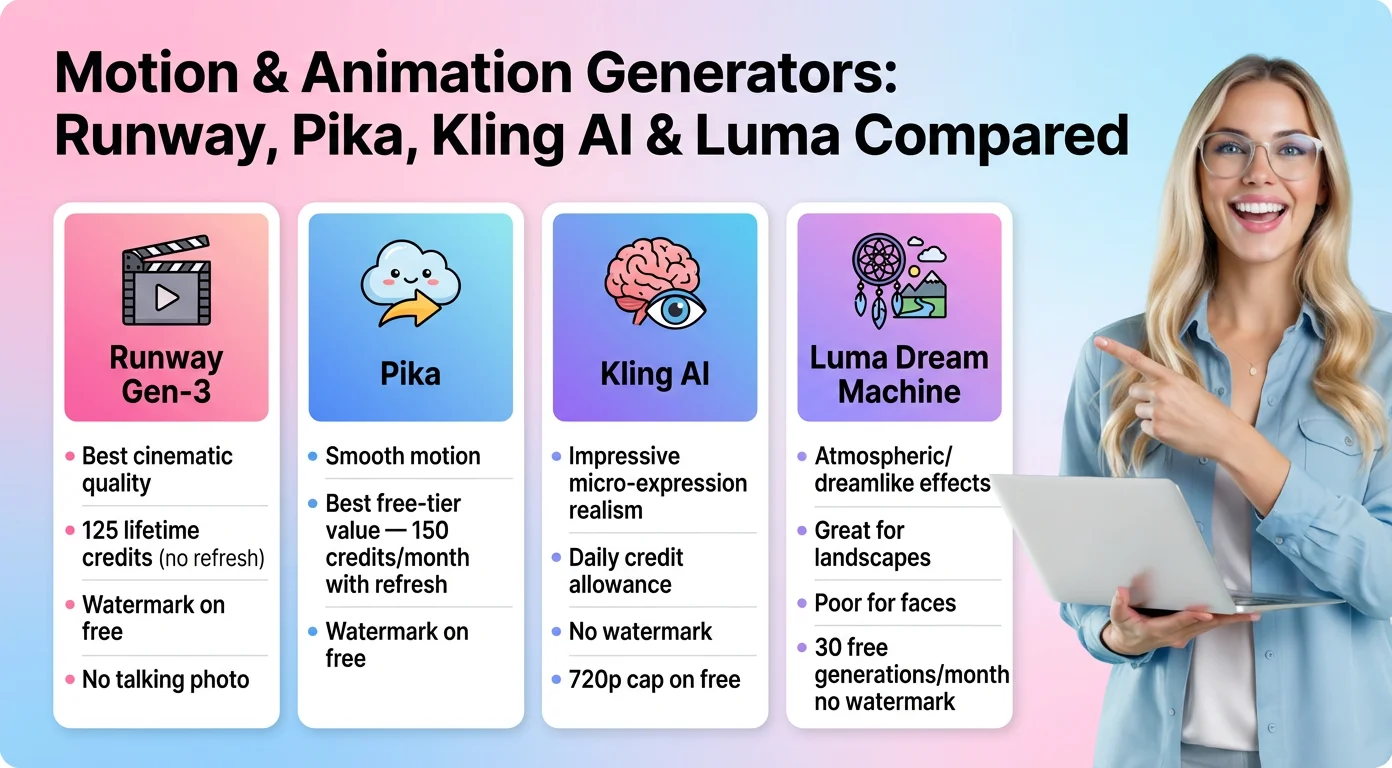
The paid free boundary looks different on every site. On Runway's pricing page the Free plan is $0 with 125 one time credits to explore the tools. Watermark removal sits on paid plans. Standard is listed at $15 a month, or $12 on annual billing, for 625 credits a month. On Pika's pricing page Free is $0 with 0 credits per month and packs only. Free exports have no watermark, according to Pika's FAQ, but commercial license is not included until you pay. Starter is $10 a month for 900 credits.
Luma's pricing page lists no free plan. Plus starts at $30 a month for 10,000 credits with commercial use. Kling's Basic plan is $0, described as free forever, with credits for logging in. Watermark free downloads and commercial use sit on paid memberships. Kling's credits policy states Standard Pricing of $1 USD = 66 Credits. Hailuo's payment policy says free users download videos that include a watermark, welcome credits expire three days after they are granted, and Standard is $14.99 a month for 1,000 credits with watermark free downloads.
So if someone asks whether there is a completely free AI video generator, the honest answer is: yes for short tests, no for clean commercial files. That gap is the whole story of this category in 2026.

Best Free Image to Video Options You Can Still Use
If your job is convert photo to video for a social test, these are the free or near free routes that still open without a card, based on the vendor pages above.
- Google Flow: 50 free credits a day. Veo 3.1 Lite at 10 credits gives you a few short clips before the daily cap, as long as you are outside the 2 PM to 5 PM UTC free user block. Good for trying an image to video AI prompt, weak for a weekly publishing schedule.
- Runway Free: 125 one time credits. Enough to learn Gen-4.5 or image to video once. Not a monthly allowance. Expect a watermark unless you move to Standard.
- Kling Basic: $0 with login credits. Usable for image to video experiments. Free generations keep a watermark, and Kling's own feature pages say memberships are watermark free.
- Hailuo free tier: You can generate and download, with a watermark. Welcome credits expire in three days, so treat them as a short trial, not a plan.
- Pika Free: Models are listed, including Seedance 2.5 and Wan 3.0, but the monthly credit count is 0. You buy packs or upgrade. Fine for browsing the UI, not for a free production habit.
Luma is out of the free column. HeyGen still shows up in Google AI Overviews for free AI video, and it remains a strong paid avatar tool, but it is not the best zero cost image to video path for most people reading this. For a talking avatar or Portrait to Video workflow where you need your face, your script, and captions in one place, a video app with an AI talking photo tool is often faster than hopping between generators.
Quality Leaderboards vs What You Can Download Free
Benchmarks and free downloads are not the same list. On November 6, 2026, the Artificial Analysis text to video leaderboard put Wan 3.0 first at Elo 1172, with Utopai X near 1169 and Dreamina Seedance 2.5 near 1155. HeyGen Video 1 sat around 1153. Veo 3.1 was near 961. The image to video board put Dreamina Seedance 2.5 first near Elo 1159. Those scores move week to week, so treat the order as a snapshot, not a forever ranking.
Youri van Hofwegen put the practical version well in a September 21, 2026 YouTube ranking video (sponsored by Higgsfield): "you just watch the best model change depending on what I ask." That matches what most editors see. A model that wins a motion test can lose a face consistency test five minutes later.
Here is the commercial filter the leaderboards skip. Wan 3.0 and Seedance 2.5 often appear inside paid aggregators such as Pika, where free users have 0 monthly credits. Runway's free bucket is one time. Kling and Hailuo let you download free files with watermarks. Flow's free daily credits are real, then capped. If you need a file for ads, a sales page, or a client deck, Elo is less important than whether the license and the watermark allow you to ship.
That is the counterpoint we promised: rank by commercial usability too. A watermarked 1150 Elo clip is still not a free asset for a brand kit video.
Honest Picks by Job: Social Clip, Talking Photo, Marketing, Model Testing
Use the job, not the hype chart.
- One social clip from a still: Google Flow on a quiet hour of the day, or Kling Basic if you accept a watermark while you draft. Keep the clip short so 50 Flow credits or a day of Kling login credits last.
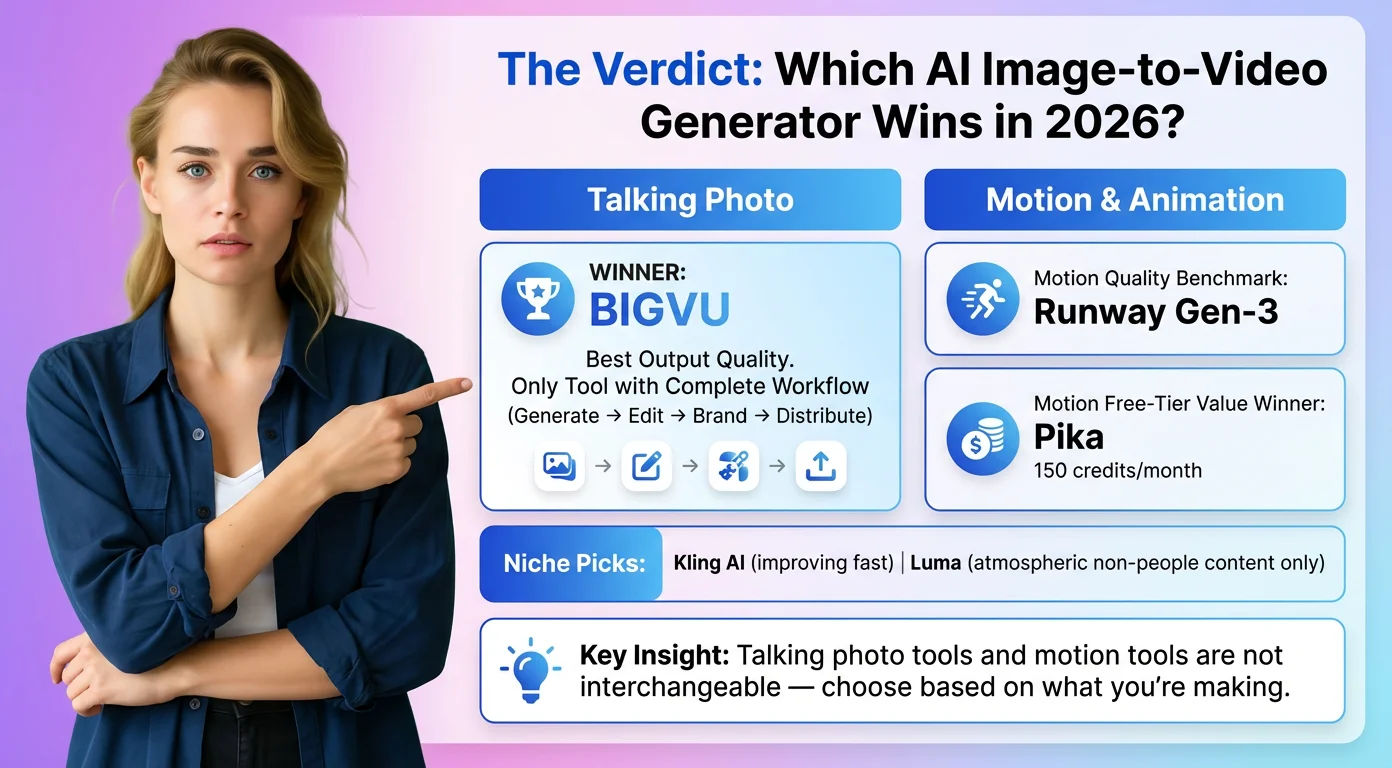
- Talking photo / AI talking photo / headshot to video: Generators that only animate a photo will give you motion. They will not write your script, hold a teleprompter, or drop your logo. For an AI avatar video you will actually post, start in BIGVU with Talking Photo or an AI Twin, then pull B roll from a generator if you need it.
- Marketing and video email for sales: Skip free watermarks. Runway Standard, Pika Starter, Kling Standard, or Hailuo Standard are the cheapest vendor listed ramps into clean downloads. Pair the clip with a real AI script writer and a brand kit so the face, colors, and CTA stay consistent.
- Testing models: This is where free still shines. Flow's daily credits, Runway's 125 one time credits, and Kling login credits let you compare prompts across Wan style, Seedance style, and Veo style motion without a yearly plan. When the winner keeps changing by prompt, you have your answer.
Secondary searches like ai image to video generator free, add image to video, and avatar video generator all point at the same fork: demo for free, publish on a plan that allows commercial use.
When Free Is Not Enough, and Where BIGVU Fits
Free stops being enough when you need three things at once: no watermark, commercial rights, and a repeatable weekly output. At that point you are no longer shopping for a toy credit pack. You are shopping for an AI video workflow.
BIGVU is built for the talking head side of that workflow. The BIGVU pricing page lists a Free plan at $0 forever with 500 AI credits a month, no credit card, 720p watermarked export, teleprompter recording, and scheduling. AI Pro is $19 a month on monthly billing ($229 a year) with 3,000 AI credits, HD and 4K export without a watermark, captions, and AI dubbing in 30+ languages. Max is $49 a month ($589 a year) with 10,000 AI credits, an AI Twin of your face and voice, and longer Talking Photos. Those numbers come from bigvu.tv, not from a partner pitch.
If you want the editing and publishing handled for you, BIGVU SuperAgent is the done with you offer on bigvu.tv/agent: a content team that plans, scripts, edits, and publishes, with TalkingPhoto as an option when you skip the camera. The page lists 8 videos a month, month to month billing, and a free strategy call. We are not claiming a money back guarantee here because that page does not show one.
So the practical split is simple. Use free image to video tools to explore motion and prompts. Use BIGVU when the deliverable is you on camera, a talking avatar, or a branded video email for sales that needs a script, brand kit, and captions in one AI video creation pass. Mix them when a generator gives you the B roll and BIGVU carries the face and the publish step.