CapCut Pricing Breakdown: Free, Standard, and Pro Tiers
Free Plan
CapCut's free plan remains one of the most generous in mobile video editing. It includes the full basic editing toolkit: cut, split, multi-track timeline, keyframe animation, chroma key (green screen), speed ramping, filters, free music and sound effects, basic AI voiceover, and 1080p export. You also get access to a large library of free templates and effects.
The catch: some templates and effects are marked "Pro" and will add a small watermark to your export unless you have a paid subscription. This watermark behavior changed during the Standard/Pro restructure, and some templates that were previously free are now gated behind paid tiers.
Standard Plan (~$9.99/month)
The Standard tier is positioned primarily for mobile users. It removes all watermarks, unlocks additional templates, transitions, text styles, and effects. Standard does not include 4K export or the full AI feature suite. This plan is available on monthly billing only and is primarily sold through mobile app stores.
Pro Plan ($7.99–$19.99/month)
Pro is CapCut's top tier and the price varies significantly by region and purchase channel. Direct purchase through capcut.com is typically 20–30% cheaper than purchasing through the Apple App Store or Google Play. Users in Brazil or India see substantially lower prices than those in the US or Western Europe.
Pro includes: 4K export, the full AI toolkit (camera tracking, vocal isolation, speaker identification captions, AI voice effects), 100 GB+ cloud storage for cross-device project syncing, team collaboration features, and access to the complete library of over 12 million royalty-free assets including music, sound effects, stickers, and stock footage.
Annual billing runs approximately $74.99–$89.99/year (22–27% savings versus monthly). There is no lifetime purchase option.
What Matters Most: Mapping Features to Tiers
For most users, the decision comes down to three questions: Do you need watermark-free exports of Pro-tagged templates? (Standard or Pro.) Do you need 4K output? (Pro only.) Do you need the AI toolkit and cloud storage? (Pro only.) If you only use free templates and export at 1080p, the free plan may be all you need.
![[object Object]](/blog/images/airtable/section1-capcut-pricing-2026-free-vs-pro-whats-included-alternatives.webp)
![[object Object]](/blog/images/airtable/section2-capcut-pricing-2026-free-vs-pro-whats-included-alternatives.webp)
CapCut vs BIGVU: Different Tools for Different Content Types
Comparing CapCut and BIGVU on price alone misses the point — they serve fundamentally different content workflows.
CapCut at $7.99–$19.99/month (Pro) gives you:
A powerful general-purpose video editor with timeline precision, 4K export, a massive effects and template library, AI-powered editing tools, and cross-platform syncing. It excels at visually dynamic content: TikTok trends, montages, transitions, and effects-heavy short-form video.
BIGVU at $39/month (AI Pro) gives you:
A complete talking-head video workflow: AI script writing, built-in teleprompter, AI subtitles with brand fonts, Auto-Shorts, brand kits, OmniHuman AI talking photo (~61 seconds/month), AI image generation (~73 advanced images/month), and video landing pages with CTA buttons for lead capture. It excels at scripted, branded video for professionals: coaches, real estate agents, consultants, and marketers.
The Real Cost Comparison
If you're a talking-head creator using CapCut Pro, you likely also need: a separate teleprompter app ($5–$15/month), a landing page tool for CTAs ($20–$50/month), and possibly a separate captioning service for branded subtitles ($10–$30/month). That stack totals $43–$115/month before you've added any AI generation capability. BIGVU's $39/month AI Pro plan replaces the entire stack.
For general-purpose editing, CapCut's value is hard to beat. For scripted, professional video with lead generation built in, BIGVU is more cost-effective than assembling a multi-tool stack.
![[object Object]](/blog/images/airtable/section3-capcut-pricing-2026-free-vs-pro-whats-included-alternatives.webp)
Beyond BIGVU: Other CapCut Alternatives Worth Considering
CapCut isn't the only option, and depending on your workflow another editor may fit better. Here's how the most common alternatives stack up by use case.
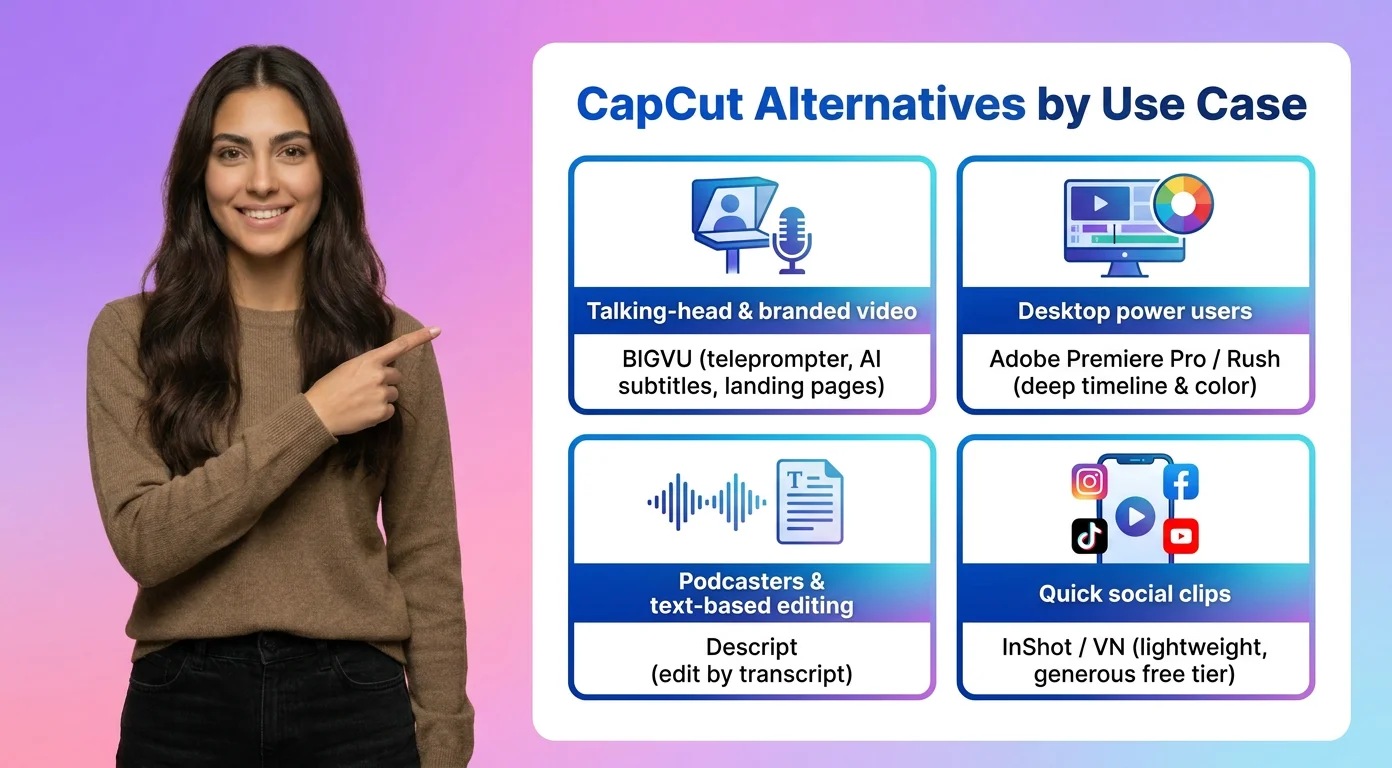
For Talking-Head & Branded Video: BIGVU
If your content is scripted and you're on camera, BIGVU bundles the teleprompter, AI subtitles, Auto-Shorts, and lead-capture landing pages that CapCut leaves you to assemble separately. Best for coaches, consultants, real estate agents, and marketers.
For Desktop Power Users: Adobe Premiere Pro / Rush
Adobe's editors offer the deepest timeline control and color tools, with Rush serving as the lighter, cross-device option. Expect a steeper learning curve and a subscription that sits at the higher end of the market.
For Podcasters & Text-Based Editing: Descript
Descript lets you edit video by editing a transcript, with strong AI voice tools and filler-word removal. It's ideal for long-form, interview, and podcast-style content rather than effects-heavy short clips.
For Quick Social Clips: InShot or VN
Both are lightweight mobile editors with generous free tiers, well suited to fast, casual edits when you don't need CapCut's full template ecosystem or AI suite.
The right alternative depends on what you make: choose a talking-head platform for scripted brand video, a desktop editor for cinematic projects, a transcript-based tool for spoken-word content, or a lightweight app for quick social posts.
Which CapCut Plan (or Alternative) Is Right for You?
With the tiers and alternatives laid out, here's a simple way to land on the right choice for your budget and content type.
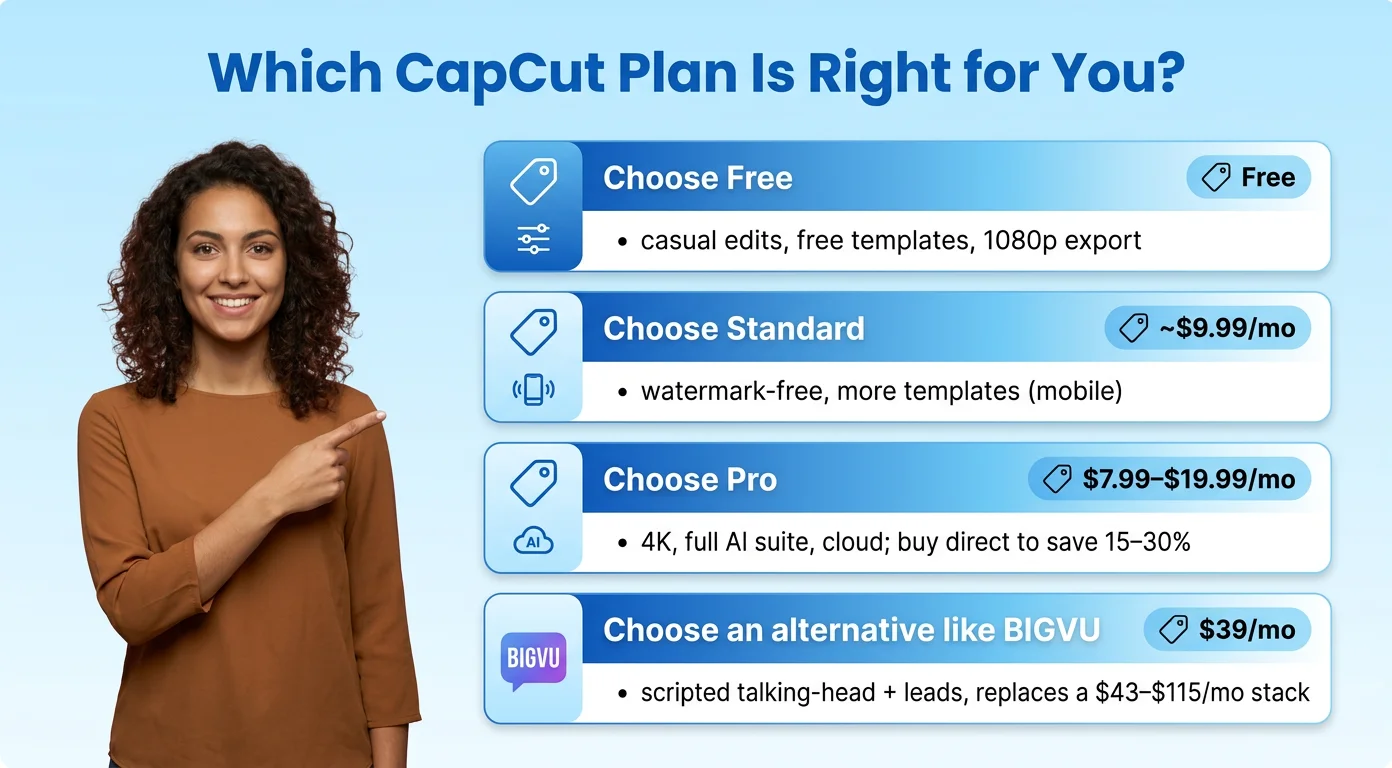
Choose Free if…
You edit casually, only use free templates, and are happy exporting at 1080p. CapCut's free plan is one of the most capable on the market and may be all you ever need.
Choose Standard (~$9.99/mo) if…
You're a mobile creator who mainly wants watermark-free exports plus more templates, transitions, and text styles, but don't need 4K or the full AI toolkit.
Choose Pro ($7.99–$19.99/mo) if…
You need 4K export, the complete AI suite, cloud syncing, and the full asset library. Buy directly through capcut.com rather than the app stores to avoid the 15–30% markup.
Choose a Dedicated Alternative if…
Your content is scripted talking-head video with lead generation in mind. In that case a platform like BIGVU ($39/mo) can replace a multi-tool stack of teleprompter, captioning, and landing-page subscriptions that would otherwise cost $43–$115/month.
The Bottom Line
For general-purpose, effects-driven editing, CapCut's value is hard to beat — just buy direct and pick the lowest tier that covers your needs. For professional, scripted video where every post should drive leads, an all-in-one platform built for that job will stretch your budget further than assembling separate tools.