What CapCut Free Still Gives You in 2026
We opened a free account in the CapCut web editor in October 2026 and tried the jobs most people care about. This is what we saw:
- Templates: standard templates applied in one click, with no paywall in front of them.
- AI credits: the free account came with 100 AI credits. One short AI video generation with Seedance 1.0 Fast cost 5 credits, so you can test the AI tools a little.
- Export settings: the default was 720p at 30fps, and the menu let us choose up to 1080p and 60fps without a Pro badge.
- Publishing: direct posting to TikTok, YouTube Shorts, a Facebook Page and Instagram Reels was available, and scheduling a post was free.
- Collaboration basics: shared spaces with Can edit and Can view roles were visible on the free account.
Two things we could not confirm. We did not finish a full export, so we cannot tell you whether a watermark appears on every free export. And the free plan's resolution ceiling depends on where you edit. CapCut's help page on missing 2K and 4K options says availability depends on your device, operating system, app version and platform, while its Join CapCut Pro page lists 4K and 60fps export among the things Pro gives you. Treat any article that promises free 4K as a claim to test, not a fact.
On the official pricing page, the Free column is short: "Free templates to start fast" and "Basic editing tools." That matches our test. Basic cutting, trimming, text, filters, transitions and stock music are there. The more advanced AI work is where the badges start.

What CapCut Pro Adds on Top
According to CapCut's pricing page (checked November 3, 2026), Pro includes:
- 1,200 monthly AI credits, with the option to buy more
- Access to AI features, all premium templates and "all premium Pro features"
- 1 TB of cloud storage
- AI video generation with Seedance models, which CapCut prices per second, for example "Seedance 2.5 from $0.12/sec (first month)" on the US page
CapCut's help article on Standard vs Pro adds the feature names. It says Pro includes camera tracking, auto captions, AI avatars and AI generated images and videos, plus commercial use assets, team templates, brand libraries and editing across mobile, desktop and web. Standard users get basic AI tools such as AI effects, noise reduction and loudness adjustment.
In our free test, the auto captions panel already showed a Pro badge. That is the pattern to expect: you can open almost any tool, but the ones marked with the Pro diamond are not yours to export. Creator Jay of CREATE with JAY described it bluntly in a January 2026 video: "if it has this little purple diamond right here by each tool, you cannot use the tool. It's a pro option."
The free trial is the cheapest way to find out what Pro feels like. CapCut's pricing FAQ says new users can start a 7 day free trial of Pro with no credit card required. Its help center page on the Pro free trial, however, says you'll be asked to add a payment method to verify eligibility. Both pages say availability depends on region, platform and account, so check what your checkout shows.

Free, Standard, Pro, Ultra: Which Plans You Will Actually See
The plan names are confusing because they differ by store.
- On the web (capcut.com/pricing), we saw four columns on November 3: Free, Pro, Ultra and Teams. There was no Standard plan.
- In the US App Store, the in app purchase list on November 1 included Standard Monthly at $9.99 and Pro Monthly at $19.99.
So Standard is a mobile store plan. CapCut's help center describes it as editing "primarily focused on mobile devices" with 100GB of cloud storage, while Pro works across mobile, desktop and web with 1TB. If you edit on a laptop, Standard is usually the wrong buy.
Ultra sits above Pro on the web. The US page listed it at USD 79 a month with 8,645 monthly AI credits and "Everything in Pro, plus exclusive AI features." It is aimed at people generating a lot of AI video, not at someone who trims clips and adds captions.
The current structure dates from CapCut's March 25, 2026 pricing change notice. CapCut says Pro's AI points went from 550 to 1,200 and its cloud storage from 100GB to 1TB, and that "previous pricing is no longer available for new subscribers." If you remember a cheaper Pro price from 2025, that is why it is gone.
For the full list of prices by store and country, see our CapCut pricing guide. The short version: in the US, Pro is $19.99 a month on both the web and the App Store.

Where the Free Plan Pinches, in Users' Own Words
Plenty of people still edit happily on free CapCut. But the complaints are consistent enough to plan around.
- Features moving behind the badge. In an r/CapCut thread from 2026, one user wrote that "even the 'extract audio' is PRO ONLY now." That is a user report, so check it in your own app version before you build a workflow around it.
- Finding out at export. The most frustrating moment is finishing an edit and learning that one effect or caption style was a Pro tool. Jay's workaround in his video was to screen record the result, and he admitted "it won't be the best quality."
- Upsells. In our own test the web editor lagged, tutorial tooltips kept coming back, and upgrade offers appeared often, including a discounted first month and an Ultra discount.
There is a fair counterpoint. In a February 2026 r/CapCut thread, one user argued Pro is worth it for 4K export and vocal isolation, and another pointed out that Standard is mobile only. For people who edit every day and use those tools, Pro pays for itself in time saved.
One more thing has changed for US users. CapCut's US Terms of Service, last updated April 15, 2026, say the agreement is between you and TikTok USDS Joint Venture LLC. If your company has a policy on which vendors you can use, that is the name to give your IT team.
Who Should Pay for Pro, Who Should Stay Free, and Where BIGVU Fits
Stay on Free if you edit a few short videos a month, mostly use standard templates, and don't depend on auto captions or AI generation. Before every export, scan your timeline for Pro badges.
Pay for Pro if you post several times a week, need auto captions, camera tracking or premium templates, edit on more than one device, or want commercial use assets. Try the 7 day trial first and run a real week of work through it.
Skip Standard if you ever edit on a computer. It is the mobile store plan.
Look at Ultra only if AI video generation is a core part of your output.
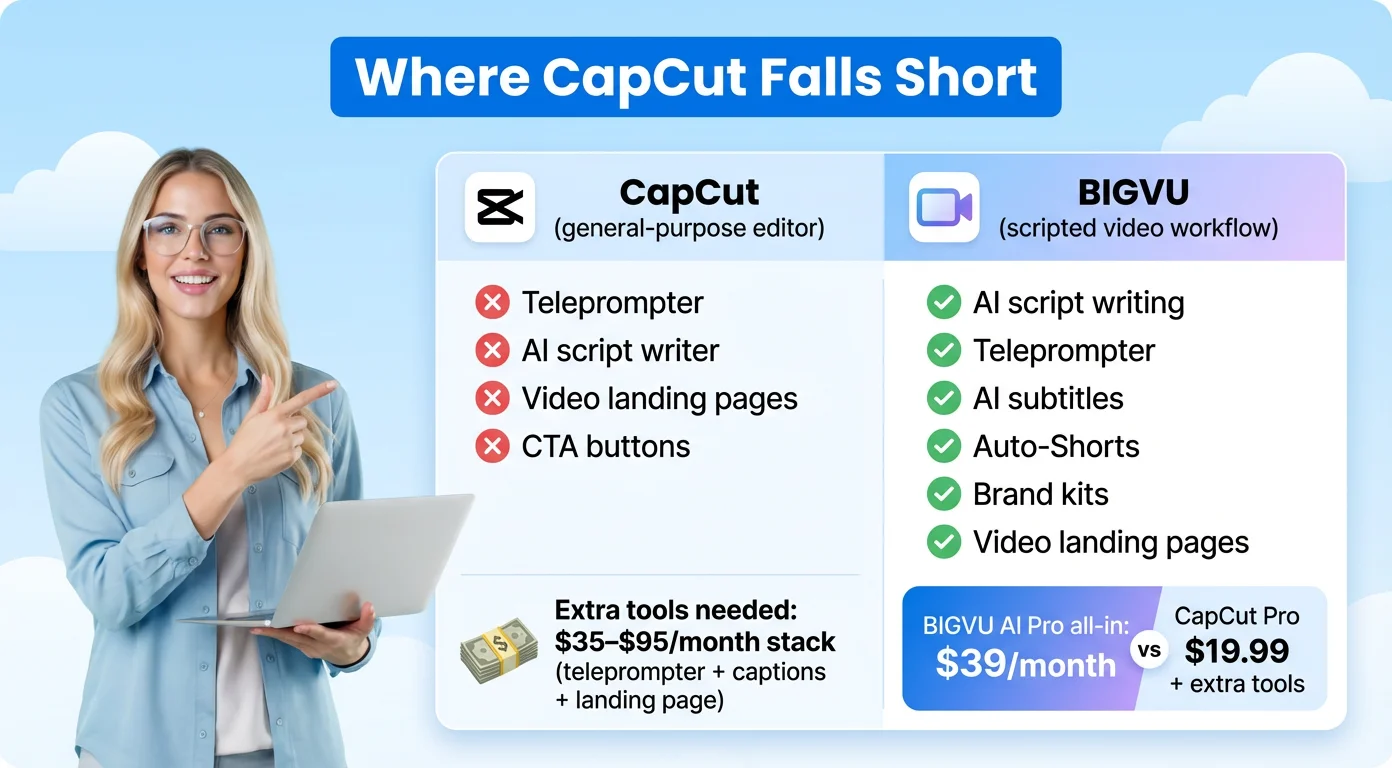
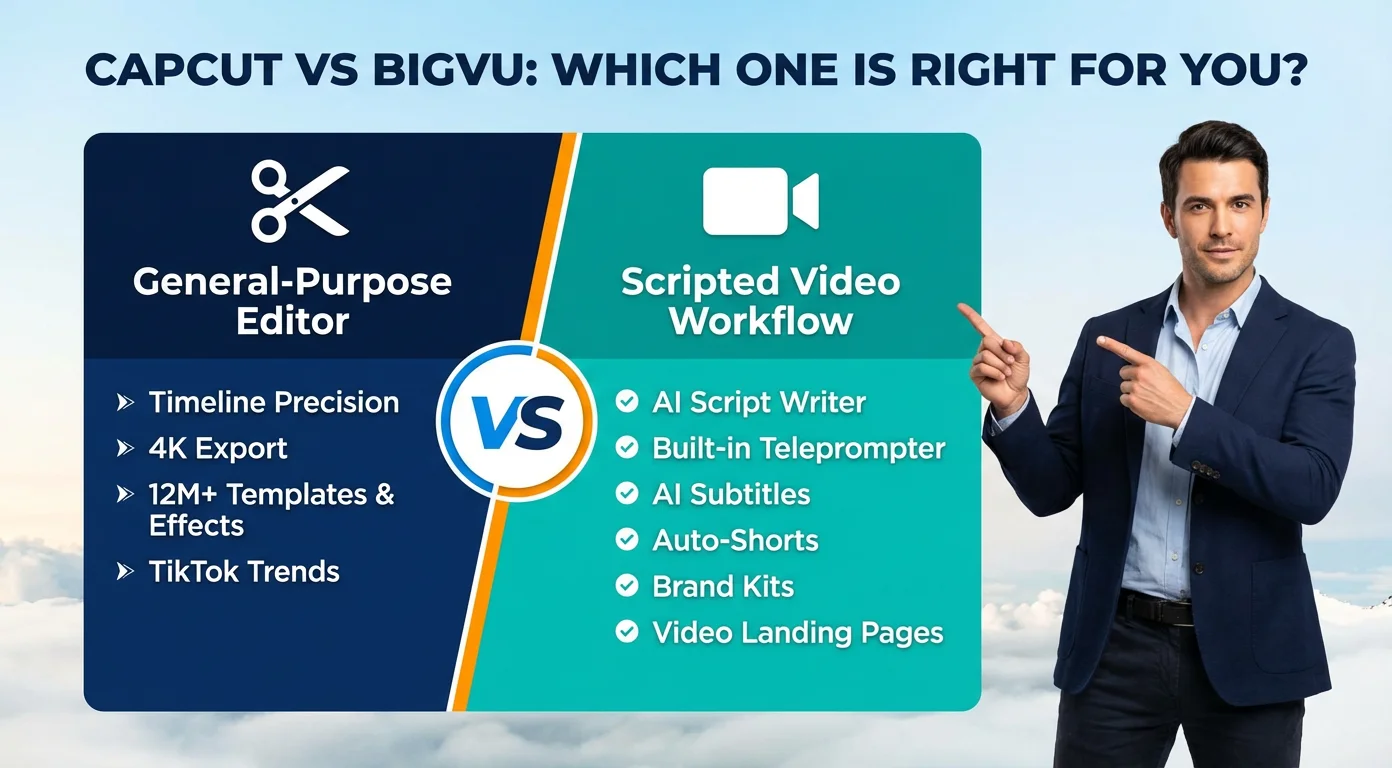
If most of your videos are you talking to camera, for example tips, sales updates or listing tours, a general editor may not be the bottleneck. The hard part is the recording. BIGVU is built around that. The Free plan includes AI scripts, a teleprompter and scheduling to your social channels (720p, watermarked, 500 AI credits a month). AI Pro is listed at $19 a month, or $229 a year billed annually, and adds HD and 4K export without a watermark, captions and logo edits, Autoshorts, Background Replace and AI dubbing in 30+ languages. Many people keep CapCut for trend edits and use BIGVU for the videos where they appear on camera.