

Pitchy Review: The Corporate Video Platform Built for Brand Teams
Pitchy is a video platform built for corporate and brand teams, and it has the client list to prove it, with more than 500 companies including L'Oreal, LVMH, Air France, Orange, and BNP Paribas. The pitch is simple: give a whole team the power to make polished, on-brand corporate videos without hiring an editor for every clip. On G2 it holds a solid 4.4 out of 5 across more than 70 reviews.
What makes Pitchy a little different from a pure software tool is that it comes in two flavors. There is the self-serve platform, and there is Pitchy Studio, an in-house video agency that will produce videos for you. You can buy the software, the agency, or both together in a bundle they call Pitchy Max.
How Pitchy Actually Works
Pitchy is cloud-based, with a web interface and a companion mobile app for capture. You build a video by starting from one of 600-plus templates, backed by more than 1,500 animations, or from a Theme, then drop your footage, text, and media into ready-made scenes. A Brand Kit keeps colors and fonts consistent, and a manager can set team-wide colors and fonts so every video across the company stays on brand. There is a large stock library of video and images, an audio track, and multi-format export for 16:9, 9:16, and 1:1. On the AI side, Pitchy leans practical rather than flashy. It offers automatic subtitling, automatic translation, text-to-speech voices, and a Doc to Video feature that turns a document into a video. Notably, Pitchy steers away from fully AI-generated talking avatars on purpose, positioning itself around human studio support instead.What Users Like About Pitchy
- Fast and beginner-friendly. Reviewers say you can put a professional-looking video together quickly even if you have never edited before.
- Strong templates and stock. The template range, animations, music, and the large image and video library get praised as real time-savers.
- Built for team consistency. Branded templates and shared team colors keep a whole company's videos looking the same.
- Standout support. Named account managers, responsive service, and regular webinars come up again and again. Several reviewers name their contact by first name.
- It keeps improving. Frequent updates that follow trends, and a team that visibly acts on feedback.
What Users Dislike About Pitchy
- Templates can feel like a cage. The most common complaint by far: you are locked to the template frame. Reviewers describe not being able to move text, add a frame that is not in the template, or manage block colors outside the preset Themes.
- Limited deep customization. Anyone coming from a pro editor finds the creative control restricted, and some switch to a tool like Canva for pieces Pitchy cannot handle.
- Reloads and waiting. Several users mention having to reload a scene to see their changes, which adds up over time.
- Cloud-only. It needs a stable internet connection to perform well.
- Aging templates. A few reviewers feel part of the library has gotten stale, though Pitchy is adding more.
Pitchy Pricing
Pitchy does not publish prices. There is a limited free trial inside the app, but to actually buy you book a demo and get a quote for one of three offers: Pitchy Solutions (software), Pitchy Studio (the agency), or Pitchy Max (both). It is a classic sales-led, enterprise model, which fits its big-brand customers but means a small team cannot see a price or start on their own.Pitchy: Best For
- Corporate, brand, and internal comms teams that need many people making consistent, on-brand videos
- Companies that want templated corporate videos such as product, onboarding, and interviews without building from scratch
- Organizations that value a named account manager, onboarding, and even a done-for-you agency option
- Teams with the budget for an annual enterprise contract
Pitchy: Not Ideal For
- Solo creators, founders, and small businesses who want to see a price and start today
- Anyone whose main need is talking-head video, where a teleprompter and confident on-camera delivery matter most
- Creators who want AI avatars or portrait to video, which Pitchy intentionally does not offer
- People who want deep, frame-level creative control
![[object Object]](/blog/images/airtable/section1-pitchy-bigvu-ai-video-platform-wins-2026-features-pricing-re.webp)
BIGVU Review: The Video Studio for People Who Show Up on Camera
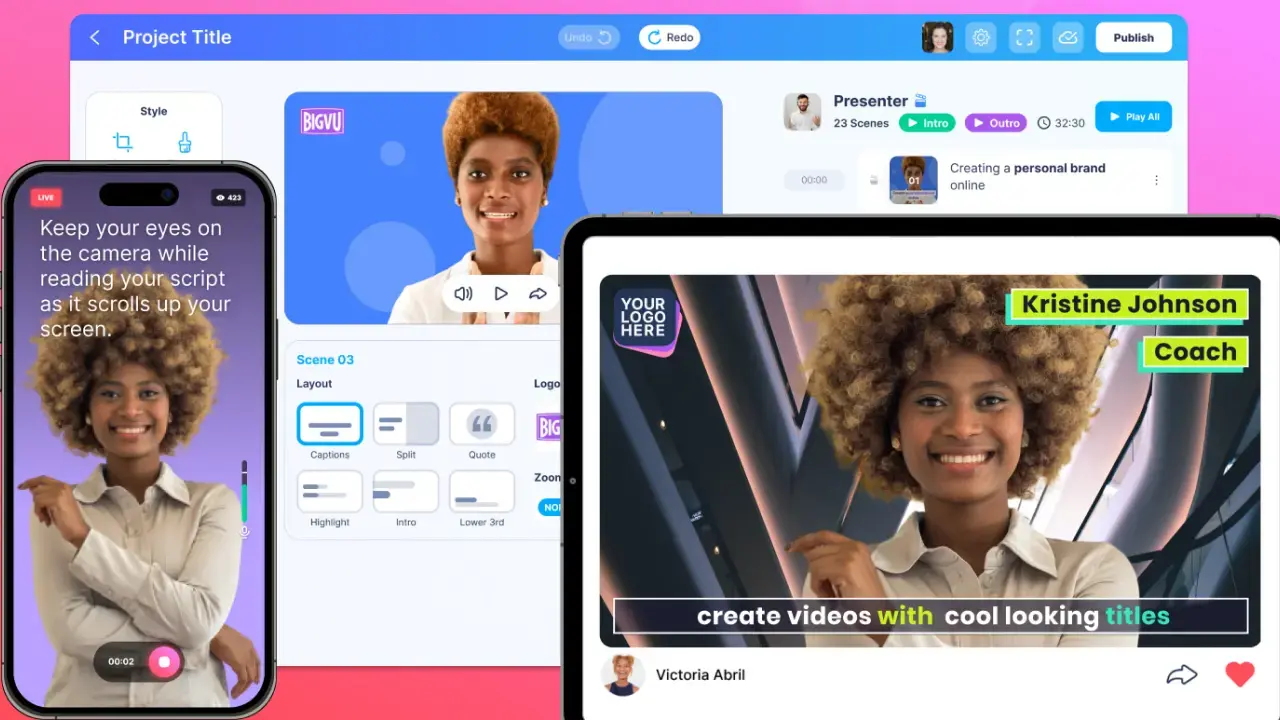
Where Pitchy is built around assembling branded scenes from templates, BIGVU is built around getting you into video, on camera or not. It runs on both web and mobile, with your scripts and videos syncing across devices, so a business owner, marketer, real estate agent, or creator can script, record, caption, brand, and publish from a desk or a phone. On review sites it is used most by small businesses and marketing teams, and the teleprompter is the feature people fall in love with first.
When You Want to Be on Camera: Script and Teleprompter
The on-camera workflow starts before you hit record. You use the AI Script Generator to turn a topic into a tight, video-ready script, then load it straight into the live scrolling teleprompter. You read while the camera captures your face, so you keep eye contact and sound prepared instead of stumbling or glancing off to the side. There is even AI eye-contact correction and beauty filters to help you look your best. Then you apply your Brand Kit in a tap, burn captions directly into the video so it works with the sound off, and publish. The whole loop can happen on your phone or in your browser, and you can start on one device and finish on the other.When You Do Not Want to Be on Camera: AI Avatars and Portrait to Video
Not everyone wants to film themselves, and BIGVU gets that. The AI Avatar Video Generator turns a script into a fully presented video without a single recording session. Portrait to Video, also called AI Talking Photo, animates a single headshot so a still photo delivers your script with synced lips and expression. And with AI voiceover and voice cloning, you can narrate in your own voice, or a natural-sounding AI voice, across 20+ languages, without ever picking up a mic. It is the same finished, on-brand video, just without the camera.Turn Video Into a Lead Machine: Pages, Email, VoiceMate, and Connectors
This is where BIGVU stretches past pure video creation into video marketing. Any video can become a branded video landing page with your headshot, a headline, and a call-to-action button, or go out as a video email that arrives with an animated preview and tracks who watched. VoiceMate, BIGVU's AI voice agent, then answers the leads those videos bring in, across calls, WhatsApp, DMs, and website chat, learning from your own content and even speaking in your cloned voice so it sounds like you. A set of connectors ties it all together, publishing to 20+ social accounts, sending from Gmail or Outlook, and plugging into tools like Zoom, so the video you just made goes everywhere without exporting and re-uploading.The Features That Set BIGVU Apart
- Live scrolling teleprompter. The signature tool. It moves at your pace so on-camera delivery looks natural and confident.
- AI Script Generator. Removes the blank page. Give it a topic and get a script written for spoken delivery with a clear hook.
- AI Avatars and Portrait to Video. Create a scripted video without filming, or animate a single headshot to deliver your message when you would rather not be on camera.
- Burned-in captions. Captions are baked into the video, not a toggle, so they show up everywhere social video is watched on mute.
- AI voiceover and voice cloning in 20+ languages. Add narration, or your own cloned voice, without recording.
- Fototale. Turn photos or a listing link into a narrated, branded video, a favorite among real estate agents.
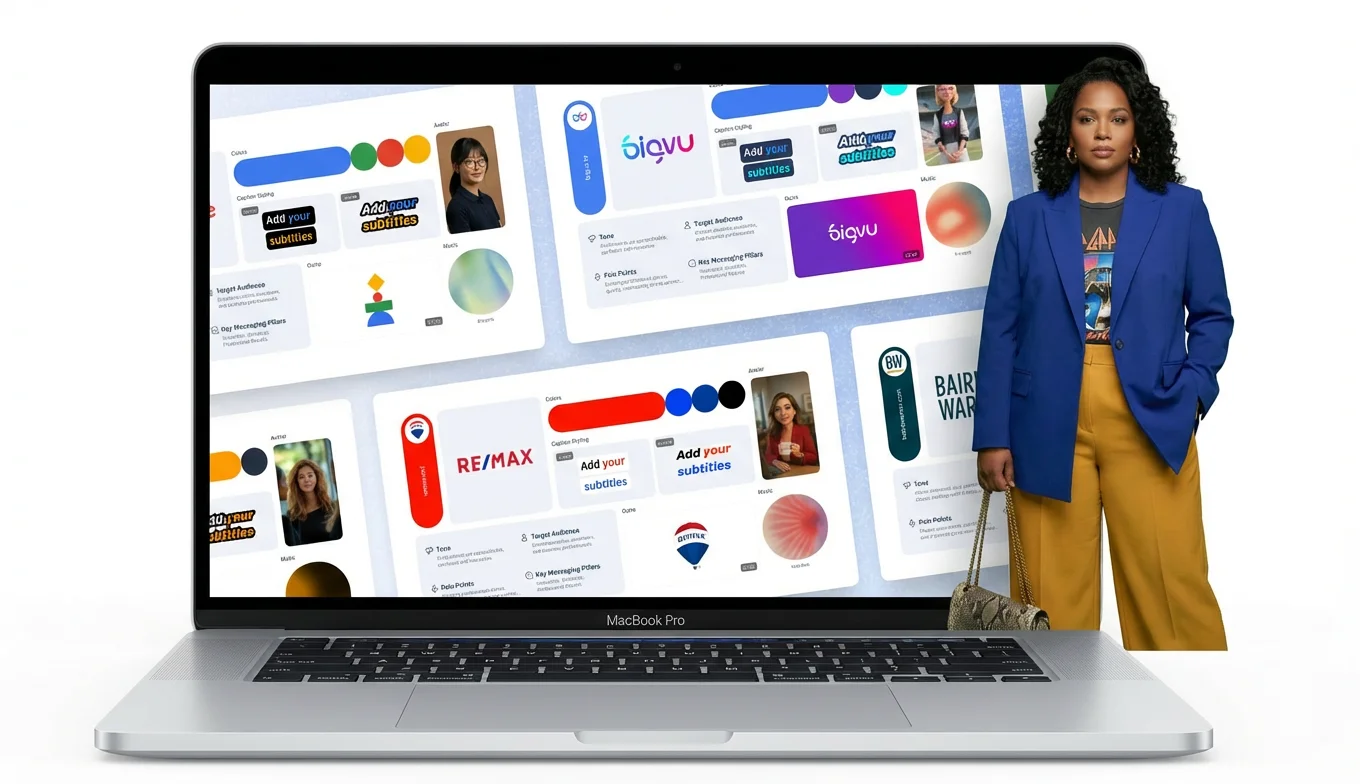
- Brand Kit and overlays. Logo, colors, and fonts applied inside the video, so it stays yours even when shared.
- Video pages and video email. Turn any video into a branded landing page or a trackable video email that captures leads.
- VoiceMate AI voice agent. Answers inbound leads across calls, WhatsApp, DMs, and website chat, in your cloned voice.
- Connectors and social publishing. Publish to 20+ social accounts and send from Gmail or Outlook, all from one workflow.
What Users Like About BIGVU
Reviewers keep circling back to the same points: it makes recording feel easy, the teleprompter lets people read a script without looking like they are reading, scripts and edits move smoothly between phone and desktop, and it is built with social formats in mind, so videos come out in the right aspect ratio for each platform. The speed of going from idea to posted video is the recurring theme.BIGVU Pricing
BIGVU is refreshingly transparent, and the opposite of a sales call. It is free to start with a free plan on web or mobile, so you can test the workflow before paying, and paid plans remove the watermark and unlock the full toolkit. Paid plans start low, in the single digits per month on annual billing, with higher AI tiers for creators who want more credits. Save big with Yearly billing. You see the price, pick a plan, and start, no quote required.BIGVU: Best For
- Founders, small businesses, marketers, coaches, and real estate agents who want a consistent video habit, on camera or not
- Creators who want to script, record, caption, and publish social video from web or mobile
- Anyone who is camera-shy or does not want to film at all, since the AI script and teleprompter, or AI avatars and portrait to video, cover both
- Teams that want video to actually generate leads, through branded video pages, video email, and the VoiceMate voice agent
- People who want a free plan and transparent pricing before committing
BIGVU: Not Ideal For
- Large enterprise teams that need heavy brand governance and admin controls across dozens of non-camera creators, which is where Pitchy leans in
- Teams whose videos are purely templated motion graphics with no one on camera and no AI presenter
![[object Object]](/blog/images/airtable/section2-pitchy-bigvu-ai-video-platform-wins-2026-features-pricing-re.webp)
Pitchy vs BIGVU: Ease of Use and the Real Learning Curve
Both tools are easy, but easy at different things, because they are built on different ideas of what making a video means.
Pitchy is easy when your video is a template you fill in. You pick a Theme or template, drop your text and clips into the scenes, apply the brand kit, and export something clean and corporate. For a comms or marketing team that needs consistent, professional videos at volume, that is fast and safe. The friction shows up the moment you want something the template did not plan for. This is the single most common thread in Pitchy reviews: you are locked to the template frame, text sits where the template puts it, colors follow preset Themes, and stepping outside that often means switching to another tool. Easy to start, harder to personalize.
BIGVU is easy when your video is you. The friction it removes is not layout, it is the two things that actually stop most people from making video: not knowing what to say, and freezing on camera. The AI Script Generator handles the first, the teleprompter handles the second, and captions and branding are one tap each. If you would rather not film at all, an AI avatar or portrait to video stands in for you. The learning curve is mostly getting comfortable on the teleprompter, which takes a session or two.
The honest summary: if you want templated corporate videos produced by a team and kept strictly on brand, Pitchy feels easier. If you want a real person, or their AI stand-in, talking to an audience, BIGVU is built for exactly that.
![[object Object]](/blog/images/airtable/section3-pitchy-bigvu-ai-video-platform-wins-2026-features-pricing-re.webp)
Pitchy vs BIGVU: Features and Pricing Compared
Here is where the two line up, and where they split.
Feature Comparison
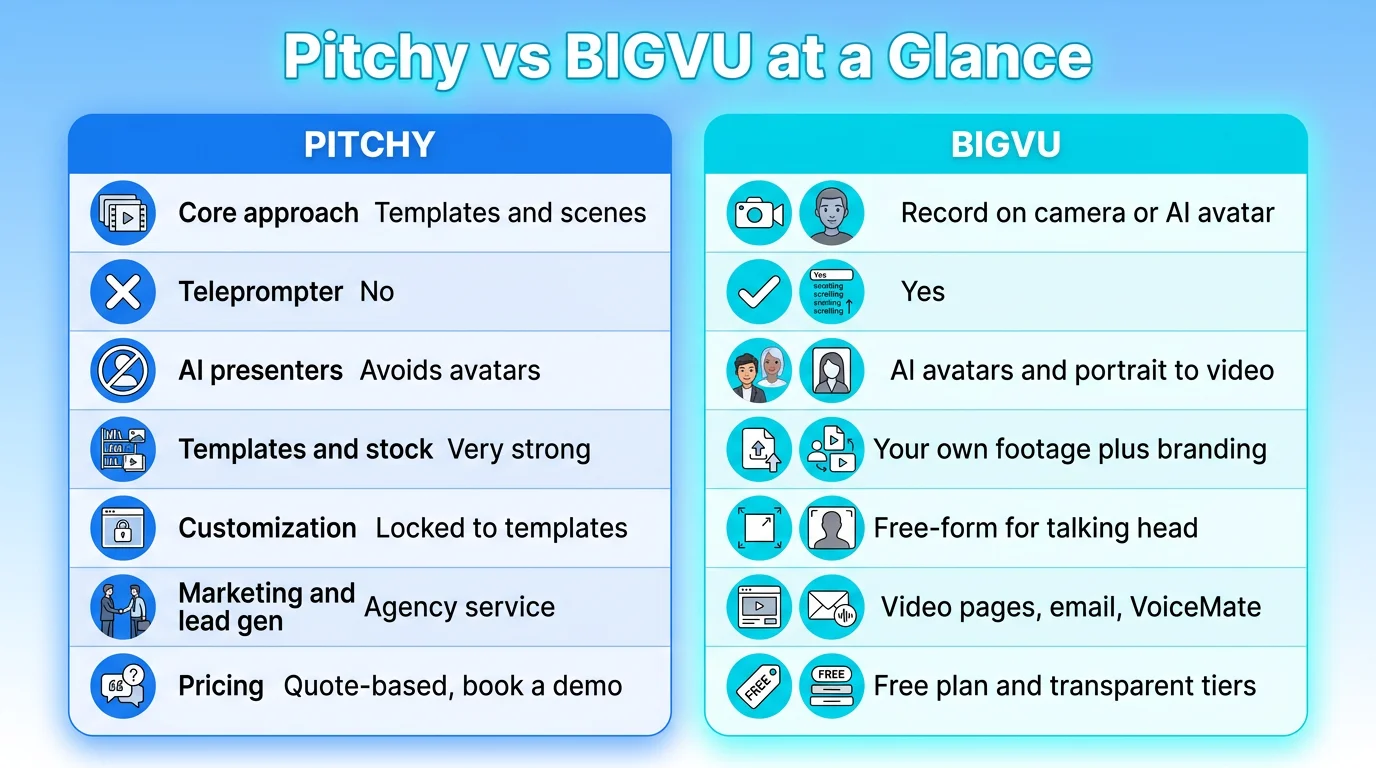
- Core approach: Pitchy assembles videos from templates, Themes, and scenes. BIGVU records you on camera with a teleprompter, or builds the video with an AI avatar or portrait to video when you would rather not film.
- Teleprompter: BIGVU's live scrolling teleprompter is its flagship. Pitchy does not center on-camera script reading this way.
- AI approach: BIGVU embraces AI presenters with AI Avatars and Portrait to Video. Pitchy deliberately avoids AI-generated avatars, focusing instead on automatic subtitling, translation, text-to-speech, and Doc to Video.
- Captions: Both do subtitles. BIGVU burns captions into the video so they show up on mute everywhere.
- Templates and stock: Pitchy is stronger here, with 600-plus templates, 1,500-plus animations, and a large stock library. BIGVU focuses on your own footage plus branding.
- Customization: BIGVU is more free-form for talking-head content. Pitchy is more locked to its template frames and Themes, which is the single most common complaint in its reviews.
- Marketing and lead gen: BIGVU turns videos into branded landing pages and trackable video emails, adds the VoiceMate AI voice agent to answer inbound leads, and publishes to 20-plus social accounts. Pitchy focuses on corporate video creation and, through Pitchy Studio, done-for-you production.
- Agency option: Pitchy offers an in-house studio that will produce videos for you. BIGVU is self-serve software.
- Platform: Both offer web and a mobile app. Pitchy's mobile app is mainly for capture inside its template workflow, while BIGVU's apps are a full studio where you script, record with the teleprompter, edit, and publish end to end.
- Built for: Pitchy for corporate and brand teams. BIGVU for creators, founders, and small businesses.
Pricing Comparison
This is a sharp contrast. Pitchy is sales-led. There is a limited free trial in the app, but pricing is not public. You book a demo and get a quote for one of three bundles: Pitchy Solutions (software), Pitchy Studio (agency), or Pitchy Max (both). Fine for a big brand with a budget and procurement, slow for a small team that just wants to start. BIGVU does the opposite. There is a free plan you can use today on web or mobile, transparent paid tiers that start in the single digits per month on annual billing, and higher AI tiers for creators who want more credits. Save big with yearly billing, and there is no sales call between you and getting started. For a large brand that wants strict governance, an account manager, and maybe an agency on call, Pitchy's model makes sense. For a solo creator, founder, or small team that wants to see a price and start today, BIGVU wins on access alone.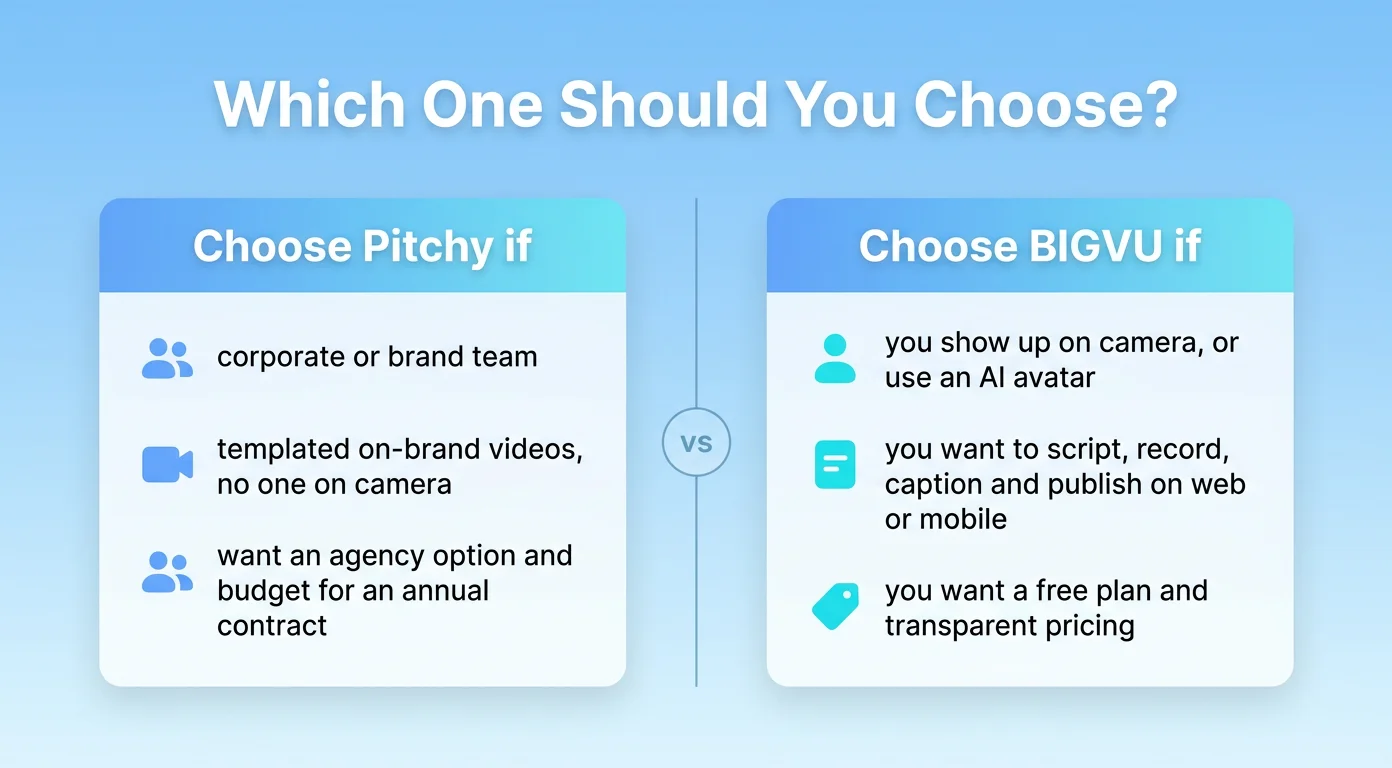
Pitchy vs BIGVU: Which One Should You Choose in 2026?
Both are good tools, built for different people. The right pick comes down to who is making the video and what it is for.
Choose Pitchy if:
- You are a corporate, brand, or internal comms team that needs consistent, on-brand videos at volume
- Your videos are templated corporate formats such as product, onboarding, or interviews, with no need to be on camera
- You want a named account manager, structured onboarding, or even a done-for-you agency option
- You have budget for an annual enterprise contract
- You or your team need to show up on camera regularly, and want to look confident doing it
- You would rather not film sometimes, and want an AI avatar or portrait to video to stand in
- You want to script, record, caption, brand, and publish on web or mobile, and turn videos into leads with pages, email, and VoiceMate
- You want a free plan and transparent pricing, with no sales call to get started