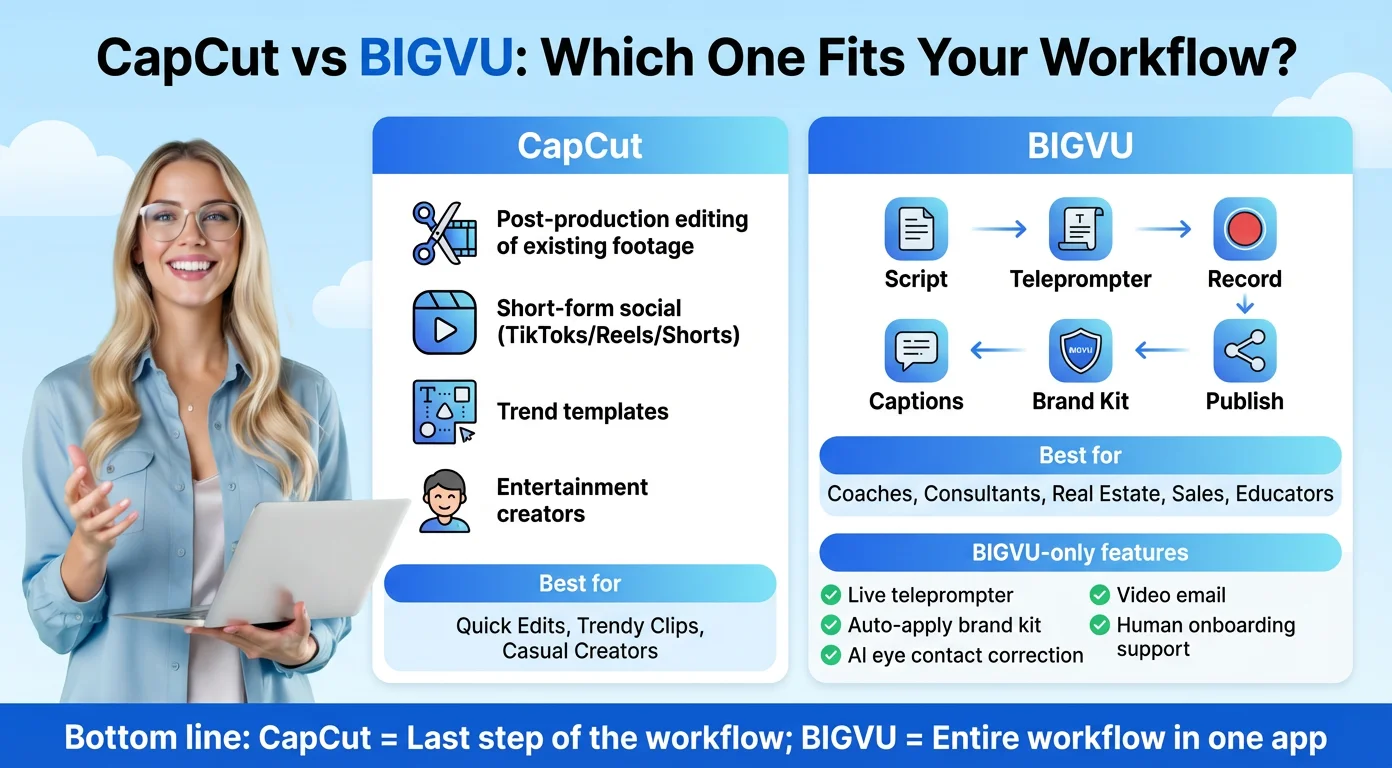
What CapCut Desktop Does in 2026
The CapCut Desktop page describes the app as a place to "create AI videos with Dreamina Seedance 2.5, then refine them in CapCut." In practice that means two kinds of work in one program:
- Classic editing: a multi track timeline, keyframes and curves, color wheels for grading, effects, transitions, shortcuts and smart search across your media.
- AI tools: AI video generation with Seedance, Script to video, an AI writer, automatic captions from video and audio, and auto reframe that keeps the main subject in frame when you change aspect ratio.
Projects live in your CapCut Space, so you can start on desktop and open the same project on another device. The page also highlights one click sharing to YouTube and "viral templates" for TikTok creators.
Who is it for? CapCut's own FAQ says "beginners to experts." Our honest reading is narrower. It is strongest for short social videos, especially if you already use CapCut on your phone and want a bigger screen and more precise timeline control. People editing long interviews, multicam shoots or client projects with strict delivery specs will still find dedicated professional editors more predictable.

System Requirements and How to Download It
CapCut's own pages give two slightly different minimums, so here are both.
- Desktop product page FAQ: "Windows 7 or above, with Windows 10 recommended" and "macOS 10.14 or above."
- Desktop download guide (dated August 20, 2026): Windows 10 64 bit or later, an Intel Core i3 or equivalent AMD processor, at least 4GB of RAM, integrated graphics or 2GB of VRAM, and 10GB of free space. It recommends Windows 10 or 11, a Core i5 or Ryzen 5, 8GB to 16GB of RAM and a dedicated GPU with 4GB or more for smooth 4K editing.
If you are on an old Windows 7 machine, the app may install, but the newer guide is the safer target. AI generation and 4K timelines are where low end hardware struggles.
To install, download from the official desktop page, which offers separate Windows and Mac installers. CapCut's guide says Windows users can also get it from the Microsoft Store and Mac users get a DMG file. CapCut's Download and Install help section strongly recommends running the latest version and explains forced updates as a security and stability measure. Avoid unofficial download sites, because CapCut's terms say unofficial versions are not authorized.

Export on Desktop: 4K, 60fps and What Can Block You
Desktop is where CapCut is most confident about high resolution export. Its help article "Why Is There No 2K/4K Export Option in CapCut?" says CapCut Desktop "allows export up to 4K (3840×2160) at 60fps, provided your source footage supports it," and that desktop "offers the most reliable and flexible 2K/4K export experience across all CapCut platforms."
It also gives the conditions. For 4K on desktop, CapCut lists macOS 11 or later on an Intel Core i5 or Apple Silicon Mac, or Windows 10 or 11 64 bit with 8GB of RAM or more recommended. If 2K or 4K is grayed out, the help page suggests checking that your project resolution isn't set to 1080p and updating your graphics driver.
What the help page does not settle is which plan you need. CapCut's Join CapCut Pro page lists 4K and 60fps export among Pro benefits and gives "4K export" as an example of a Pro feature on desktop. We have not run a 4K export on a free desktop account, so we can't confirm free 4K. Search results that promise it are not backed by CapCut's own pages.
The other common blocker is a single Pro element in your timeline. If an effect, template or caption style carries the Pro diamond, the export asks you to upgrade. Check before you start rendering a long project.

Paying for Pro on Desktop
You can't pay inside the desktop app. According to CapCut's help center, choosing Upgrade to Pro on desktop opens your browser and sends you to the web subscription page, because "desktop apps cannot process direct payments." After you pay, Pro status refreshes in the app within about 10 to 30 seconds.
Since you are buying on the web, you get web prices. On November 3, 2026 the US pricing page listed Pro at USD 19.99 a month, Ultra at USD 79 a month and Teams at USD 12.49 per seat. Pro includes 1,200 monthly AI credits and 1 TB of storage. Because Seedance generation runs on credits, heavy AI users burn through them faster. CapCut lists Seedance 2.5 on Pro "from $0.12/sec (first month)."
The Standard plan you may see on your phone is a mobile store plan. CapCut's help center describes it as mobile focused. If you edit on desktop, compare Free and Pro, not Standard.
Where CapCut Desktop Falls Short, and When BIGVU Fits Better
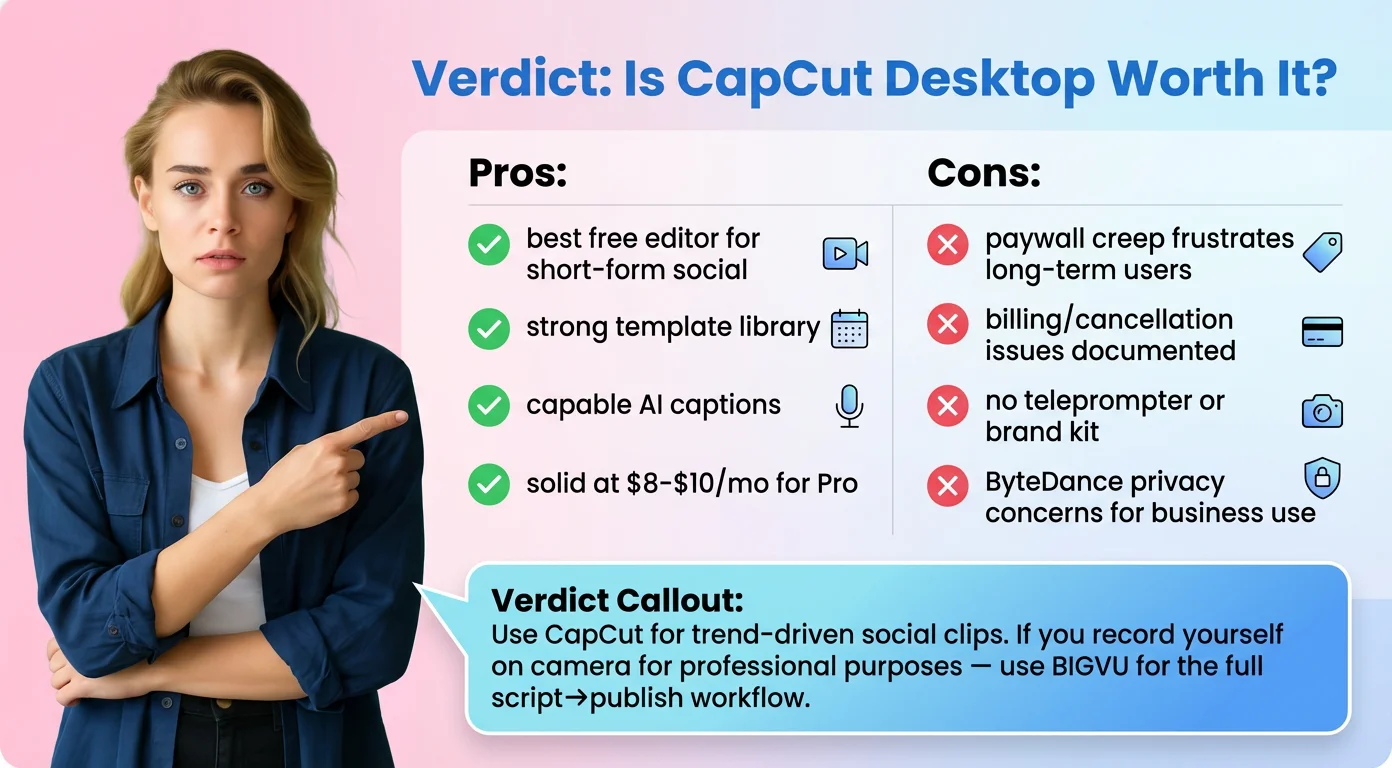
Based on CapCut's documentation and our hands on time with the CapCut editor, these are the trade offs to know:
- Upsells and badges. Pro labels appear throughout the tools, and in our web editor test upgrade offers came up often. Pro benefits are tied to your account across web, desktop and mobile, so expect the same split between free and Pro tools.
- Hardware hungry AI. Seedance generation and 4K timelines need a recent machine.
- Vendor questions. For US users, CapCut's terms (updated April 15, 2026) put the contract with TikTok USDS Joint Venture LLC. Check that against your company's software policy.
- Recording is not its focus. CapCut Desktop is an editor. If you need to read a script on camera, you still have to record somewhere first.
That last point is where BIGVU is different. BIGVU starts with the recording: AI scripts and a teleprompter on the Free plan, then on AI Pro ($19 a month, or $229 a year billed annually) HD and 4K export without a watermark, captions, Background Replace, Eye Contact Fix and AI dubbing in 30+ languages. If you'd rather not do the work at all, BIGVU SuperAgent is a done with you service at $299 a month billed monthly, with 8 videos a month, a dedicated strategist, editing, thumbnails and publishing.
Our verdict: CapCut Desktop is a capable free editor for short social video, and the best place to use CapCut's 4K export and Seedance tools. If most of your content is you talking to camera, record in BIGVU and keep CapCut for trend edits.