Best Face Filter Apps for Real Estate Agents and Client-Facing Professionals
What you actually need from a face filter app
- Natural skin smoothing: Enough to reduce tired-looking skin, shine, or minor blemishes without erasing texture.
- Brightness correction: Helpful for home offices, cloudy days, and uneven indoor lighting.
- Fast recording workflow: The tool should help you record quickly, not create extra production friction.
- Professional realism: Your audience should think you look clear and confident, not filtered.
Best options for this audience
BIGVU Beauty Filters are a strong fit for professionals who record educational, promotional, or sales content directly from their phone. It helps smooth skin tone, brighten the face, and create a polished appearance while staying natural enough for trust-based content.
CyberLink YouCam is helpful for people who spend more time in live meetings, webinars, or webcam recordings and want subtle retouching on desktop.
Camo is ideal when the real problem is not your skin, but the low quality of your webcam. It upgrades your camera presence without leaning heavily on beauty effects.
ManyCam is best for presenters who need filters plus live production tools such as overlays, titles, and virtual camera output for webinars or online training.
Best practice for trust-based video
If you sell expertise, advice, or high-ticket services, subtlety matters. A 30 to 50 percent retouching range is usually enough. The goal is to reduce shadows, dullness, and visual distractions so your audience focuses on your authority and message.
![[object Object]](/blog/images/airtable/section1-look-better-camera-best-face-filter-apps-coaches-consultants.webp)
How to Look Better on Camera Without Losing Trust
Why authenticity matters more than beauty
When someone is deciding whether to hire you, list with you, answer your outreach, or join your program, they are unconsciously asking whether you feel credible and real. Heavy smoothing, face reshaping, or obvious beauty effects can weaken that trust.
Use filters to support weak conditions, not to create a new face
The best workflow is simple:
- Face a soft light source or window.
- Position the camera slightly above eye level.
- Use a clean, non-distracting background.
- Apply only enough filter strength to reduce shadows, shine, and fatigue.
Keep skin texture and facial expression intact
In personal-brand video, your face is part of your credibility. If the filter removes texture completely or changes your facial proportions, it can make your content feel less honest. This is especially risky in coaching, consulting, recruiting, real estate, and B2B sales.
Check your result on mobile before publishing
Many prospects will first see your video on a phone. A filter that looks subtle while recording may look much stronger on mobile. Always test a short clip before posting or sending it to leads.
The rule that protects trust
If the filter makes you look more rested, brighter, and clearer, it is probably helping. If it makes you look noticeably edited, it is too strong. In expert-led marketing, believable always beats flawless.
![[object Object]](/blog/images/airtable/section2-look-better-camera-best-face-filter-apps-coaches-consultants.webp)
Best Webcam and Filter Tools for Meetings, Webinars, and Client Calls
Camo for a cleaner, sharper image
Camo is a strong option if your main issue is not your face, but the weak quality of your webcam. It helps improve sharpness, framing, exposure, and background separation, which often has a bigger impact than stronger beauty effects.
ManyCam for presentations and webinars
ManyCam is useful for professionals who run workshops, webinars, live demos, or online training. It gives you virtual camera routing, titles, overlays, and a more polished presentation workflow.
YouCam for live retouching
YouCam is helpful when you want real-time smoothing and polish for meetings or live video. It can work well for professionals who want to appear more camera-ready on calls, but it should be used carefully to avoid looking artificial.
How to use webcam filter tools professionally
- Set your look before the call: Save a preset in advance instead of adjusting settings mid-meeting.
- Prioritize clarity over beautification: Better exposure and framing often matter more than stronger smoothing.
- Keep your on-camera look consistent: This is especially important when building trust over repeated client communication.
- Test before going live: Make sure your selected virtual camera is active in Zoom, Meet, or your recording tool.
The best webcam setup is the one that makes you look reliable, bright, and professional every time you appear on screen.
![[object Object]](/blog/images/airtable/section3-look-better-camera-best-face-filter-apps-coaches-consultants.webp)
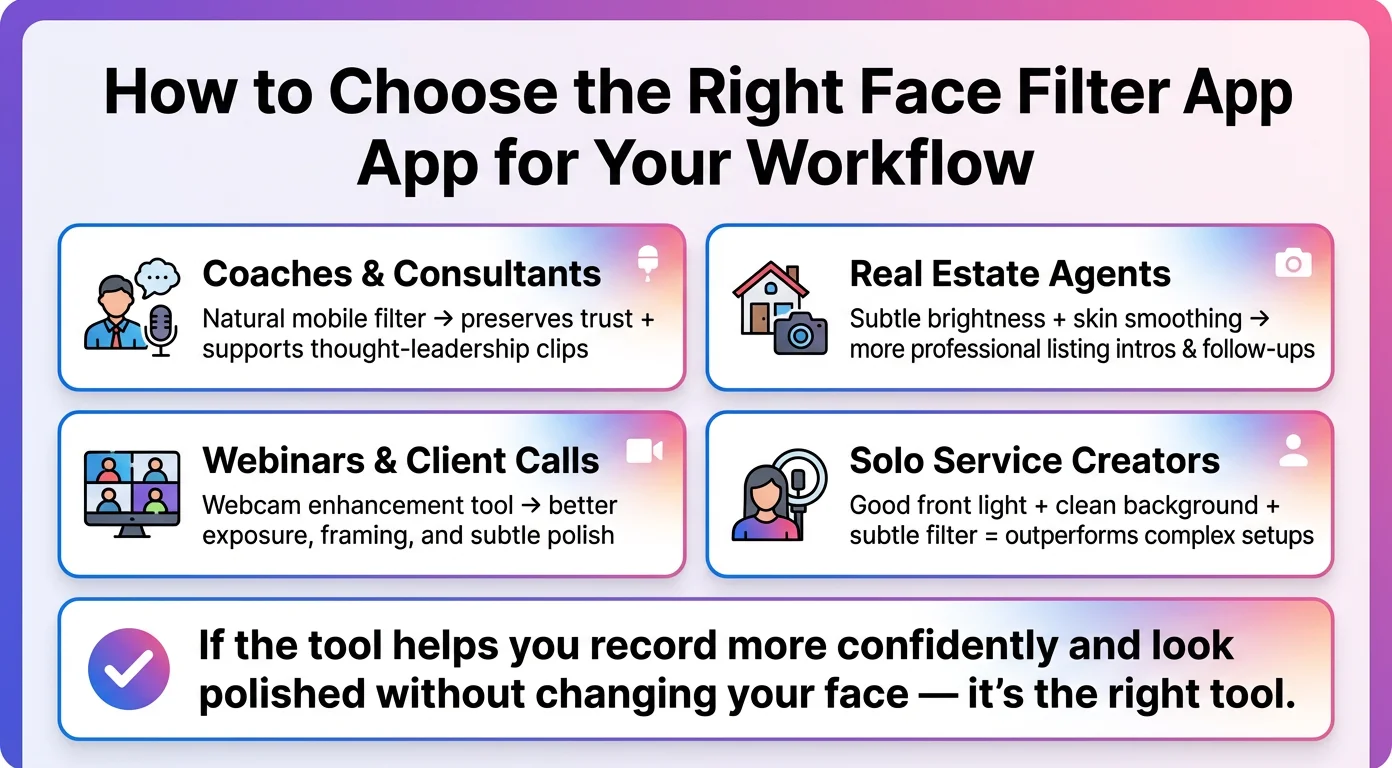
How to Choose the Right Face Filter App for Your Workflow
For coaches and consultants
Choose a tool that helps you look polished while preserving trust. If you record educational videos, sales content, or thought-leadership clips from your phone, a natural-looking mobile face filter can help you look more camera-ready without heavy editing.
For real estate agents
Choose a tool that helps you look brighter, clearer, and more professional in listing intros, walk-and-talk clips, and personalized follow-ups. In this category, authenticity usually performs better than an overly polished look.
For webinars and client calls
Choose a webcam enhancement tool if most of your work happens on desktop. Better camera quality, improved exposure, and subtle smoothing are often more useful than mobile beauty filters in this workflow.
For solo service-business creators
Start simple: good front light, a clean background, camera placement slightly above eye level, and a subtle face filter. That combination will outperform a more complex setup that you avoid using.
The simplest decision rule
If the tool helps you record more confidently and makes you look more polished without changing your face, it is the right kind of tool. The best face filter app is the one that supports consistent, trustworthy video — not the one with the strongest effect.
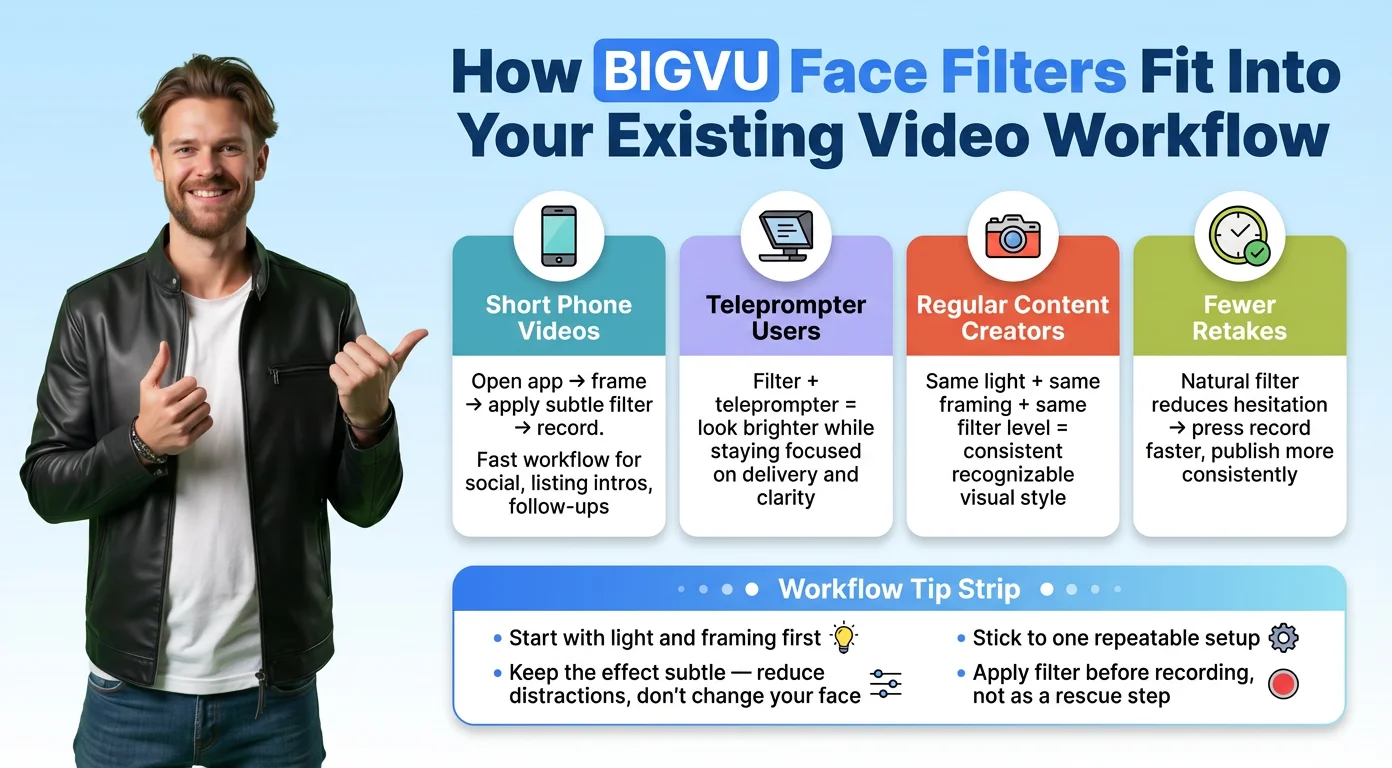
How BIGVU Face Filters Fit Into Your Existing Video Workflow
If you record short videos from your phone
BIGVU works well when your workflow is simple and fast: open the app, frame yourself, apply a subtle filter, and start recording. This is especially useful for thought-leadership clips, sales videos, listing intros, quick follow-ups, and social content where you want to look more polished without sending the video through a long editing process afterward.
If you use a teleprompter to stay on message
For many professionals, confidence on camera drops when they have to remember every point from memory. BIGVU’s filters work naturally alongside a teleprompter workflow, so you can stay focused on delivery while also looking brighter, more rested, and more camera-ready. This is a strong fit for scripts, talking points, educational content, and client-facing videos where clarity matters.
If you record content regularly for marketing
When video is part of your weekly routine, consistency matters more than perfection. Using the same lighting setup, camera position, and subtle BIGVU filter level can help create a repeatable visual style across your videos. That consistency makes your content feel more professional and recognizable over time.
If you want fewer retakes
Many professionals re-record videos not because the message is wrong, but because they do not like how they look on camera. A natural filter can reduce that hesitation. When you feel more comfortable with your appearance, it is easier to press record, finish takes faster, and publish more consistently.
How to keep the workflow natural
- Start with light and framing first: Let the filter enhance a decent setup rather than fix a bad one.
- Keep the effect subtle: Use only enough smoothing and brightness correction to reduce distractions.
- Stick with one repeatable setup: The more consistent your workflow, the easier it is to create content regularly.
- Use the filter before recording, not as a rescue step later: That keeps your process faster and more natural.
BIGVU works best when it becomes part of an easy, repeatable recording habit. The goal is not to look filtered. It is to look clear, confident, and professional every time you show up on camera.