BIGVU Review: The Best Video Email Software for Real Estate Agents Who Want to Actually Show Up on Camera
Most real estate agents don't have a video problem. They have a confidence problem, a time problem, and a "what do I even say" problem — and those three things combine to kill video habits before they ever start.
The fear runs deep and it's specific. Agents in commission-only careers know that their professional image is directly tied to their income — and putting themselves on camera feels like a high-stakes gamble. What if they look awkward? What if the video looks amateurish compared to the polished content from the top producers in their market? What if a bad video actively hurts the reputation they've spent years building? These aren't irrational worries. They're the reason most agents record one or two videos, cringe watching them back, and quietly abandon the whole idea.
On top of the confidence barrier is the time problem. Real estate agents are among the most time-pressured professionals anywhere — juggling listings, showings, client calls, paperwork, and the constant anxiety of an unpredictable income. Marketing consistently is the first thing to fall off when a deal gets busy. And in a business where pipeline consistency is everything, that inconsistency is expensive.
BIGVU is the only video email platform in this comparison that directly addresses all three barriers — camera anxiety, scripting paralysis, and time pressure — in a single mobile app. It's also one of the only free video email platforms in this category, removing the pricing risk that stops most agents from even testing video outreach.
For Agents Who Don't Know What to Say: AI Script Generator
Blank-page paralysis is one of the most reported reasons real estate agents never build a video habit. They know they should be doing video. They open the camera. And then they freeze. BIGVU's AI Script Generator removes the blank page entirely. Tell it your topic — a new listing, a market update, a follow-up to a buyer who went quiet, a rate update for your realtor referral partners, an expired listing outreach, a pre-listing appointment intro — and it produces a ready-to-record script in seconds. Built for video: short sentences, natural pacing, a clear hook. Load it directly into the teleprompter and start recording. This is the feature that makes the difference for agents who dread writing as much as they dread the camera.For Agents Who Aren't Comfortable on Camera: Mobile Teleprompter
Real estate is a trust business. Agents are taught to build credibility through presence — eye contact, calm authority, the kind of delivery that tells a seller "I've done this before and I know what I'm doing." But under camera pressure, most agents do the opposite: they look away, rush through their words, lose their train of thought. BIGVU's mobile teleprompter is live and scrolling inside the recording interface on your phone. You read the script while the camera records your face — eye contact maintained, delivery smooth, no stumbling. The teleprompter moves with your pace, not at a fixed speed. The video that comes out looks and sounds like a confident, prepared professional. That's the video that wins listing appointments. This matters deeply for agents who fear damaging their reputation. The biggest risk of doing video isn't a bad take — it's a finished video that makes them look unprepared or out of touch. The teleprompter eliminates that risk.For Agents Who Don't Have Time: The All-in-One Mobile Workflow
BIGVU's entire video email marketing workflow runs from one app on your phone. Script it with AI, read it on the teleprompter, apply your Brand Kit (logo, colors, contact info) in one tap, add automatic captions burned directly into the video so buyers can watch without sound — and send it as a Video Email from Gmail or Outlook. All without switching apps or opening a laptop. Batch recording is the highest-leverage workflow: one 60–90 minute session produces 10–20 Evergreen videos — buyer lead follow-ups, expired listing outreach, market updates, pre-listing appointment intros, rate updates for mortgage advisor referral partners. Apply branding to all at once. Two to three weeks of video email content, produced in a single sitting.BIGVU Video Email: How the Full Workflow Actually Works
This is where BIGVU separates from every other video email software in this comparison. The workflow isn't just "record and send" — it's a complete AI-powered system that delivers a branded, trackable experience from your own inbox. Here's what actually happens, step by step:- Record your video in BIGVU with AI scripting, teleprompter, and Brand Kit applied. Captions are burned directly into the video — no toggle required on the receiving end.
- BIGVU's AI Agent builds your branded video landing page automatically. Your video sits on a professional page that includes your headshot, your name, a custom title (like "Step Inside Your Dream Family Home!"), a description, and a full-width CTA button — all generated without you touching a design tool.
- You customize your CTA button with any text and any URL. BIGVU's CTA editor lets you type any button label — "Schedule a Call," "Book a Showing," "Get Pre-Approved" — and link it to any destination: your Calendly page, your MLS listing, your booking page. A live preview shows exactly what the recipient will see.
- You link your Gmail or Outlook mailbox in one step. BIGVU's "Link your mailbox to get started" setup connects to Gmail (Google) or Outlook (Microsoft). From that point, video emails are sent from your actual email address — not a generic platform sender. Critical for deliverability and relationship preservation.
- The recipient receives an email with an animated GIF preview — just like BombBomb, the GIF shows your face in motion inside their inbox, driving click-through. When they click, they land on your full branded page with the video, your headshot, the message title, and the CTA button.
- BIGVU tracks watch time and notifies you the moment a lead views the page — so you follow up while you're already top of mind.
The Features That Matter Most for Real Estate
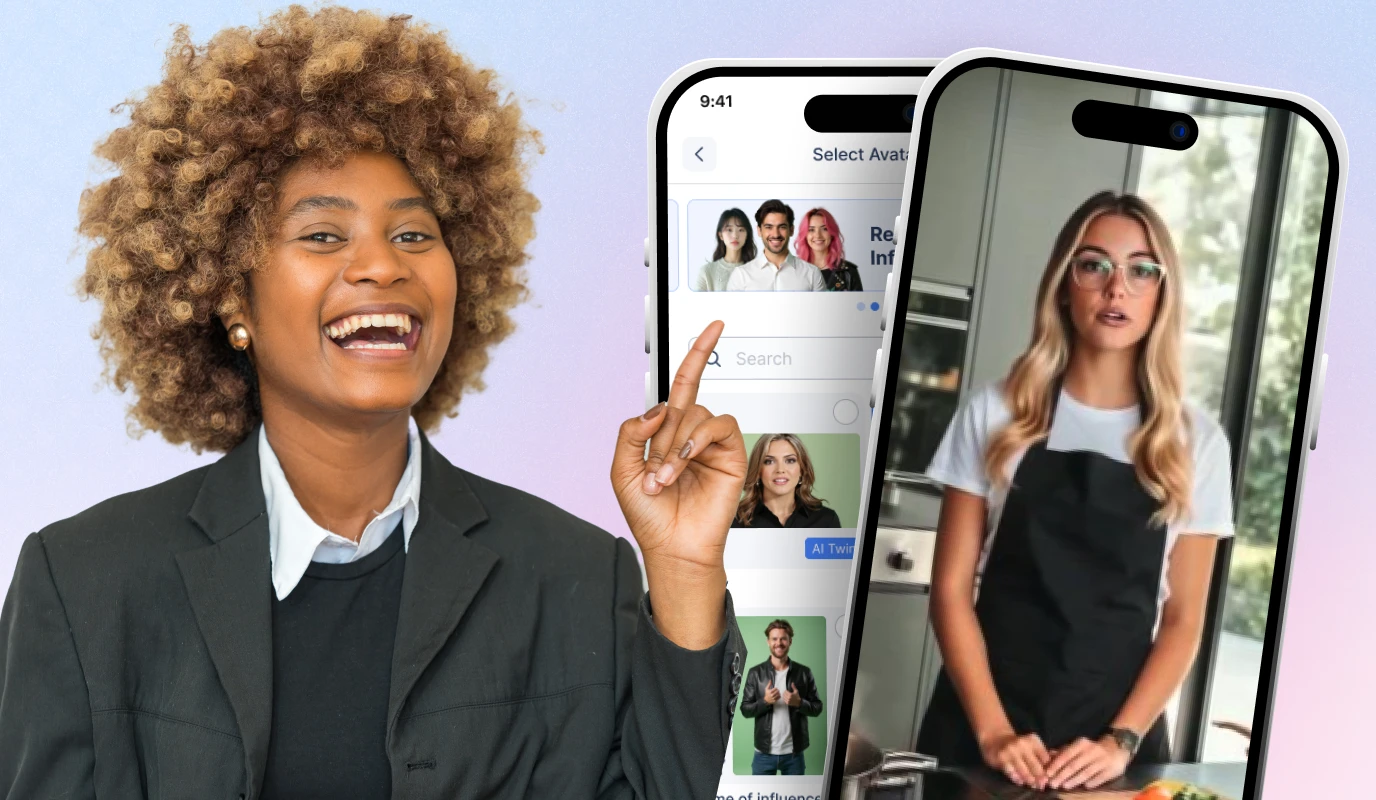
Fototale is BIGVU's most powerful listing tool. Paste any Zillow or Realtor.com URL into Fototale and BIGVU automatically generates a cinematic, narrated listing video from the photos or Zillow/Realtor.com listing link — your branding applied. No walk-through, no videographer, no editing. A polished listing video in minutes. Send it via Video Email with a "Schedule a Showing" CTA and watch-time tracking. AI background removal means agents don't need a clean backdrop or a ring-lit home office setup. BIGVU removes the background automatically, so every video looks consistent regardless of where it was recorded. Branded recording overlays and templates apply your logo, colors, and contact information directly inside the video — not just on a player page around it. Every video you send is identifiably yours, even if someone shares it. For agents who don't want to appear on camera at all, the AI Avatar Video Generator creates a fully branded, scripted video without a single recording session. The AI Talking Photo animates a still headshot to deliver any script. BIGVU is also the only platform in this comparison with native social publishing — the same video that goes to a lead via Video Email can be published to Instagram, YouTube, TikTok, or LinkedIn in the same workflow.BIGVU: Best For
- Agents who feel camera-shy, don't know what to say, or have abandoned video because it felt too hard — BIGVU's live teleprompter and AI scripting solve both
- Listing agents who want to generate professional property videos from Zillow or Realtor.com photos in minutes, without a videographer
- Mortgage advisors and loan officers building a consistent video email marketing cadence for realtor partners — the weekly rate update video workflow is built for this
- Brokers who want a team-wide video habit that actually sticks — mobile, fast, branded, no technical skill required
- Anyone looking for a BombBomb alternative or a free video email platform to test before committing to a paid plan
BIGVU: Not Ideal For
- Agents who only need CRM-native in-workflow video sends and have no interest in production quality (BombBomb is purpose-built for that narrow use case)
- Teams that need a full built-in CRM with automated email and SMS drip campaigns (Dubb offers more there)
BIGVU Pricing
Free plan available — making BIGVU one of the only free video email platforms in this category. Paid plans unlock the full stack: live scrolling teleprompter, AI Script Generator, burned-in captions, Brand Kit, AI background removal, Fototale, Video Email (Gmail/Outlook), AI Avatar, AI Talking Photo, and social publishing.![[object Object]](/blog/images/airtable/section1-close-more-real-estate-deals-compare-bombbomb.webp)
BombBomb Review: The Original Real Estate Video Email Platform — and Where It Stops
BombBomb is the platform that made video email mainstream for real estate. Launched in 2006 and trusted since by tens of thousands of realtors and mortgage advisors, it remains the most recognized name in video email marketing for agents. Its 60+ CRM integrations — KV Core, Follow Up Boss, Boomtown, Salesforce, and more — and its focus on simplicity make it a comfortable default for teams already embedded in those ecosystems.
How BombBomb Actually Works
The core BombBomb workflow is intentionally minimal. Open a contact inside your CRM, hit Record in the BombBomb interface (browser-based webcam capture), say what you want to say, and send. The platform also supports screen recording — useful for mortgage advisors walking a borrower through a loan estimate or rate comparison on screen. Uploading existing video is also supported. BombBomb does have a Speaker Notes panel during recording — a freeform text area on the right side of the recorder where you can paste notes before recording. This is not a teleprompter. It's static, doesn't scroll, and isn't visible to viewers. Agents who need help staying on message during recording will find it more useful as a rough outline than as any kind of scripting support. The signature BombBomb feature is the animated GIF thumbnail in the recipient's inbox. Instead of a static image or a plain link, the recipient sees your face moving in their email before they click. This is a genuine engagement driver — BombBomb's real estate community consistently reports higher open and response rates compared to plain text follow-ups. When sending, you can choose between an animated GIF or a static image thumbnail. There is no AI-generated thumbnail tool, but keep in mind that BIGVU offers the same GIF email. BombBomb pricing starts around $39/month for individual plans with a 15-day trial. It uses per-seat licensing — adding users to a team account triggers additional charges, shown explicitly in the Add Users modal. There is no free tier. Support is plan-gated: Core plan users get AI chatbot (powered by Ada) and email only; live agent chat is only available on higher plans, Monday–Friday, 9AM–5PM MT.Editing, Branding, and Analytics
BombBomb's editor has four tabs: Preview & Privacy (link sharing controls), Trim & Stitch (basic timeline trimmer with split/delete and a Stitch Videos button to combine clips), Thumbnail & CTA (animated GIF vs. static image choice, one CTA button with a title and URL), and Embed (iframe code generator). There are no captions, no text overlays, no lower thirds, no background music, and no transitions. BombBomb's Brand Kit is minimal: upload a logo, choose one hex color (default #0099cc), and choose light or dark theme. These apply to the hosted video player page — not to anything inside the video itself. There is no font control, no branded intro/outro, no watermark in the video, and no branded recording overlays. The branding is around the video, not in it. Virtual backgrounds offer three options — Abstract, Nature, Office — all added in February 2023 with no updates since. Admins can allow users to upload custom backgrounds, but the default library has not grown in over three years. BombBomb's analytics track four metrics: Total Face-to-Face Time (their branded term for cumulative watch time), Video Plays, Videos Recorded, and Percent Watched. There is no per-viewer tracking, no heatmaps, no geographic breakdown, no CTA click tracking within analytics, and no team vs. individual comparison. One genuine BombBomb differentiator worth noting: video reply. Recipients of BombBomb videos can send a video message back to the sender directly from the player page. For 1:1 sales conversations where a human response in kind is the goal, this is a useful feature. It is less relevant for agents doing volume outreach or content publishing at scale.The Evergreen + Personalized Workflow
BombBomb's most widely taught power-user strategy is the Evergreen + personalized workflow: record a core video that works for a whole category of leads — expired listings, investor follow-ups, rate update recipients — and send it to individuals with a short personalized text wrapper. You get the feel of a personal video with the efficiency of a reusable asset. BombBomb trainers consistently cite this as the most sustainable way to use the platform at high volume. The most honest insight from the BombBomb real estate community: imperfect is often what people like. You don't need ring lights or rehearsed scripts. Record it, send it, don't overthink it. The psychological barrier — fear of not being good enough on camera — kills more video email programs than any technical limitation ever does. This community wisdom is real and worth acknowledging.Where BombBomb Falls Short
BombBomb is a video email tool — not a video creation platform. It was never built to help someone make a high-quality, polished, on-brand video. It assumes you already know what to say and are already comfortable on camera. Those two assumptions disqualify it for a large segment of real estate agents. There is no live scrolling teleprompter. There is no AI script generation. There are no burned-in captions (captions are generated server-side and displayed as a CC toggle on the player — not embedded in the video). There is no background removal. There is no listing video generation from a URL. There is no social publishing — videos reach leads only through email or embed, not through Instagram, YouTube, TikTok, or LinkedIn. BombBomb's video page does not work like BIGVU's branded landing page. When you send a BombBomb video, it arrives as an animated GIF in the email body. BIGVU also delivers an animated GIF in the email — but when the recipient clicks through, they land on a fully AI-generated branded page with your headshot, a custom title, a description, and a configurable CTA button. BombBomb's experience on click is a simpler hosted player with a single static CTA.BombBomb: Best For
- Agents deeply integrated into KV Core, Follow Up Boss, or another BombBomb-compatible CRM who want in-workflow video sends without switching tools
- Quick, warm 1:1 follow-ups where personal and authentic matters more than polished or branded
- High-volume outreach using the Evergreen + personalized video workflow
- Mortgage advisors who want to record screen + camera together when walking buyers through loan estimates or rate scenarios
- Agents who are already confident on camera and just need a fast send mechanism with a GIF thumbnail
BombBomb: Not Ideal For
- Agents who are camera-shy, don't know what to say, or need help producing a confident, on-script video — BombBomb offers no production tools for any of these
- Anyone who wants branded video landing pages with a full AI-generated layout and customizable CTA buttons
- Teams wanting video email to arrive from their own Gmail or Outlook inbox — BombBomb sends through its own delivery system
- Anyone who needs listing video generation, burned-in captions, background removal, or social publishing
- Teams looking for a free video email platform or a lower-cost entry point — BombBomb pricing starts ~$39/month with no free tier and per-seat charges on team adds
![[object Object]](/blog/images/airtable/section2-close-more-real-estate-deals-compare-bombbomb.webp)
Dubb Review: Video Email Platform for Trackable Outreach, Chrome Extension Recording, and Automated Drip Sequences
Dubb is a video-powered sales platform — more ambitious in scope than BombBomb, built for teams that want video embedded in a full outreach workflow including CRM, email campaigns, SMS, and automation. If BombBomb's promise is "send a personal video fast," Dubb's promise is closer to "replace your entire sales stack with one video-first platform." That depth is both its biggest strength and its most common complaint.
How Dubb Actually Works
Dubb's recorder offers six modes: Webcam, Screen, YouTube (import from YouTube), Upload, Voice (audio only), and Prompt (AI-generated video via AVA). Screen + webcam recording together requires downloading the Dubb Desktop App or Chrome Extension — it cannot be done in browser alone. This is a meaningful friction point for agents who want to record a screen walkthrough of a Zillow listing alongside their face without a separate download. The Dubb Chrome extension (the most popular Dubb tool among desktop prospectors) lets you record screen + camera from your browser without the full desktop app. When recording completes, a shareable Dubb video link is automatically created. For mortgage advisors walking a borrower through a pre-approval letter, a rate comparison, or a loan estimate on screen, the Chrome extension's screen + camera recording is a genuinely efficient workflow. Dubb pricing is more expensive than most agents expect. The Pro plan runs $59/user/month; Pro Plus is $129/user/month. Full custom branding is only available on Pro Plus. A 50% off promotion for the first year is shown at trial end (effective $29.50/month), which indicates price friction is known. At full price, Dubb is significantly more expensive than most BIGVU plans. Per user reviews, price is the most commonly cited complaint about Dubb. AVA — Dubb's AI video generation feature is upgrade-gated and has a critical limitation: it explicitly cannot generate videos of specific real faces, including your own. Dubb states this directly in the interface. AVA creates concept or B-roll style AI videos from a text prompt — not a personal, face-forward video. For real estate agents whose value proposition is a recognizable, trustworthy face, AVA is not a substitute for recording yourself.Scripts and Teleprompter — The Key Limitation
Dubb does have a Scripts section under Assets, and a teleprompter script selector appears in the top bar of the recorder. However: Scripts are upgrade-gated (you need a paid Scripts tier to access and create them), and more importantly, the scripts are a pre-recording reference — not a live scrolling teleprompter during recording. You select a script before you hit record, then read from a static panel or remember what you planned to say. There is no scrolling prompt moving across the screen while you look at the camera. This is the most consequential difference between Dubb and BIGVU for camera-shy agents. BIGVU's teleprompter is live and scrolling inside the recorder. You read while the camera captures your face, maintaining natural eye contact. Dubb's script system requires you to either memorize the script or glance away at a static reference. For agents who need help staying on message — the majority of agents who've abandoned video before — this is a meaningful gap. Dubb's AI rewrite for scripts offers three modes (More Concise, More Professional, More Personal) plus a custom freeform prompt. Scripts can be shared across the entire team or kept private. These are useful post-recording tools, but they don't solve the problem of looking and sounding confident on camera.Video Editing and Branding
Dubb's editing is more capable than BombBomb's. The editor includes a replace video function (swap the video without losing page settings and analytics), full playback controls including a scissors cut tool with timestamp precision, and a thumbnail generator using a filmstrip scrubber to select any frame. A custom thumbnail upload is also available. Dubb's page branding offers 6 color pickers: Player Color, Frame Color, Text Color, Header Color, CTA Text Color, and CTA Button Color. This is more granular than BombBomb's single hex color. However, all of this branding applies to the hosted video page — not to anything inside the video itself. Dubb's branding is around the video; BIGVU's branding is in the video — burned into the recording through branded overlays, lower thirds, and Brand Kit application.CTAs, Sharing, and Distribution
Dubb supports multiple CTAs per video — a genuine advantage over BombBomb's single CTA and over more basic setups. CTA types include email sender, custom links, and more. Videos can also be organized into playlists, where multiple videos auto-play in sequence, which is useful for multi-part listing presentations or onboarding sequences. Distribution options from Dubb's Share & Send modal include: Clipboard (animated GIF + trackable link), Email (with per-recipient tracking and personalization text), Social (share link to Facebook, X, LinkedIn, or SMS), Embed (iframe), and QR Code. The QR code feature is useful for print materials and in-person real estate use cases and is not available in BombBomb. Note that Dubb shares a link to the video page on social — it does not publish the video natively to social platforms. BIGVU publishes video natively to Instagram, YouTube, TikTok, and LinkedIn — a meaningful difference for agents building an organic social presence.Dubb's Biggest Differentiator: Built-in CRM and Automation
Dubb's structural advantage over both BombBomb and BIGVU is its built-in CRM. The platform includes Contacts (with video engagement data linked to each contact), Tasks, and Deals — a full lightweight sales pipeline. BombBomb has no native CRM. BIGVU has no native CRM. For a solo real estate agent or small team without an existing Salesforce or HubSpot subscription, Dubb bundles what would otherwise require two or three separate tools. Layered on top of the CRM are native email campaign templates (including Real Estate Follow Up and Real Estate Properties templates), SMS campaigns (upgrade-gated), and automated workflow sequences (upgrade-gated, with pre-built templates like "Cold to Sold" and "Introduction" built in a visual node-based drag-and-drop builder). Analytics track total views, CTA clicks, watch rates, and — on paid tiers — per-contact watch data showing exactly which specific prospect watched and for how long. The 25-video free tier cap is a meaningful constraint for active prospectors. An agent sending personalized Dubb video to every new Zillow or Realtor.com lead will hit that ceiling quickly. The free tier also limits the library to 12 videos per page.Dubb vs. BIGVU: The Core Trade-off
Dubb and BIGVU both create branded video landing pages with CTA buttons and deliver them via email. The distinction is in where the value lives. With BIGVU, the value is in production: a live scrolling teleprompter, AI script generation, burned-in captions, brand kit overlays inside the video, AI background removal, Fototale listing video from any URL, and native social publishing. BIGVU is a platform for making better video, then sending it from your inbox via Gmail or Outlook. With Dubb, the value is in distribution infrastructure: CRM, email campaigns, SMS campaigns, drip automation, per-contact video engagement analytics, multiple CTAs, and QR code generation. Dubb is a platform for doing more with video after you've made it. The production tools are lighter, upgrade-gated, and desktop-first. For agents searching for what Dubb is or how it compares: Dubb is a video-first sales platform, not a video creation studio. If you can already produce confident, on-message video, Dubb adds a powerful sales layer on top. If you struggle to show up consistently and confidently on camera, Dubb doesn't solve that problem — but BIGVU does.Dubb: Best For
- Agents running high-volume inbound lead gen from Zillow, Realtor.com, or paid ads who need automated Dubb video drip sequences and per-contact engagement tracking
- Solo agents or small teams without an existing CRM who want Contacts, Tasks, Deals, and video outreach bundled into one platform
- Mortgage advisors and loan officers who want automated video email and SMS follow-up sequences for realtor referral partner relationships
- Desktop-first prospectors who want the Dubb Chrome extension for fast screen + camera recordings from the browser
- Agents who already produce confident video and want deeper sales automation, multiple CTAs, and per-contact watch data on top
Dubb: Not Ideal For
- Agents who work primarily from mobile — Dubb's screen + camera recording requires the desktop app or Chrome extension
- Agents whose primary bottleneck is camera confidence, scripting, or finding time to record consistently — Dubb's teleprompter is upgrade-gated and not a live scrolling prompt
- Anyone who needs listing video generation from a URL, burned-in captions, AI background removal, or native social publishing
- Budget-conscious users — at $59/user/month before unlocking advanced features, Dubb pricing is the most expensive option in this comparison
![[object Object]](/blog/images/airtable/section3-close-more-real-estate-deals-compare-bombbomb.webp)
Video Scripts, Workflows, and Use Cases: Matching the Right Platform to Your Role
The platform decision should follow the workflow, not the other way around. Here's how each maps to the highest-value real estate video email use cases.
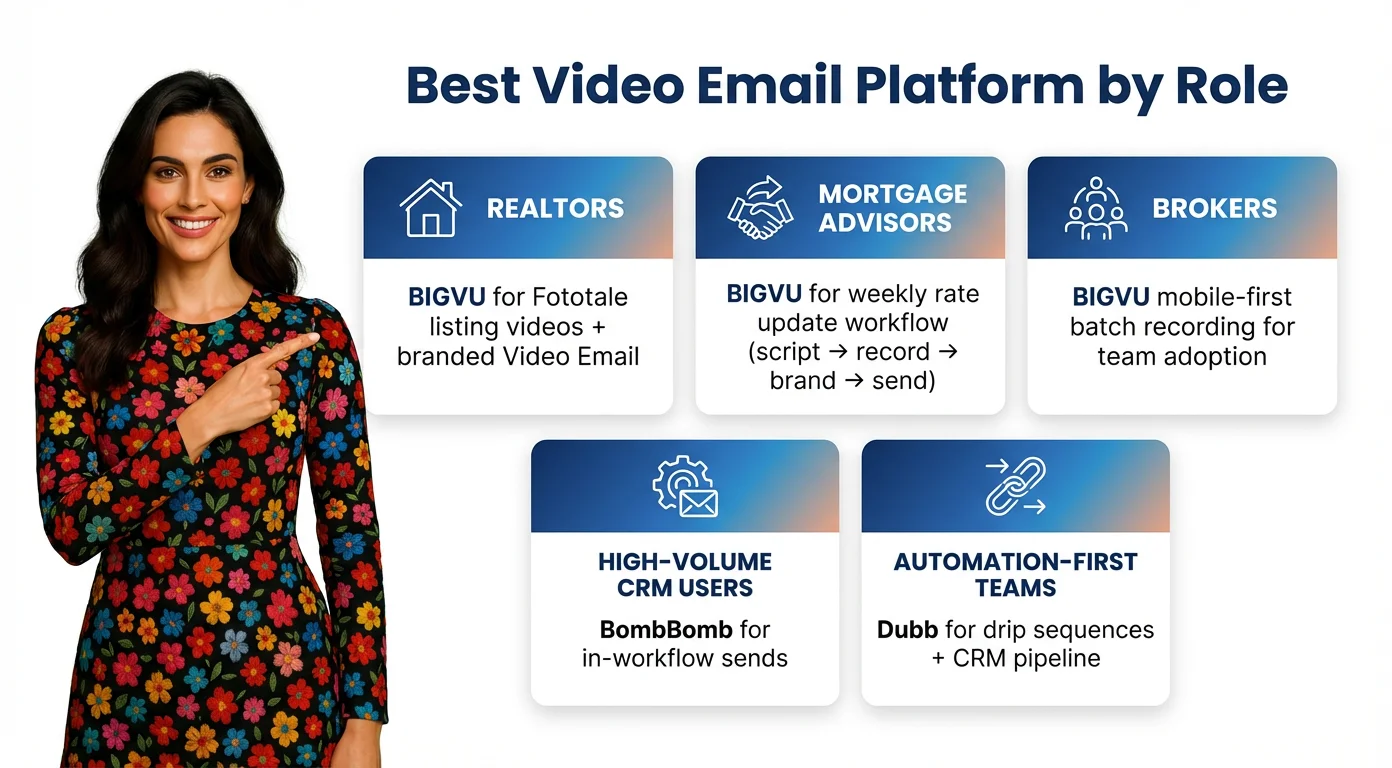
For Realtors: Listing Presentations, Lead Nurturing, and Expired Listings
Before a listing appointment, the agents who win are the ones who arrive having already demonstrated their marketing capability. Send a BIGVU-produced intro video — scripted, telepromptered, branded — the day before. The seller has seen what your videos look like before you walk in. For listing videos: no walk-through or videographer needed. Paste any Zillow or Realtor.com URL into Fototale and BIGVU generates a cinematic, narrated property video automatically. Send it as a Video Email with a branded landing page and "Schedule a Showing" CTA. BIGVU tracks who watches so you follow up at the right moment.For Mortgage Advisors and Loan Officers: Building Referral Partner Loyalty
Loan officer marketing lives and dies on realtor referral partner relationships. The loan cycle runs 30–60 days — rate changes, borrower hesitation, competing lenders, and tight timelines all create reasons for a referral relationship to go cold. The agents who stay top-of-mind are the ones who show up on video consistently. The highest-ROI video for a loan officer is a weekly 60-second rate update, sent every Tuesday to your top 10–15 realtor partners. Use BIGVU's AI Script Generator to write it, the teleprompter to deliver it clean, Brand Kit to brand it in one tap, and Video Email to send it from Gmail or Outlook. Your realtor partners get something they can forward to buyers who are on the fence about rates — which keeps you visible on every deal in their pipeline. BIGVU's personalized workflow also applies here: record a category of rate-related videos ("rates dropped," "rates rising," "lock now vs. wait") and rotate them as market conditions change, personalizing with a short text wrapper per partner.For Brokers: Building a Team Video Habit That Sticks
Brokers face a different challenge: equipping a team with a video email marketing workflow they'll actually use consistently. Tools that require desktop recording, complex editing, or high production skill won't get adopted. BIGVU's mobile-first design — scripting, teleprompter, branding, and video email all from one app — dramatically lowers the activation energy for agents who are already on the phone all day. Batch recording is the highest-leverage workflow for team adoption. Dedicate one 60-90 minute session per week: agents script 10–20 Evergreen messages using the AI Script Generator, record them back-to-back with the teleprompter, apply branding to all at once with Brand Kit, and distribute individually with personalized text wrappers. The result is two to three weeks of video email content in a single sitting. For agents who still won't record themselves, the AI Avatar Video Generator creates branded, scripted video content without a recording session — a useful bridge for camera-shy team members.Ready-to-Use Video Scripts for the Highest-Converting Real Estate Moments
Each of these is designed as an Evergreen video — record once, send to multiple relevant leads with a personalized text wrapper:- New buyer lead (Realtor): "Hey, I wanted to send a quick video because I know about a few listings in [neighborhood] that aren't on Zillow yet. Thirty seconds — worth watching."
- Investment property outreach (Realtor): "Hey, I'm sending this because we've talked before about picking up another investment property — we found some new construction townhouses getting a great return and wanted you to hear about them first. Interested, or know someone who might be?"
- Expired listing outreach (Realtor/Broker): "Your listing didn't sell — and that's almost never about the house. It's about the marketing. I put together a quick video showing what I'd do differently. Worth sixty seconds?"
- Post-showing follow-up (Realtor/Mortgage Advisor): "Most buyers I work with have one or two things they can't stop thinking about after a showing. What stood out to you about [address]? Send me a quick video or message back."
- Rate update for realtor partners (Mortgage Advisor/Loan Officer): "Quick sixty-second rate update for your buyers this week. Rates moved — here's what it means for a typical monthly payment and what I'm recommending. Feel free to forward to anyone sitting on the fence."
- Pre-listing appointment intro (Realtor): "I wanted to send a quick video before we meet tomorrow. I've pulled together what I'd do for your home specifically — marketing strategy, pricing approach, and the tools I use that most agents don't. Looking forward to walking you through it."
Pricing and Platform Feature Summary
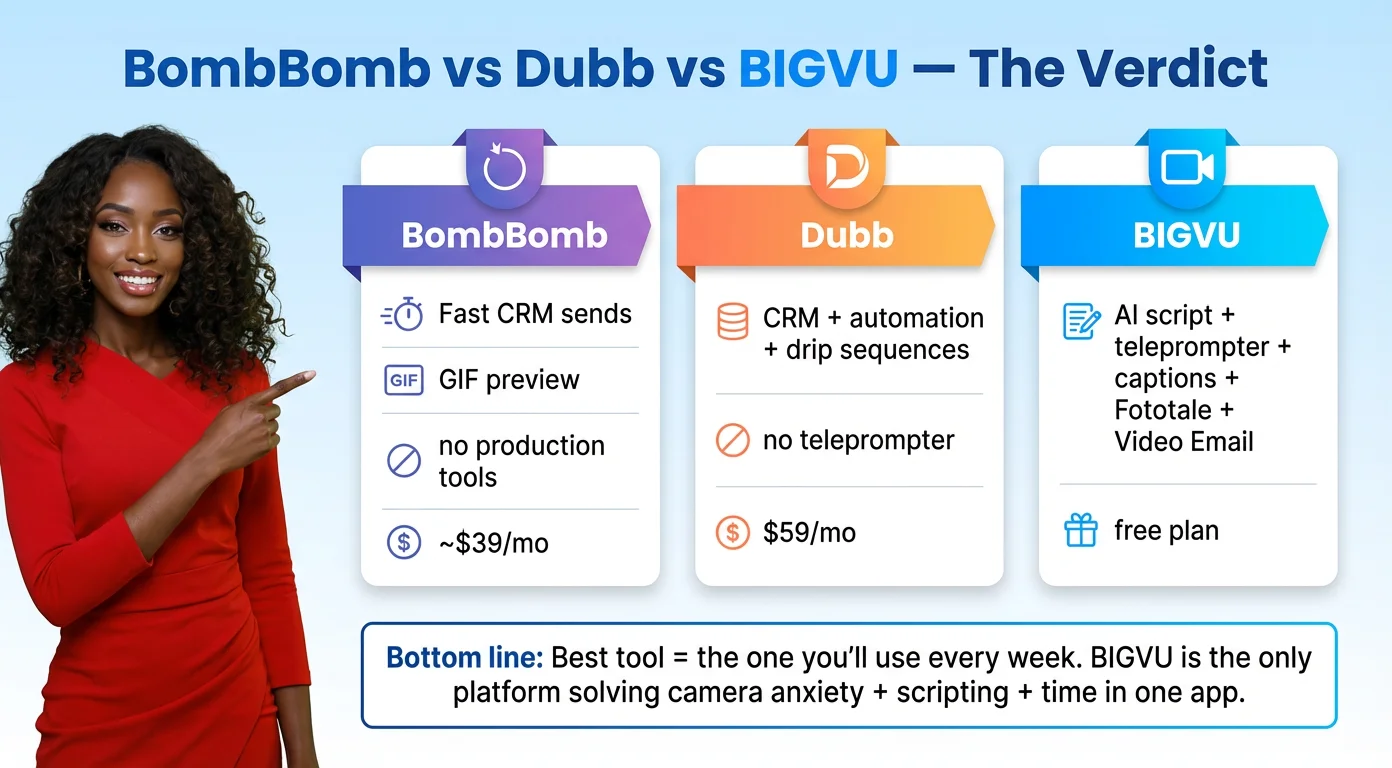
- BombBomb: ~$39/month, no free tier. Animated GIF email previews, KV Core and CRM integration, Evergreen video workflow. No teleprompter, no captions, no Brand Kit, no listing video generation, no social publishing.
- Dubb: Free plan available; paid plans ~$20–40/month+. Branded video landing pages, Chrome extension, CRM drip sequences, engagement analytics. No teleprompter, no AI scripting, no listing video generation, no social publishing.
- BIGVU: Free plan available. Paid plans include teleprompter, AI Script Generator, auto-captions, Brand Kit, Fototale (listing video from URL), Video Email (Gmail/Outlook), AI Avatar, AI Talking Photo, and social publishing. The only platform here with a complete mobile-first production + distribution workflow.
BombBomb vs Dubb vs BIGVU: Which Video Email Platform Should Real Estate Agents Choose in 2026?
Each of these platforms was built around a different assumption about what real estate professionals actually need.
BombBomb assumed agents need a fast, human way to send personal videos inside their existing CRM — and it built exactly that. If you're deeply integrated into KV Core, run a high-volume follow-up operation, and already show up confidently on camera, BombBomb is a capable tool. The Evergreen + personalized workflow is genuinely smart, and the animated GIF preview in the inbox drives results. The platform's limitation is what it doesn't include: no help for agents who are camera-shy, no script generation, no captions, and no listing video tools.
Dubb assumed that the highest-value piece of the video email equation is conversion infrastructure — trackable landing pages, automated drip sequences, and CRM-native follow-up. For agents running high-volume paid lead gen from Zillow or running a structured mortgage loan officer marketing operation, Dubb's automation layer is genuinely useful. The trade-off is that Dubb still assumes you can produce polished video without help. It distributes and tracks well; it doesn't help you create better.
BIGVU was built around a different assumption entirely: that the biggest barrier to real estate video marketing isn't the technology — it's the agent sitting in front of the camera not knowing what to say, not feeling comfortable, and not having time to figure it out between appointments. The platform is the only one here that solves all three problems directly: AI scripting removes the blank-page problem, the mobile teleprompter removes the performance anxiety, and the all-in-one mobile workflow removes the time problem.
For listing agents, BIGVU's Fototale — which generates a cinematic property video from any Zillow or Realtor.com URL — is a genuine competitive advantage that BombBomb and Dubb simply don't offer.
For mortgage advisors and loan officers, the weekly rate update video workflow — scripted with AI, recorded in one take with the teleprompter, branded in one tap, sent via Video Email from Gmail — is the highest-ROI video marketing habit available in this category.
For brokers, BIGVU's mobile-first design and batch recording workflow give teams a video habit they'll actually stick to, including an AI Avatar option for agents who won't get in front of a camera.
The Bottom Line
If you're already embedded in BombBomb and it's working, there's no reason to abandon it for warm CRM follow-ups — it's genuinely fast and personal. If you need structured drip automation tied into Salesforce or HubSpot and already produce good video, add Dubb to your stack. But if you're looking for a BombBomb alternative that adds AI scripting, teleprompter, auto-captions, listing video generation, branded Video Email, and social publishing in one mobile app — and you want a free plan to test it — BIGVU is the only platform in this comparison that delivers all of it. The best video email software for real estate in 2026 isn't the one with the longest feature list. It's the one you'll actually use every week. And for most agents, that means the one that makes the habit easy enough to keep. Explore BIGVU's full real estate video marketing hub for deeper guides on listing video strategy, loan officer referral marketing, broker team adoption, and AI-powered content workflows.