
What Is the Canva Content Planner?
The Canva Content Planner is a scheduling feature built right into Canva. It lets you plan, schedule, and automatically publish your designs to your connected social accounts from one calendar. Instead of exporting a graphic and re-uploading it to each network by hand, you pick a date and time, attach the design you made in Canva, and let it post for you. It's part of Canva's paid plans and connects to the big platforms like Instagram, Facebook, LinkedIn, and Pinterest.
Who Gets the Most Out of It
It's a great fit if most of your content is static design work you already build in Canva: social graphics, quote cards, promo posts, simple image updates. For that kind of workflow, keeping design and scheduling under one roof genuinely saves time. You finish a graphic and queue it up without ever leaving the canvas.How It Works
You open the calendar view, click a date, and either drop in an existing Canva design or make a new one on the spot. Add your caption, choose which connected accounts to post to, set the time, and schedule. When the slot comes around, Canva pushes it out for you. It's a smooth loop of design, schedule, publish, as long as what you're publishing is a graphic.![[object Object]](/blog/images/airtable/section1-canva-content-planner-honest-review-best-alternative-video-c.webp)
Canva Content Planner: What It Does Well (and Where It Stops)
What It Does Well
- Design and schedule in one place. If your posts start life in Canva, there's no clunky export-and-reupload step. That convenience is the whole point, and it delivers.
- A calendar you can actually read. The simple month view shows what's queued at a glance, so spotting a gap in your week takes seconds.
- Publish to several platforms at once. Connect your accounts and send a design out everywhere on schedule.
- Nothing new to learn. It lives inside the editor you already know, so there's no fresh tool to figure out.
Where It Leaves You Stuck
Here's the honest limitation: the Canva Content Planner is a scheduler, not a strategy. It assumes you already know what to post and already have the design ready to go. It won't tell you what to make, it won't write anything for you, and it's built around static designs rather than video. If your growth depends on video, three gaps show up fast:- You still face a blank calendar. Every idea has to come from you. The planner schedules the work; it doesn't do the thinking.
- It's graphics-first, not video-first. It's made to publish designs. Talking-head video, scripts, and on-camera delivery sit outside what it's built for.
- There's no path from idea to finished video. It can't write a hook, generate a script, or help you record. You have to show up with the finished file; it just posts it.
![[object Object]](/blog/images/airtable/section2-canva-content-planner-honest-review-best-alternative-video-c.webp)
The Best Canva Content Planner Alternative for Video Creators: BIGVU
If your content strategy runs on video, BIGVU's Content Planner was built for the exact gap Canva leaves open. Canva schedules finished graphics. BIGVU turns your audience, brand, and messaging into a ready-to-shoot video calendar, then walks every idea from concept all the way to a recorded, posted video. It plans and produces, instead of stopping at the calendar.
It Starts With Strategy, Not a Blank Grid
Rather than dropping you in front of an empty calendar, BIGVU opens with a short guided setup. You answer a few quick prompts: how you like to create, how often you want to post, your tone, who you're talking to and what they struggle with, and the core messages you want to land. The planner uses your answers to shape every suggestion, so the plan feels built for your audience instead of pulled from a generic template. The blank-page problem simply goes away.It Builds a Dated Video Calendar, Not Just a List of Topics
From that setup, BIGVU generates weeks of content slots. Each slot is one planned video with a title, topic, length, and a real date on the calendar, not a vague idea floating in a list. Edit any slot, move it, or have the planner build around it. Either way, you always know exactly what your next video is.It Takes Each Idea From Hook to Finished Video
This is the part no scheduler touches. Inside BIGVU, a content slot turns into a hook and a full script in a couple of taps. Record it right away on the live scrolling teleprompter, or, if you'd rather stay off camera, hand it to an AI avatar or talking photo. Add your Brand Kit and the video is ready to publish. Once it goes live, it counts toward a posting streak, so staying consistent starts to feel less like willpower and more like momentum. Planning, recording, publishing, and motivation all live in one place.![[object Object]](/blog/images/airtable/section3-canva-content-planner-honest-review-best-alternative-video-c.webp)
Canva Content Planner vs BIGVU: Side-by-Side Comparison
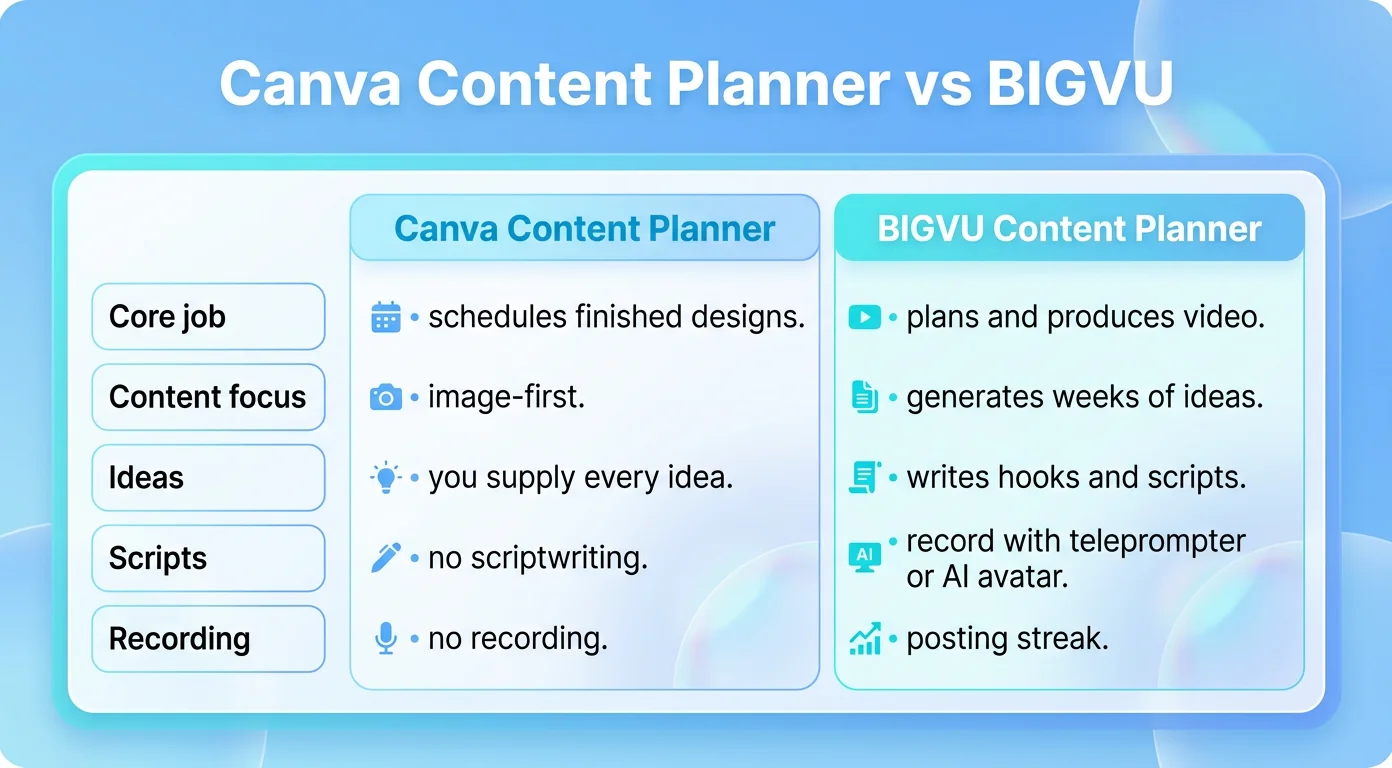
Both tools keep you organized, but they're built for different jobs. One schedules designs. The other plans your video and helps you make it. Here's how they stack up.
The takeaway is simple. Canva is the better home for scheduling image posts. BIGVU owns the whole journey when your content is video: what to make, how to say it, and getting it out the door.
| What matters | Canva Content Planner | BIGVU Content Planner |
|---|---|---|
| Core job | Schedules finished designs | Plans, produces, and publishes video |
| Starting point | A blank calendar you fill in | A guided setup that generates the plan |
| Content focus | Static graphics and image posts | Talking-head and short-form video |
| Idea generation | None, you supply every idea | Generates weeks of video ideas from your audience and brand |
| Scriptwriting | Not included | Hook and full script for every slot |
| Recording | Not included | Teleprompter, AI avatar, or talking photo |
| Branding | Design-level in Canva | Brand Kit applied to the video |
| Staying consistent | A visual calendar | Dated slots plus a posting streak and completion tracking |
| Publishing | Auto-posts designs to social | Publishes finished videos across your channels |
| Best for | Designers scheduling graphics | Creators, founders, and marketers building a video habit |
Which Content Planner Should You Choose?
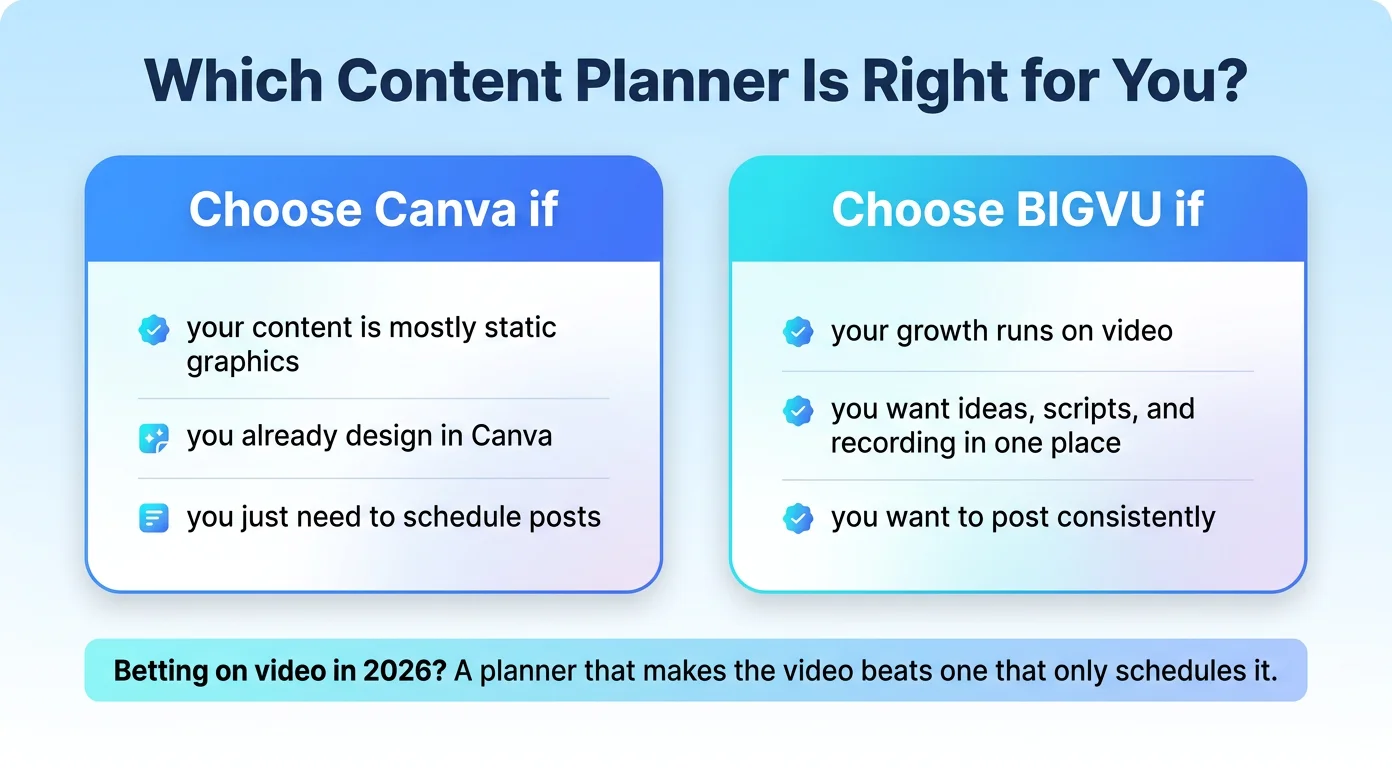
They solve different problems, so the right answer depends on what you're actually making.
Go with the Canva Content Planner if most of your content is static graphics, you already build everything in Canva, and you mainly want an easy way to schedule those designs to your social accounts. For an image-first workflow, having design and scheduling in the same place is a real win.
Go with BIGVU if your growth runs on video, or you want it to. If you keep staring at a blank page, struggle to post consistently, or need to get from idea to a finished, on-brand video without hiring a strategist, a scriptwriter, and an editor, this is built for you. BIGVU doesn't just tell you when to post. It tells you what to make, writes it, and helps you record it.
For most creators, founders, and small marketing teams betting on video in 2026, a scheduler on its own isn't enough. The real unlock is a planner that plans the video and produces it. That's the difference between a calendar full of good intentions and a channel that actually ships.
Try the BIGVU Content Planner now and turn your next few weeks of video into a plan you'll actually follow.