What separates a great teleprompter app from a basic script scroller?
A teleprompter that just scrolls text is table stakes. The apps that actually improve your videos go further. Here's what we evaluated when testing each one.
Scroll control and natural pacing
A fixed-speed scroller creates an obvious problem: your delivery either races ahead of the words or falls behind them. The best apps let you adjust speed on the fly, sync to your speaking pace automatically, or — in BIGVU's case — adjust speed line-by-line based on word count so complex sentences get more time. That detail alone makes a noticeable difference in how natural your final recording sounds.
Free access that's actually usable
Several apps in this category follow the same playbook: show you a compelling onboarding screen, then lock the core feature behind a subscription before you've recorded a single take. We noted which apps let you use the teleprompter meaningfully on the free plan — and which ones make you pay to find out whether the app works for you.
What happens after you hit stop
Most teleprompter apps end at the recording. They hand you a raw file and leave you to find a separate editor, caption tool, and publishing workflow. One app in this comparison doesn't do that — and for creators who make video regularly, that difference in workflow is significant.
AI tools that save real time
Script writing, eye contact correction, and automatic captions aren't gimmicks — they reduce the two biggest time drains in video production: figuring out what to say and fixing how you look saying it. We noted which apps include these tools natively versus requiring external subscriptions to fill the gap.
![[object Object]](/blog/images/airtable/section1-best-teleprompter-apps-481af.webp)
The 5 best teleprompter apps in 2026 — tested hands-on
Teleprompter for Video — Best for simplicity
Best for: Users who want a clean, no-frills script scroller and already have an editing workflow.
Teleprompter for Video does one thing well: it puts your script in front of your camera while you record. The interface is clean, scroll controls are intuitive, and there's no learning curve. You open the app, paste your script, adjust speed, and record.
It's the right choice if your only gap is a teleprompter layer on top of your existing phone camera setup. What it won't do is help you write the script, fix your eye contact, add captions, or publish the video. That's not a criticism — it's the scope the app is built for. Just know you'll need supplementary tools to get from raw recording to finished video.
Teleprompter.com — Best scroll modes
Best for: Professional presenters who annotate scripts and want precision scroll control.
Teleprompter.com is the most flexible pure teleprompter in this comparison. It offers three scroll modes no other app here matches: Fixed Speed, Timed Scrolling, and Auto Scroll driven by voice recognition. For presenters who speak at varying paces — or who want the script to respond to their voice rather than a manual speed setting — that Auto Scroll mode is genuinely useful.
Stage directions are another standout: color-coded cues like [pause] or [look left] appear in a different color from your main script text, making Teleprompter.com a strong choice for coaches, educators, and speakers who annotate their scripts before recording. It also supports 4K recording up to 50fps, mirror text (horizontal and vertical), cinematic stabilization, and remote control via a Join/Host session for paired devices.
One honest note: the subscription prompt is the first screen you see when the app opens. You have to dismiss it to reach the free tier. The free experience is there — but the first impression undersells it.
Teleprompter Pro (by Apps Ltd) — Best for Apple users with external rigs
Best for: iPhone and iPad users recording with external cameras or hardware teleprompter rigs.
Teleprompter Pro is built for Apple-native setups. It supports external display via AirPlay and HDMI, which means it works well with physical teleprompter hardware where your phone acts as the display rather than the camera. Remote control via Join/Host pairs it with a second device for hands-free scroll control during recording.
The SRT export is a smart feature: instead of AI transcription after the fact, it generates caption timing directly from teleprompter scroll speed, giving you a caption file that's perfectly synchronized with no transcription errors. Virtual backgrounds are available during recording — not just post-processing. The one limitation worth knowing: the mirror mode required for use with a physical teleprompter rig is locked to the paid Pro plan.
PromptSmart Pro — Best for voice-activated scrolling
Best for: Long-form presenters and speakers who don't want to think about scroll speed.
PromptSmart's defining feature is VoiceTrack: the app listens to your speech and scrolls at your pace automatically. If you pause mid-sentence, the teleprompter pauses. When you resume, it catches up. For anyone doing long-form presentations, webinars, or conference talks where a fixed scroll speed creates pressure, this is genuinely helpful.
PromptSmart works on iPhone, iPad, Android, and desktop. Like the other specialist apps in this list, it doesn't help you edit or publish afterward — but the voice-driven scroll experience is the best in class for that specific use case. One practical note: VoiceTrack performs best with clear, standard-paced speech. Faster delivery or heavy accents can occasionally cause sync issues.
![[object Object]](/blog/images/airtable/section2-best-teleprompter-apps-481af.webp)
BIGVU — The best teleprompter app for most creators
Best for: Creators, business owners, and teams who want to record, edit, and publish from one app.
Devices: iPhone, iPad, Android, Mac, Windows (web)
BIGVU is the only teleprompter app we tested that doesn't stop when you stop recording. Every other app in this comparison hands you a raw file and ends its involvement there. BIGVU continues: trim, automatic subtitles, Eye Contact AI correction, background replacement, and publishing — all inside the same app you used to record. For anyone who makes video regularly, that complete workflow is the most meaningful difference in this entire comparison.
How the teleprompter actually works
When you open the teleprompter screen, your script overlays directly on your camera view. You control scroll speed in words per minute (default 160 WPM), font size, and script position. The "Adjust speed per line" setting automatically varies pace based on word count per sentence — complex lines get more time, short punchy lines move faster. The result is a delivery that sounds conversational rather than read.
Before you record, you can apply beauty filters (skin retouch, soft lighting), color looks (Energy, Vivid, Passion), and blur backgrounds. No other app in this comparison lets you shape how you look before the first take. After recording, the full post-production workflow is one screen away.
AI Eye Contact Fix — the feature no other teleprompter app has
Every teleprompter creates the same problem: you're reading text that's positioned just below or above the lens, so your eyes drift slightly downward or upward. Viewers notice this subconsciously — it creates the impression that you're reading rather than speaking to them. BIGVU's AI Eye Contact Fix corrects that gaze automatically in post-processing. The result looks like you were speaking directly to the viewer the entire time.
This is the feature that matters most for professionals whose credibility depends on presence — and it exists in no other mobile teleprompter app in this comparison.
AI Script Writer built in before you record
BIGVU's AI Script Generator is built into the same interface where you record. Give it your topic — a product explainer, a quick intro, a follow-up message, a social post script — and it produces a ready-to-load teleprompter script in seconds. Short sentences, natural pacing, clear hooks. Load it directly into the teleprompter and record. This matters most for creators who know what they want to say but lose the thread when the camera is on.
The full workflow, end to end
Script → teleprompter → record → trim → captions → Eye Contact fix → background replacement → publish. All in one app. BIGVU integrates with Instagram, YouTube, TikTok, and LinkedIn for native publishing without file exports. The Brand Kit applies your logo, colors, and lower thirds in one tap before sharing.
Two honest limitations: BIGVU requires onboarding before you can access the interface — every competitor lets you in immediately. And background replacement is only available in post-processing, not during recording. Teleprompter Pro handles both of those things differently. But for the complete workflow from blank script to finished video, nothing else in this list competes.
Free plan note: BIGVU's free plan includes the teleprompter and basic recording — which is rare. Most competitor free tiers either restrict recording entirely or require a subscription before you see the main interface.
![[object Object]](/blog/images/airtable/section3-best-teleprompter-apps-481af.webp)
Which teleprompter app is right for you?
The right app depends on where your workflow starts and ends. Here's how to choose.
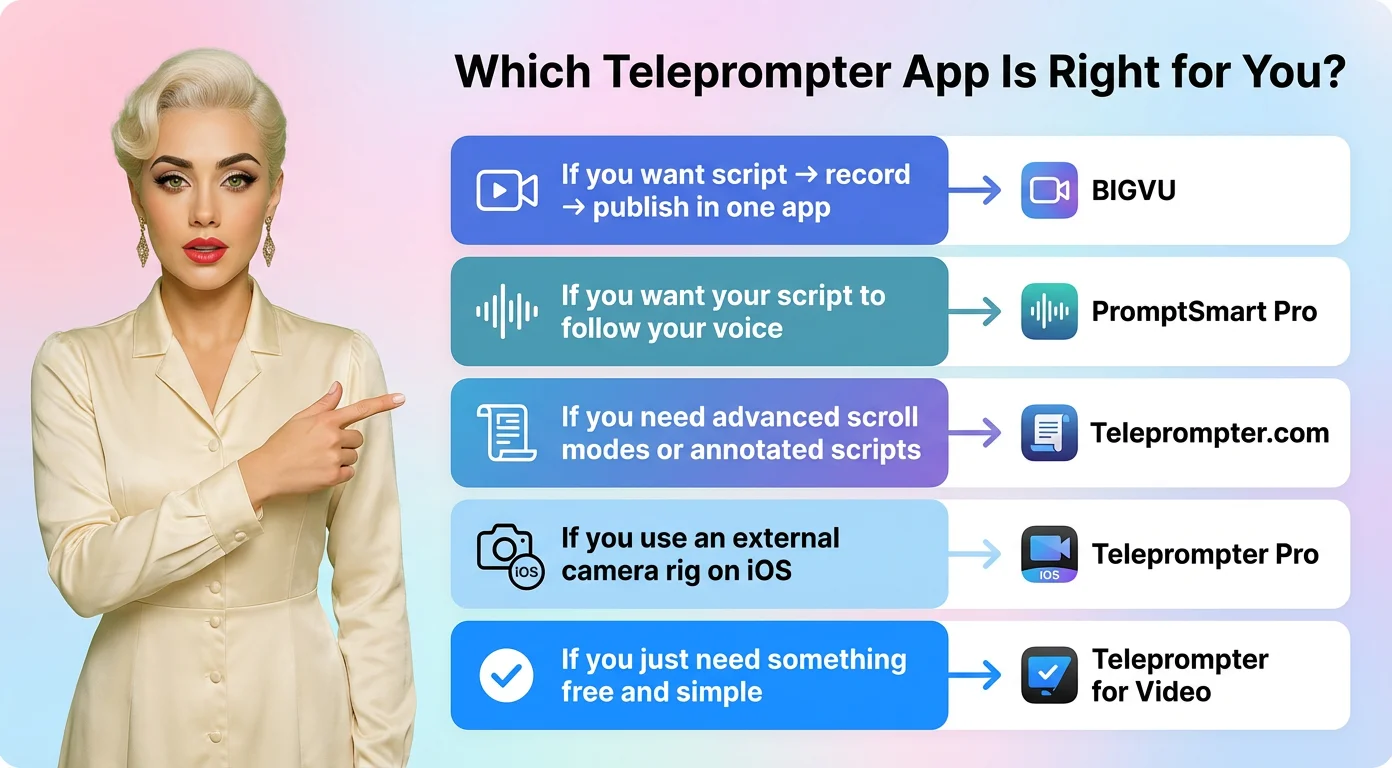
If you want one app from script to published video — BIGVU
BIGVU is the clear choice for creators, business owners, coaches, and anyone who makes video content regularly. The AI Script Writer removes the blank-page problem before you record. The live scrolling teleprompter keeps delivery natural during recording. Eye Contact AI, captions, and Brand Kit handle polish after. And native social publishing means the video is done when it leaves your phone — not waiting for three more apps to open.
If you want your script to follow your voice — PromptSmart Pro
For presenters, educators, and speakers doing long-form content where a fixed scroll speed creates friction, VoiceTrack is the best scroll technology in this comparison. The app pauses when you pause, catches up when you resume, and removes the pressure of matching your delivery to a timer.
If you need advanced scroll modes or annotated scripts — Teleprompter.com
Three scroll modes and color-coded stage directions make Teleprompter.com the most flexible pure teleprompter here. If you annotate scripts with cues, work with co-presenters, or need 4K recording with remote control, this app is worth a close look.
If you use an external camera rig on iOS — Teleprompter Pro
AirPlay/HDMI display output, SRT caption export timed from scroll speed, and solid iOS integration make Teleprompter Pro the right choice for Apple-based studio setups where your phone needs to work as a display rather than a camera.
If you just need something free and simple — Teleprompter for Video
No frills, no learning curve, no paywall on the core feature. If you already handle editing and publishing elsewhere and just need a script in front of your camera, this gets the job done.
Teleprompter app comparison: feature-by-feature
Every app in this comparison does something well. The question is whether that something covers your full workflow or just one part of it.
The four specialist apps — Teleprompter for Video, Teleprompter.com, Teleprompter Pro, and PromptSmart Pro — each excel in a narrow but genuine way. PromptSmart's VoiceTrack is the best voice-activated scroll experience available. Teleprompter.com's three scroll modes and stage directions give professional presenters more control than any other app here. Teleprompter Pro's AirPlay/HDMI output and SRT export are built for iOS studio rigs. And Teleprompter for Video delivers a clean, simple experience for users who just need a script in front of their camera.
But none of them help you write the script before you record. None of them fix your eye contact after. None of them add captions, apply your branding, or publish the video. They're teleprompter tools — and if you're pairing them with a separate editor, caption tool, and publishing workflow, that's a reasonable stack.
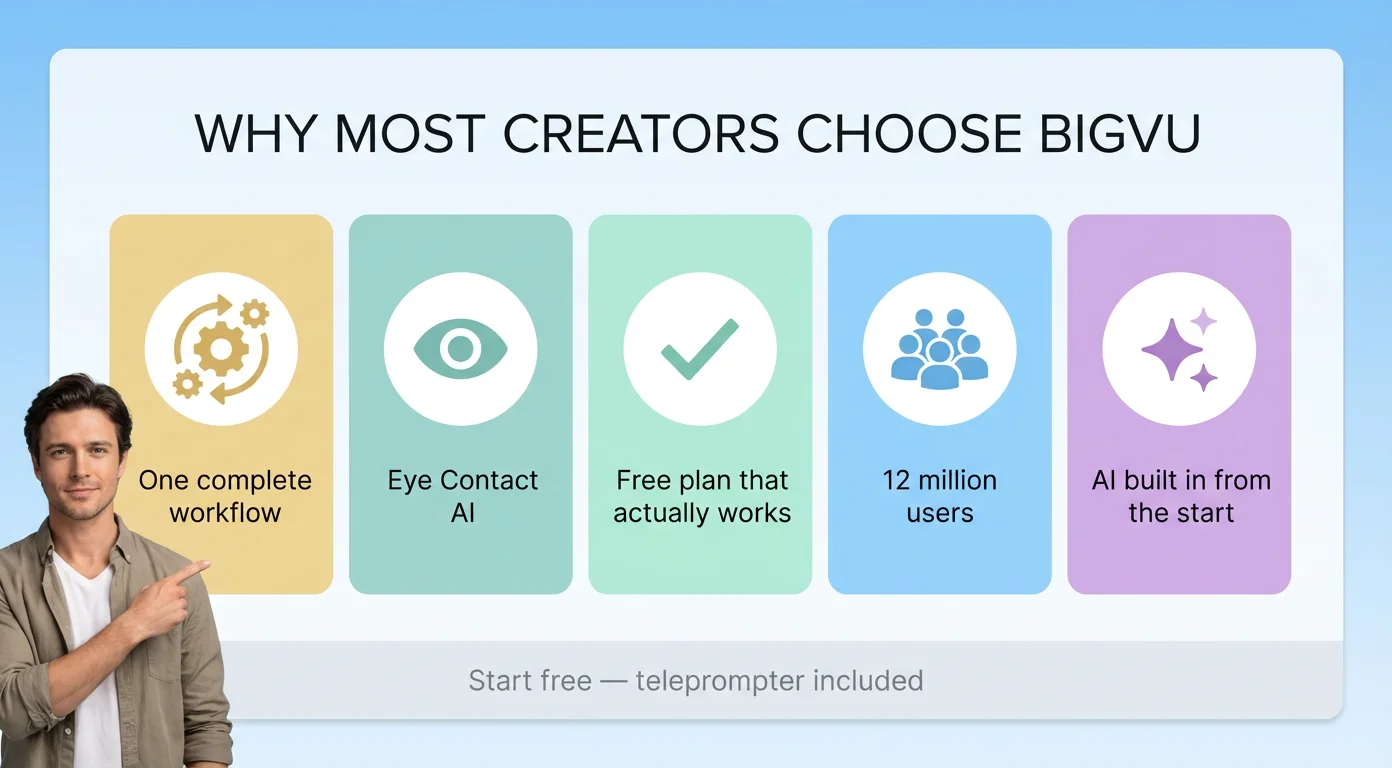
BIGVU covers that entire stack in one app. The AI Script Writer, live teleprompter, Eye Contact Fix, auto-captions, Brand Kit, and native social publishing make it the only app here that takes a creator from zero to a finished, shareable video without switching tools. That's why it has 12 million users — and why it's our recommendation for most people creating video content in 2026.
Start with BIGVU's free plan. The teleprompter and basic recording are available without a subscription, which gives you a real test of the core workflow before you commit to anything.