
The Best Teleprompter Apps for Every Device (2026)
The “best” teleprompter app depends on how you record — straight on your phone, off a hardware teleprompter, or in one tool that also edits and repurposes afterwards. Here are the options worth knowing in 2026, starting with our top pick.
1. BIGVU — best all-in-one (iOS, Android & web)
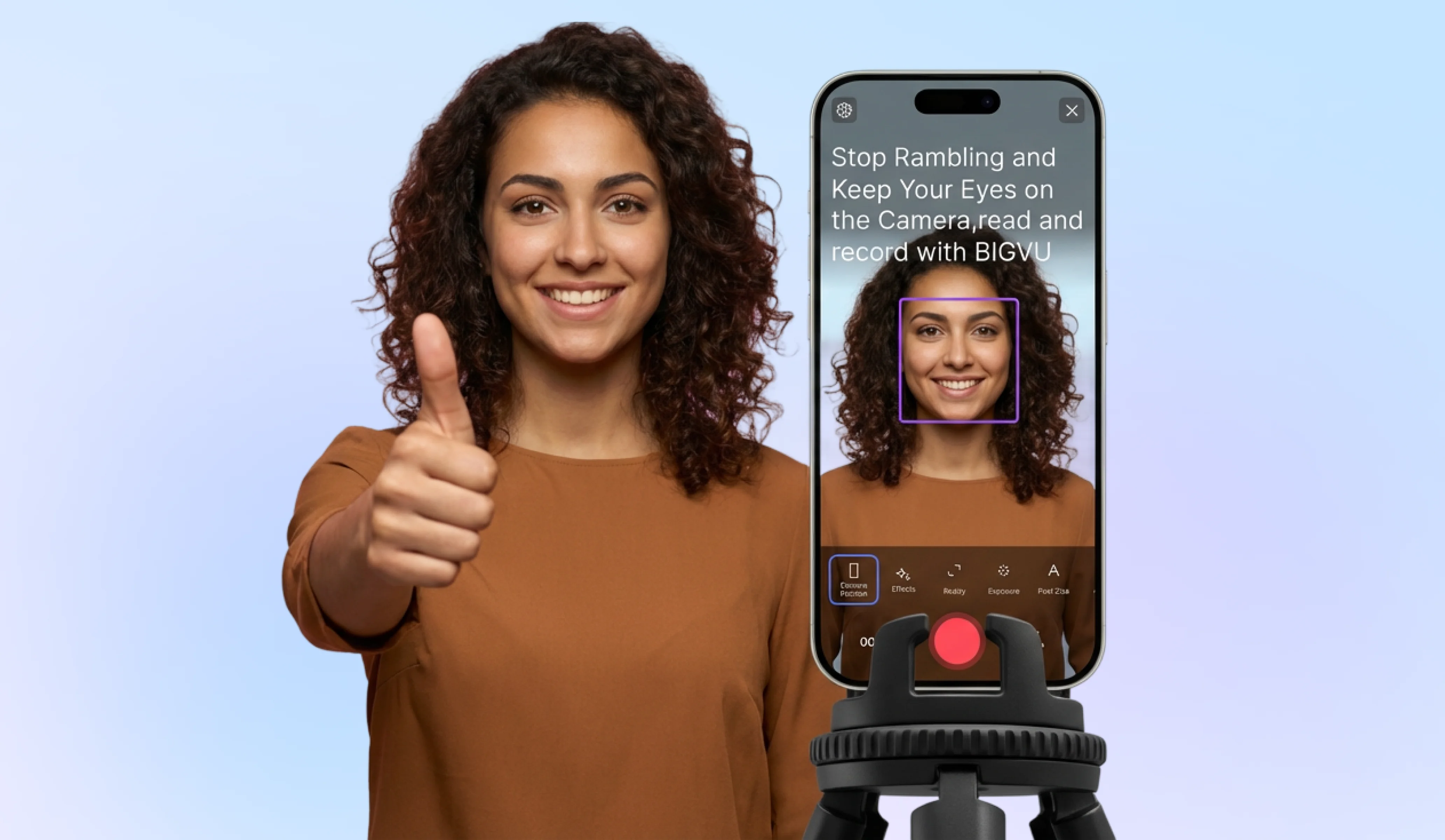
BIGVU is more than a prompter: it’s a teleprompter, recorder, and editor in one. Write or paste your script (there’s even an AI script writer), set the scroll speed, and record with the text right by the lens so your eyes never wander. From the same app you add auto-captions and branding, then crop and repurpose the video into vertical Shorts and Reels — which is why it’s our pick for creators who want results, not just scrolling text. Works on iPhone, Android, and the web, with a free plan to start.
2. Built-in prompters you already have (free)
Instagram, TikTok, and CapCut now include a basic teleprompter in their camera tools. Free and fine for quick phone clips, but with limited control over speed, formatting, and output.
3. Free browser prompters
Web tools like CuePrompter need no install or account — paste your text and go, with mirroring for hardware teleprompters. Simple and zero-cost, but light on features.
4. Floating-window apps
Some apps float the script on top of any other app, so you can use a pro camera app and still see your text. Powerful for advanced setups; availability and polish vary by platform.
5. All-in-one / AI prompters
The most advanced add voice-tracking auto-scroll, remote control, and cross-device sync. Great if you present a lot — usually behind a subscription.
How to choose: just need text on your phone? A free built-in or browser tool is enough. Running a hardware teleprompter? Look for mirroring and remote support. Want to record, caption, and repurpose in one place? An all-in-one like BIGVU saves the most time — which matters most when you turn every recording into content for multiple platforms (more on that next).
![[object Object]](/blog/images/airtable/section1-boost-your-video-roi-compare-the-best.webp)
Beyond the Recording: How to Repurpose One Video Into Many
Recording a great video is only half the job. The creators who win don’t film more — they get more out of every video they’ve already made, reshaping one recording into content for every platform their audience uses.
AI-powered tools for rapid transformation
Repurposing used to mean hours in an editor. An all-in-one tool like BIGVU removes that friction:
- Auto-captions: Add accurate, styled captions automatically — essential when most mobile viewers watch on mute.
- Instant resizing: Turn one horizontal recording into a vertical 9:16 Reel or a 1:1 square for LinkedIn with a single click.
- Brand overlays: Drop in your logo, colors, and a call to action so every clip looks unmistakably yours.
The 3-step repurposing workflow
- Find the micro-moments: Scan your long-form video for 30–60 second segments that deliver a standalone idea or quick win.
- Brand and caption: Add your overlay, captions, and CTA so each clip reinforces your identity and drives action.
- Batch and schedule: Push the finished clips to every channel at once instead of uploading them one by one.
Shifting from a “one-and-done” mindset to a repurposing habit is the difference between posting occasionally and showing up everywhere — turning a single script into a steady stream of content.
![[object Object]](/blog/images/airtable/section2-boost-your-video-roi-compare-the-best.webp)
The Repeatable Workflow: Stay Consistent Without Burning Out
Consistency — not occasional bursts — is what builds an audience. The trick isn’t willpower; it’s a repeatable system that takes a video from script to scheduled in a predictable way, so showing up every week stops feeling like a scramble.
Batch your recording
Instead of filming one video at a time, write several scripts, then record them back-to-back in a single session with your teleprompter set up. One block of focused time produces weeks of content and keeps your delivery and look consistent across every clip.
A simple distribution checklist
Run every video through the same quick checklist before it goes out:
- Resize per platform: Vertical 9:16 for Shorts, Reels, and TikTok; square or horizontal where it fits best.
- Caption for sound-off: Most mobile views happen on mute, so captions keep people watching.
- Add a clear CTA: Tell viewers exactly what to do next, and use UTM links so you can see which videos actually drive traffic.
A 4-step weekly routine
- Script with AI: Generate hooks around your audience’s real pain points so the first few seconds land.
- Batch record: Film the week’s videos in one teleprompter session.
- Repurpose and schedule: Cut each recording into clips, brand them, and queue them across channels.
- Review and refine: Check watch-time to see where viewers drop off, then tighten your next batch of scripts.
Automate the technical hurdles of recording and distribution, and your focus shifts from “how do I record this” to “how do I grow” — with your brand staying top-of-mind on every platform.
![[object Object]](/blog/images/airtable/section3-boost-your-video-roi-compare-the-best.webp)