The Five Parameters That Determine Portrait Quality
A good prompt isn't long, it's complete. There are five things every prompt needs, and if you skip one, the tool fills the gap with something forgettable. Here's my checklist:
- Who the person is. Gender, age range, and appearance. Age matters way more than people think; a 25-year-old "young professional" and a 50-something executive read completely differently, even in the same outfit. Get specific: "woman in her late 30s, South Asian appearance" beats "professional woman" every time.
- Hair and styling. Hair does a ton of the personality work. Straight dark brown reads corporate. Wavy auburn reads creative-but-polished. Curly natural reads warm and friendly. Pastel or bright colors read young and online. Match it to your brand's vibe, not some generic idea of "professional."
- Setting and background. This is where your brand context shows up. A gradient (blue, pink, purple) is clean and great for social and website headers. A modern office says "credible." A podcast studio says "expert." A street or café says "lifestyle." Green screen gives you the most freedom to swap backgrounds later.
- Visual style. Photorealistic is the safe default for business. But you've got real options: casual selfie/UGC style for social that doesn't look corporate, high-fashion editorial for premium brands, Pixar-style 3D for family or kid-focused stuff, anime for gaming or Japanese-market content.
- Framing. Upper body (waist up, centered) is the most flexible; it works on your site, on social, and as a thumbnail. Headshot (shoulders up) is perfect for LinkedIn and team pages. Full body suits lifestyle and e-commerce. Picking the wrong crop for the job is the most common way I've wasted generations.
![[object Object]](/blog/images/airtable/section1-best-ai-portrait-prompts-create-professional-brand-images.webp)
Ready-to-Use Portrait Prompt Templates by Use Case
These are built around the five-parameter checklist above. Just swap the bracketed bits for your own details and generate.
- Corporate headshots and LinkedIn profiles: go clean, trustworthy, approachable. Neutral background, professional clothing, warm expression.
"Photorealistic portrait of a [woman/man] in their [30s-40s], [appearance], with [straight light brown hair], wearing a [navy blazer over white blouse], against a [smooth light blue gradient background], soft studio lighting, natural confident smile, framed from the waist up, symmetrically centered, DSLR quality"
- Social media and content creator portraits: these need personality. Brighter settings, more expressive styling, a background that tells a little story.
"Casual UGC-style selfie portrait of a [young woman in her 20s], [mixed/multiethnic appearance], with [wavy pink hair], wearing [a graphic tee and denim jacket], in [a cozy living room with bookshelves and plants], warm ambient lighting, natural authentic expression, smartphone camera look"
- Brand spokesperson and marketing assets: match your brand identity. Pull your colors, settings, and styling straight from your guidelines.
"High-fashion editorial portrait of a [woman in her 30s], [Black/African appearance], with [short natural hair], wearing [a structured blazer in emerald green], in [a minimalist white studio with architectural detail], dramatic side lighting, direct eye contact, upper body shot, Vogue magazine style"
- Team page consistency: write one master prompt and change only the person.
"[Photorealistic] portrait of a [gender] in their [age range], [appearance], with [hair description], wearing [company dress code], against [same background for all team members], soft studio lighting, warm expression, upper body framing, symmetrically centered, DSLR quality"
Change gender, age, appearance, and hair for each person. Lock everything else.
![[object Object]](/blog/images/airtable/section2-best-ai-portrait-prompts-create-professional-brand-images.webp)
The Settings and Styles That Make or Break a Portrait
You can only use the options you know exist. Most folks default to the same three because nobody told them about the rest. Here's what actually moves the needle.
Backgrounds that work for brand content:
- Gradients (light blue, pink-to-white, purple-to-lavender) are my go-to; polished, great as thumbnails, and they don't fight the subject.
- Modern office and podcast studio settings add instant credibility without renting a space.
- Green screen is your most flexible pick if you want to drop the portrait into different scenes later.
- City street, beach, and park work for lifestyle and wellness brands, but they can feel out of place for B2B.
Styles beyond photorealistic:
- Photorealistic fits most business cases.
- Casual UGC style (a little grainy, natural light, handheld feel) does well on social because it looks like a real person made it, not a brand.
- High-fashion editorial works when the brand needs to feel expensive.
- 3D Pixar and anime are genuinely useful for younger audiences, game studios, or anywhere character matters more than realism.
Lighting, small change, big difference:
- Soft studio lighting is neutral and safe; it flatters without drama.
- Dramatic side lighting adds depth and authority, good for thought leadership.
- Golden hour reads aspirational and lifestyle.
- Natural window light reads warm and approachable, which is why it works for coaches, consultants, and service businesses.
Honestly, specifying the lighting is one of the highest-payoff tweaks you can make.
![[object Object]](/blog/images/airtable/section3-best-ai-portrait-prompts-create-professional-brand-images.webp)
How BIGVU's Portrait Maker Eliminates the Prompt-Writing Step
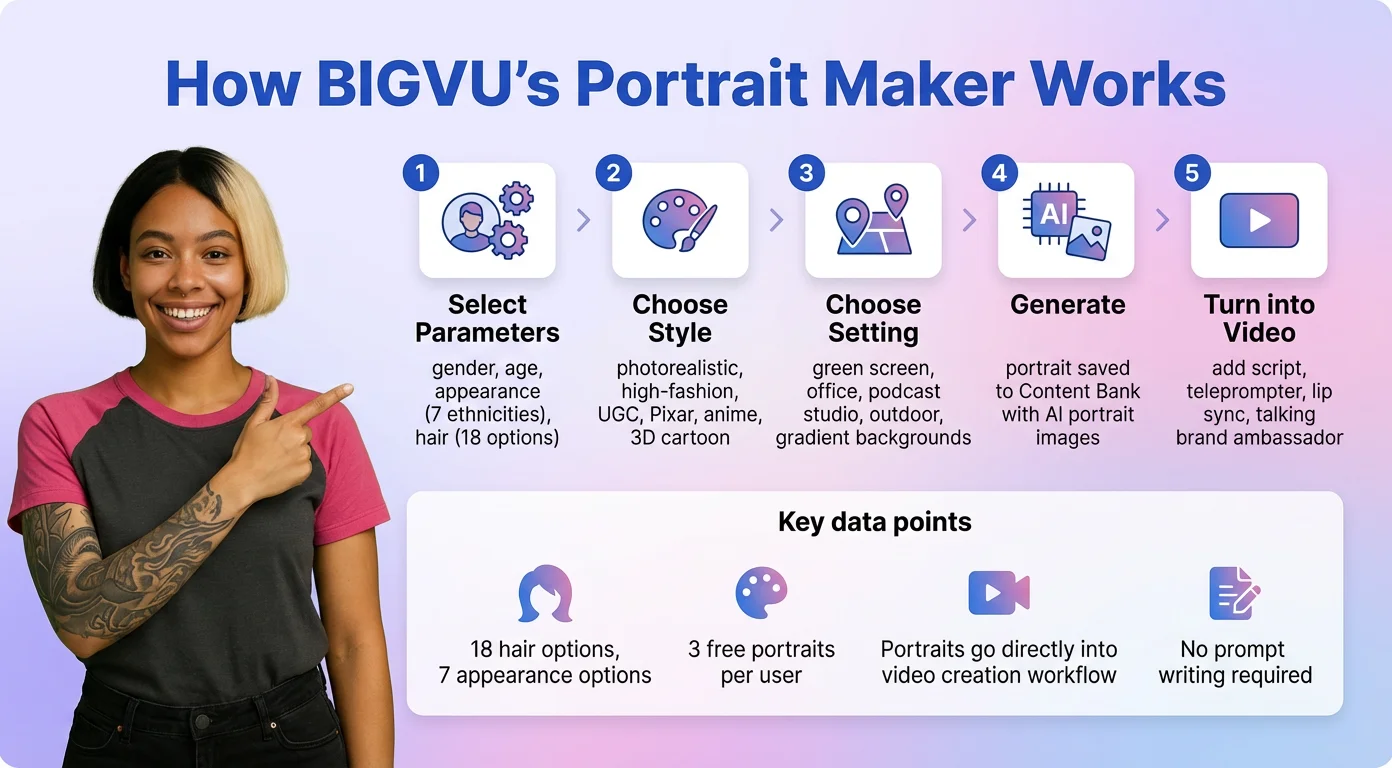
Writing prompts from scratch works, but it takes practice and a lot of trial and error. If you'd rather skip that learning curve, BIGVU's Portrait Maker lets you build a professional portrait by picking from menus instead of writing descriptions.
How it works:
- You work through a set of choices: gender, age range, and appearance (seven ethnicity options for diverse representation).
- Hair has 18 options: straight black, wavy pastel blue, buzz cut, and more.
- Style options include photorealistic, high-fashion, casual UGC, Pixar, anime, and 3D cartoon.
- Settings include green screen, podcast studio, modern office, home, outdoor park, city street, beach, inside a car, and gradient backgrounds in blue, pink, or purple.
- You can add a free-text line for specifics, like "working mom in her 30s with long dark hair," and it blends that with your menu picks.
From portrait to video, all in one place:
- Every portrait you make gets saved to your Content Bank.
- The big difference from a standalone tool is what happens next: your portrait can be scripted with BIGVU's AI script writer, recorded with the teleprompter, and turned into a talking brand spokesperson with natural lip sync and movement.
- That portrait can hold a product, present against any branded setting, or deliver your message in any language.
What it replaces:
- Synthesia makes you use their avatar library or record yourself.
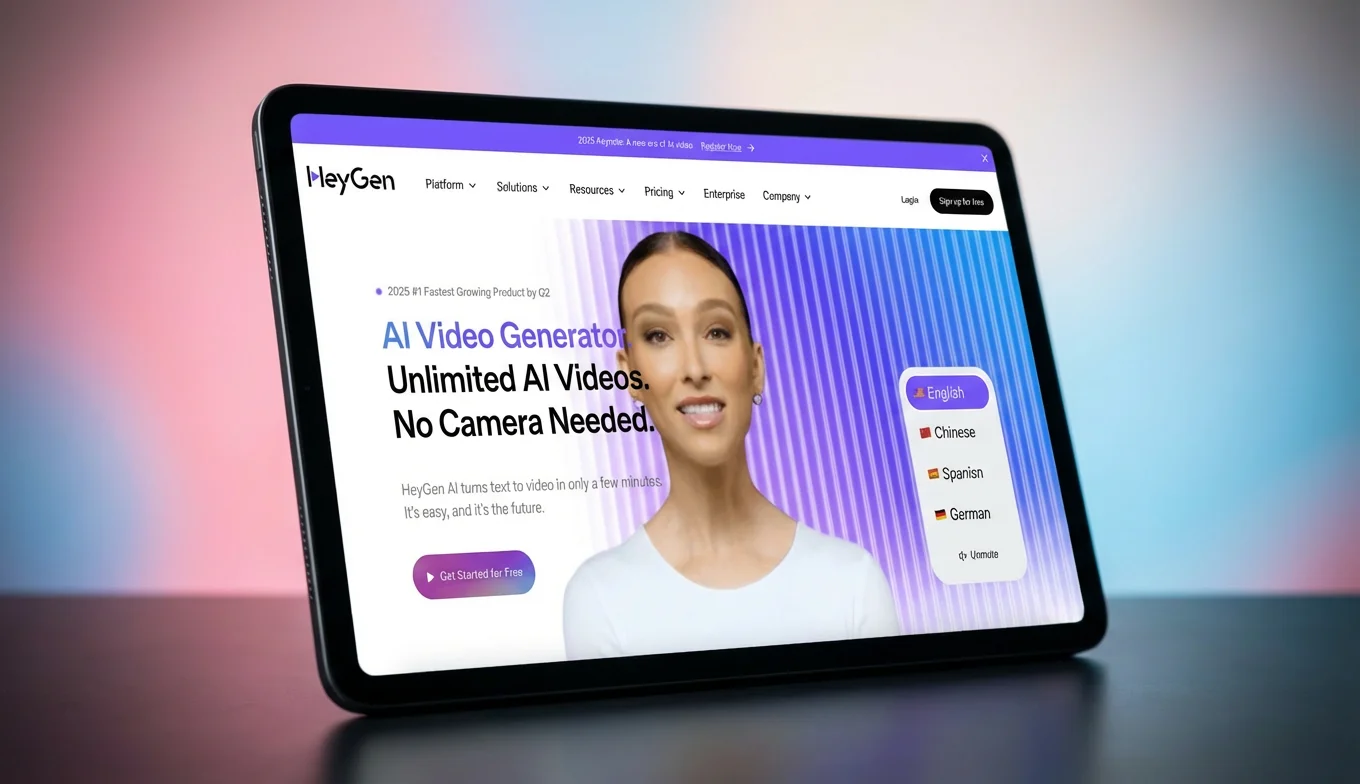
- HeyGen locks you into Look Packs and avatar models.
- Arcads is ad creation only.
- BIGVU gives you the whole workflow: create a portrait with visual controls, brand it, and turn it into video, from one platform, without juggling separate tools for each step.
Building a Consistent Brand Portrait System
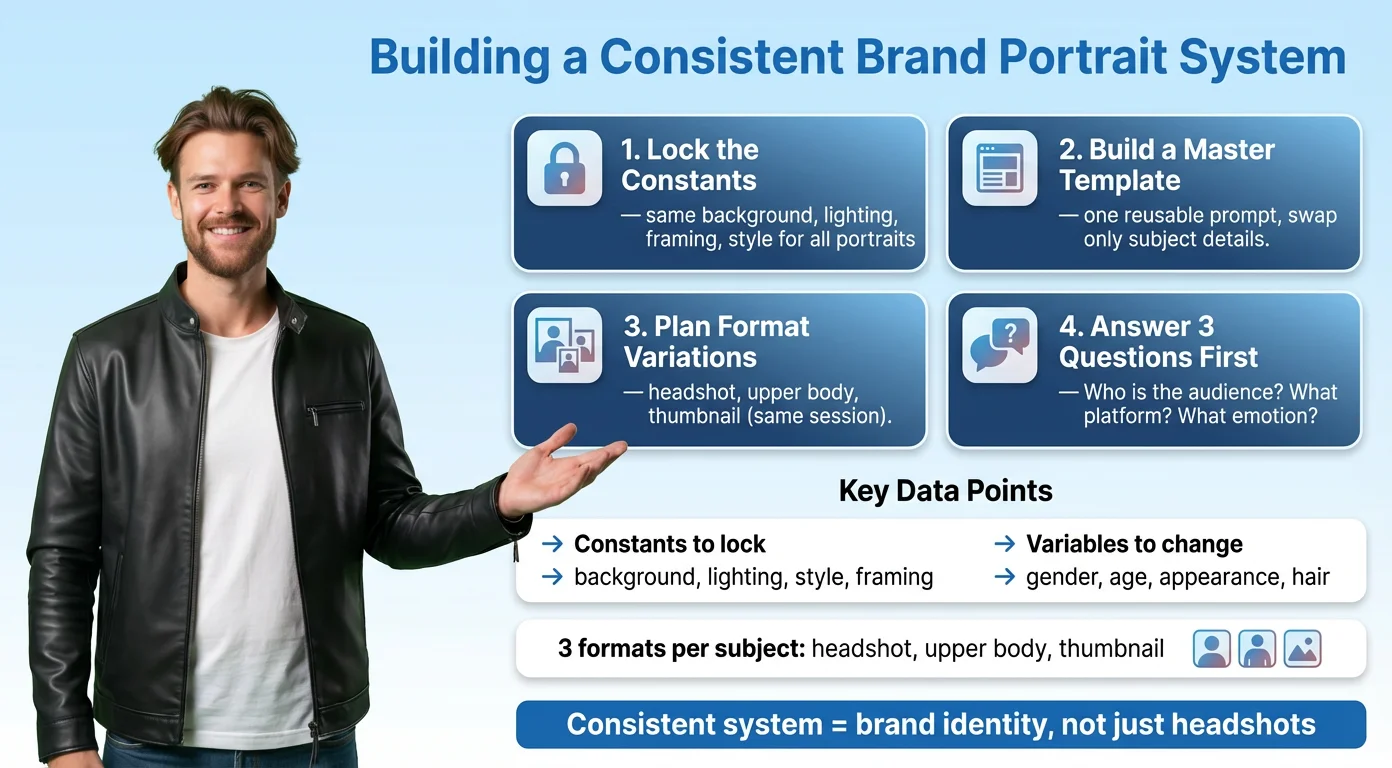
One portrait is a headshot. A set of matching portraits is a brand identity. Here's how I'd build one that scales.
- Lock the constants. Decide your background, lighting, framing, and style once, then use them on every portrait. This is what makes a team page look intentional instead of thrown together, and what makes a creator's thumbnails instantly recognizable.
- Build a master template. Write your locked settings into one prompt and keep it somewhere handy. New hire, new campaign, new audience? Open the template, change only the person, generate.
- Plan for different formats. The same person usually needs a few crops: a headshot for LinkedIn, an upper-body shot for the website, a thumbnail version with room for text. Make all the variants in one sitting while your settings are still fresh.
Before you generate anything, answer three questions:
- Who's the audience? (sets age, appearance, and relatability)
- Where will it live? (sets framing and background)
- What feeling should it trigger? (sets lighting, expression, and style)
Nail those three and the prompt basically writes itself.