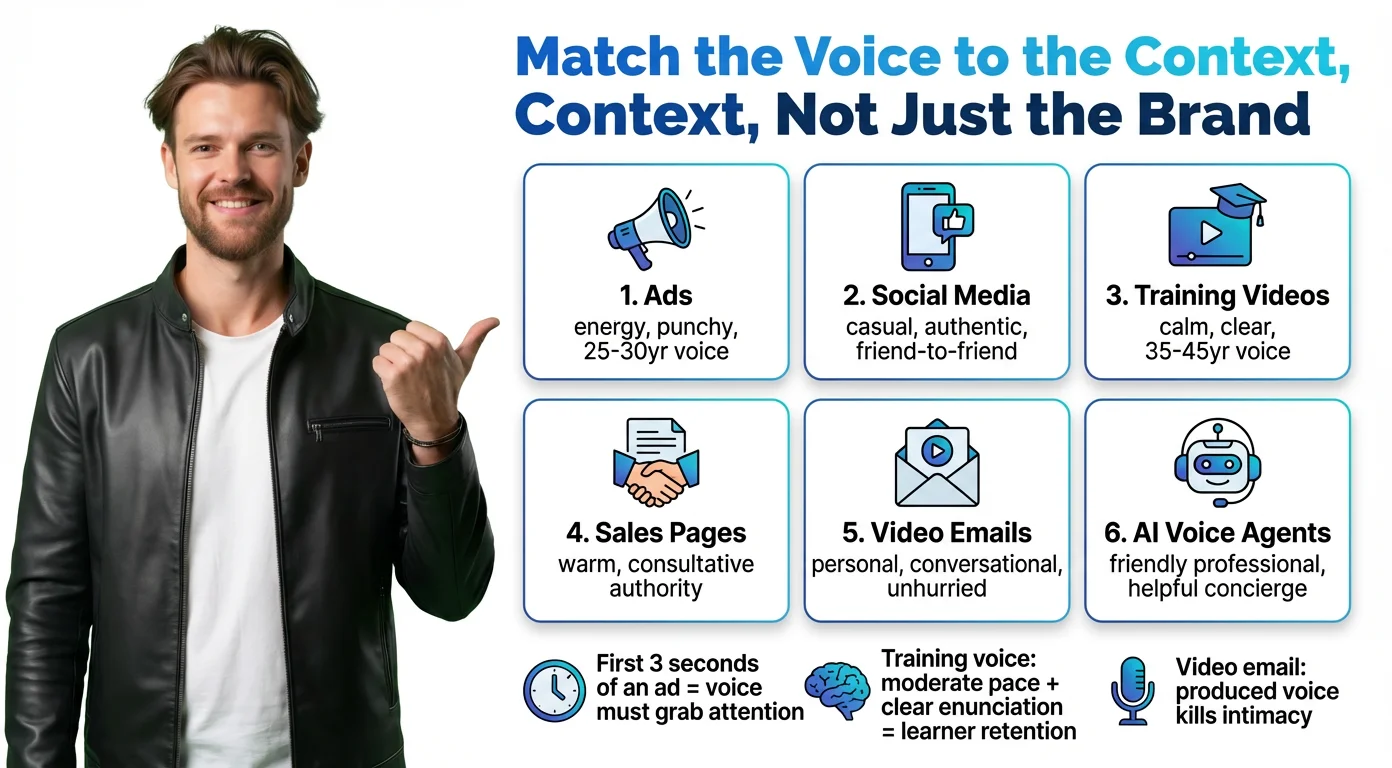
Match the Voice to the Context, Not Just the Brand
The first mistake people make with AI voice is treating it like a brand color — one choice that applies everywhere. Voice doesn't work that way. The same tone that builds trust on a sales landing page will feel stiff and corporate on a social media clip.
Here's how voice should shift by use case:
### Ads and Promotional Content
You have about three seconds to earn attention. The voice needs energy, confidence, and forward momentum. A mid-20s to early 30s persona works well for consumer-facing content; a deeper, steadier tone suits B2B or premium brands. Prompt for: energetic, upbeat pacing, punchy delivery.
### Social Media Videos
Social rewards authenticity. The voice should feel like a real person talking to a friend — casual, direct, genuinely excited about what they're saying. Anything that sounds produced or polished will break the spell. Prompt for: conversational, relatable, natural pacing.
### Training and Explainer Videos
Learners need to follow along over longer stretches, so clarity and pacing matter more than personality. A voice that's calm and measured without being flat keeps attention without adding fatigue. A mid-30s to mid-40s persona carries the right mix of authority and approachability. Prompt for: clear enunciation, moderate pace, warm but instructional.
### Sales Pages and Landing Pages
This is a trust-building context. The voice needs to feel like a knowledgeable advisor — confident, warm, and persuasive without pressure. Avoid anything that sounds too polished or performative. Prompt for: consultative, smooth timbre, conversational authority.
### Video Emails
The whole point of a video email is that it feels personal. An overly produced voice kills that impression immediately. The voice should sound like a one-on-one conversation — warm, unhurried, genuine. Prompt for: conversational, approachable, natural pauses.
### AI Voice Agents (Website and Video Landing Pages)
This voice is often the first branded touchpoint a visitor experiences. It needs to be friendly, helpful, and professional without sounding robotic. Think less call center script, more knowledgeable colleague. Prompt for: clear, welcoming, warm professionalism.
The age of your persona ties these contexts together. A 22-year-old voice narrating a corporate compliance module feels wrong. A 55-year-old voice on a TikTok ad feels disconnected. Match the persona's age to the audience's expectations — it's one of the most underused levers in voice design.
![[object Object]](/blog/images/airtable/section1-write-ai-voice-prompts-sound-human-convert.webp)
The Anatomy of a Voice Prompt That Actually Works
A voice prompt isn't a list of adjectives. It's a character description — specific enough that two different people reading it would picture the same person.
Every strong voice prompt has four components:
### The Basics: Language, Gender, and Age
These set the broadest parameters. Be specific: "female, early 30s, American English" is far more useful than "female." Age in particular shapes the vocal quality, energy level, and sense of authority the AI will generate — don't leave it vague.
### The Delivery: Pacing, Timbre, and Accent
Pacing controls energy. Fast for social and ads, moderate for sales and training, slow for dramatic or emotional content. Timbre is the texture of the voice — warm, bright, deep, husky, smooth. Accent adds both character and localization, and can be the difference between your voice feeling native to your audience or slightly off.
### The Character Note: The Most Important Field
This is where the voice goes from generic to specific. Think about the persona, not the technical parameters. "A voice that sounds like it's smiling while talking to you" produces a better result than "rising intonation patterns and forward proximity."
Some character notes that consistently produce strong results:
- **Radio Star** — Bright, high energy, polished. Ads and promos.
- **Cinematic Narrator** — Deep, deliberate, dramatic. Brand storytelling.
- **Podcast Host** — Casual, warm, curious. Explainers and thought leadership.
- **Friendly Coach** — Clear, encouraging, patient. Training and onboarding.
- **Late Night DJ** — Smooth, low, intimate. Luxury and atmospheric content.
- **News Anchor** — Crisp, neutral, authoritative. Reports and updates.
### A Complete Prompt Example
For a video email: _"Warm, friendly female voice, early 30s, American English, moderate pacing. Conversational and approachable — like a colleague sharing useful advice over coffee. Slight smile in the delivery. Professional but never stiff."_
For a social media ad: _"Energetic male voice, mid-20s, neutral American accent, fast pacing. Confident and excited — like someone who just found something amazing and can't wait to tell you about it. Bright timbre, punchy delivery."_
The difference between these prompts and a weak one isn't length — it's specificity about personality, not just parameters.
![[object Object]](/blog/images/airtable/section2-write-ai-voice-prompts-sound-human-convert.webp)
How BIGVU Turns a Prompt Into a Branded Voice in Under 2 Minutes
Writing the prompt is the strategic work. Generating the voice should be frictionless — and that's what BIGVU's Voice Design tool is built for.
The workflow lives inside BIGVU's Brand Kit, under Branded Media. Here's how it runs:
### Step 1: Set the Parameters
Define language, accent, gender, pacing, age, and timbre in the Voice Design interface. These are your technical inputs — the frame the AI works within.
### Step 2: Write the Character Note
This is the prompt field that matters most. BIGVU calls it "additional notes," but treat it like a casting brief. "Radio star energy," "cinematic and slow-burning," "warm and funny like a morning show host" — write the character, not the specs.
### Step 3: Generate Three Variations and Choose
BIGVU generates three distinct voice interpretations from your prompt. Preview each one with a sample script, compare how each version lands, and pick the one that fits. You'll see a natural-language description of what was generated so you know exactly what you're keeping.
### Step 4: Name and Save
Give your voice a name — BIGVU can suggest one based on language and cultural context — review the description, and save. The voice is immediately added to your Content Bank, with AI-generated portrait images (headshot, upper body, full body) attached and ready for video production.
The whole process takes under two minutes. No voice acting, no casting, no studio. And the voice is yours — branded, saved, and reusable across every video you make.
The multilingual dimension is worth noting specifically. The same prompt-based workflow applies regardless of language. A warm Portuguese voice for your Brazilian market, a professional Japanese voice for Tokyo, a fast-paced Spanish voice for Latin American social — adjust the language, accent, and cultural notes, and the output adapts. Your brand voice scales globally without rebuilding from scratch.
![[object Object]](/blog/images/airtable/section3-write-ai-voice-prompts-sound-human-convert.webp)
Common Prompting Mistakes (and How to Fix Them)
Most AI voice results that miss the mark come down to a handful of the same prompting errors. Here's what to avoid:
### Using Only Generic Adjectives
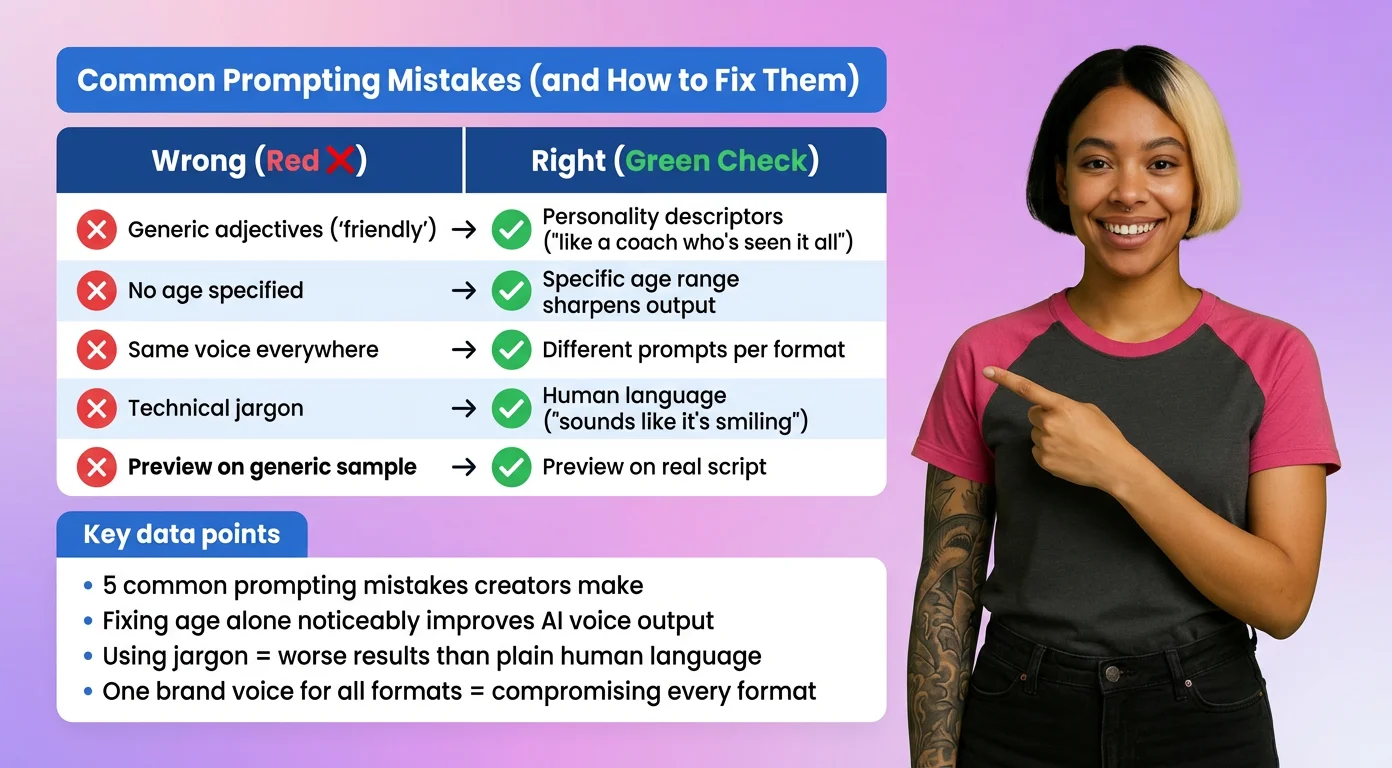
"Professional," "friendly," "clear" — these words are so broad they give the AI almost no guidance. Every decent voice is those things. Swap them for personality descriptors: "like a seasoned coach who's seen it all but still gets excited to help" gives the AI something to work with.
### Skipping the Age
Age shapes vocal quality, authority, and relatability more than most people realize. A voice generated without an age anchor will default to something in the middle — which is usually fine and rarely great. Specify the age range and watch the output sharpen.
### Using the Same Voice Everywhere
A single brand voice applied to every format is a compromise that serves none of them well. Your sales page, your social content, and your onboarding videos all have different jobs. Let them have different voices, or at least different prompt variations, tuned to the context.
### Writing Technical Jargon Instead of Human Description
Terms like "prosodic variation," "forward placement," or "glottal fry" might be accurate, but AI voice models respond better to human language. Describe the experience of listening, not the acoustic properties. "Sounds like it's smiling" beats "elevated pitch with upward modulation."
### Forgetting to Preview with Real Script
A voice can sound great on a generic sample and fall flat on your actual content. Always preview your generated voice using a line or two from the real script it will narrate. The difference between an acceptable voice and the right one is often only noticeable in context.
Common Prompting Mistakes (and How to Fix Them)
Most AI voice results that miss the mark come down to a handful of the same prompting errors. Here's what to avoid:
### Using Only Generic Adjectives
"Professional," "friendly," "clear" — these words are so broad they give the AI almost no guidance. Every decent voice is those things. Swap them for personality descriptors: "like a seasoned coach who's seen it all but still gets excited to help" gives the AI something to work with.
### Skipping the Age
Age shapes vocal quality, authority, and relatability more than most people realize. A voice generated without an age anchor will default to something in the middle — which is usually fine and rarely great. Specify the age range and watch the output sharpen.
### Using the Same Voice Everywhere
A single brand voice applied to every format is a compromise that serves none of them well. Your sales page, your social content, and your onboarding videos all have different jobs. Let them have different voices, or at least different prompt variations, tuned to the context.
### Writing Technical Jargon Instead of Human Description
Terms like "prosodic variation," "forward placement," or "glottal fry" might be accurate, but AI voice models respond better to human language. Describe the experience of listening, not the acoustic properties. "Sounds like it's smiling" beats "elevated pitch with upward modulation."
### Forgetting to Preview with Real Script
A voice can sound great on a generic sample and fall flat on your actual content. Always preview your generated voice using a line or two from the real script it will narrate. The difference between an acceptable voice and the right one is often only noticeable in context.