What HeyGen is and how its three core workflows work
HeyGen is an AI video platform built around one core idea: you shouldn't need to film yourself every time you produce a video. Its product menu includes Video Avatar (clone yourself once, reuse across future videos), Photo Avatar and Avatar IV (animate a still photo to speak a script), Video Agent (generate a full structured video from a text prompt), Video Translator (translate and lip-sync existing videos into other languages), and AI Studio (a scene-by-scene editor for assembling and refining everything).
Three workflows drive most of what people actually use HeyGen for.
Digital Twin (Video Avatar)
The Digital Twin workflow starts with a short recording session. You turn on your webcam or phone camera, read a provided script on screen, and HeyGen's Avatar IV engine captures your motion, micro-expressions, and voice. That recording becomes the base for your digital twin — a synthetic version of you that can deliver any future script you type in without another filming session. The Avatar IV engine is specifically built to capture the subtle gestures and facial movements that make on-screen presence feel natural rather than robotic, and it pairs the motion model with a lip-sync system so your twin can adapt to new scripts convincingly. Once the twin exists, you can generate different looks for it — home studio, outdoor environment, professional setting — each as a distinct avatar variant without re-recording anything.
Photo Avatar and Avatar IV
For users who don't want to record themselves at all, HeyGen's Photo Avatar feature takes a single still image and turns it into a short talking clip. You upload the photo, paste a script or record audio, choose a voice from the library, set the motion style (including an expressive or emotive preset), and HeyGen renders the result. A 60-second clip typically takes two to three minutes to process. In practice, the results are strongest when the source image is a clean, centered headshot with even lighting and a neutral background — conditions similar to a professional portrait. Photos with complex backgrounds, loose hair, side angles, or inconsistent lighting produce more visible artifacts around the subject's edges and face. HeyGen notes the photo requirements explicitly in the upload interface: recent photos, mix of close-ups and full-body shots, multiple expressions, high resolution.
HeyGen also supports fully AI-generated virtual characters. Using the avatar creation tool, you define the character by name, age, gender, ethnicity, orientation, pose, and appearance description, and the AI generates a visual identity from scratch. This path is useful for faceless content, educational channels, or branded character-led videos without using real people at all.
Video Agent
Video Agent is HeyGen's most ambitious feature. You type a prompt describing what you want — a 30-second social media ad, a product explainer, an internal update — attach your avatar and a style preference, and the AI builds a complete video plan: scenes, pacing, visuals, music, narration, captions. The interface shows you a structured outline with duration, scene count, language, and estimated credit cost before you commit. You can adjust the plan, request changes, and iterate in a chat-style interface before confirming. Once confirmed, the agent sources stock media from Pexels, Getty, Unsplash, and Storyblocks, generates the narration, applies captions with Brand System styling, and renders the full video — which you can then open in AI Studio to refine scene-by-scene. A 39-second, 8-scene video in testing completed in roughly 44 seconds of render time after plan approval.
![[object Object]](/blog/images/airtable/section1-heygen-review-2026-best-ai-avatar-video-generator.webp)
HeyGen pricing: plans, credits, and what you actually get
HeyGen has five tiers. The pricing page shows both monthly and annual rates, and the gap between them is significant enough to matter for ongoing use.
The free plan is $0 with no credit card required. It gives you 3 videos per month, a maximum of 1 minute per video, 720p export, 500+ stock photo avatars, 1 Custom Digital Twin, and trial access to Premium features including Avatar IV, Video Agent, Video Translation with lip sync, and 30+ languages. The free plan is genuinely useful for evaluating the product, and the trial Premium access means you can test the headline features before committing. The hard limits — 3 videos, 1-minute max — are the constraint.
The Creator plan is $29 per month billed monthly, or $24 per month billed annually ($288 per year). It gives you videos up to 30 minutes, 1 Custom Digital Twin, unlimited Photo Avatars, 700+ stock video avatars, voice cloning, 175+ languages and dialects, 1080p export, a Brand Kit, watermark removal, and access to all Premium features — including Avatar IV, the latest Video Agent model, Video Translation with lip sync, and the ability to generate Avatar Looks. The credit allocation on Creator is 200 Premium credits per month.
The Pro plan is $99 per month billed monthly, or $79 per month billed annually ($948 per year). It includes everything in Creator plus 10x more Premium usage (2,000 credits per month), faster video processing, the ability to edit and proofread translation scripts, and 4K video export.
The Business plan is $119 per month billed monthly, or $149 per month billed annually — note that the annual rate is higher here, not lower, which reflects additional features unlocked at that tier. Business adds 5 Custom Digital Twins, videos up to 60 minutes, 4K, 5x Generative Usage, workspace collaboration, centralized billing, auto-reload credits, team member seats at $20 per seat per month, Interactive Video (quizzes, branching, links), a Screen Recorder, SCORM Export, LMS integrations, and connections to n8n, Make, HubSpot, and Zapier.
Enterprise uses custom pricing with dedicated support, onboarding, SCIM provisioning, priority processing, multi-workspace control, and commercial terms.
How the credit system actually works
Premium credits power the advanced features, and understanding the credit costs before subscribing is important. Avatar IV generation costs 20 credits per minute of output video. Generating a new Avatar Look costs 1 credit. Image generation costs 2 credits per image. A Video Agent project visible in testing showed a cost of 20–30 credits for a 39-second clip. On the Creator plan's 200-credit monthly allowance, that translates to roughly 10 minutes of Avatar IV video, 200 avatar looks, or some combination of the above. The Pro plan's 2,000 credits gives you approximately 100 minutes of Avatar IV video per month — which for most regular creators is a comfortable working budget. Additional credits can be purchased if needed.
The practical implication: if Avatar IV or Video Agent is your primary use case, the Creator plan's 200 credits runs out faster than the feature list suggests. Most regular users who rely heavily on Premium features will find Pro the effective entry point for sustained use.
![[object Object]](/blog/images/airtable/section2-heygen-review-2026-best-ai-avatar-video-generator.webp)
Where HeyGen excels and where it falls short
HeyGen's strongest use cases are narrow but genuinely valuable for the teams they serve.
For corporate training and internal communications, HeyGen is well matched. Teams can update a script, re-render with the same avatar, and distribute a new version without booking talent or filming again. For global businesses that need the same message delivered across multiple languages, the translation workflow — lip-synced output in 175+ languages with the option to proofread the translated script on Pro and above — is one of the strongest in the category and saves substantial time over traditional dubbing workflows. For product explainers, spokesperson-style marketing content, and sales enablement videos, the polished avatar output means teams can produce professional-looking presenter videos without a camera setup.
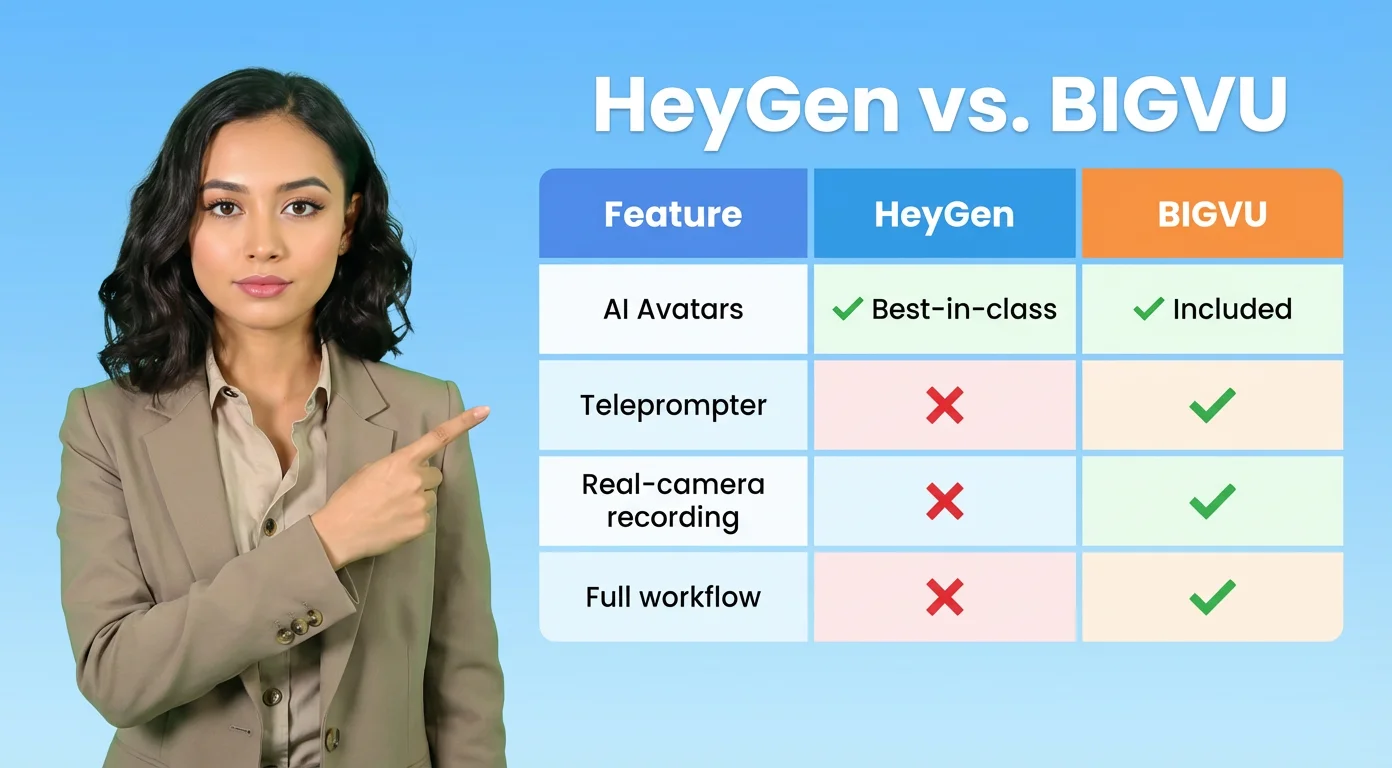
The limitations become apparent once you move outside those scenarios. HeyGen has no teleprompter. It has no native on-camera recording workflow for users who want to appear as themselves rather than as an avatar. If you want to record a genuine talking-head video — a founder update, a coaching session, a sales outreach video — HeyGen offers no tools to help you do that. The platform's entire value proposition is about replacing the filming step, not supporting it.
The workflow also ends at the video file. HeyGen produces a rendered clip that you can share via link, download, post to LinkedIn, or email. It does not integrate with video email workflows, does not support sending tracked video directly from Gmail or Outlook, and does not connect to a teleprompter or scripting system for the recording step. If your video production chain involves steps before and after the generation — writing the script with your brand voice, delivering it on camera, captioning and branding the result, and sending it to a specific lead — HeyGen handles one part of that chain and requires separate tools for the rest.
Avatar quality on Photo Avatar also depends heavily on input quality. Clean, professionally framed headshots produce the best results. Casual photos, images with complex backgrounds, or photos taken at angles other than straight-on produce more visible artifacts. This is a known constraint with any photo-animation system, and HeyGen's documentation addresses it explicitly, but it's worth factoring in if you plan to animate existing photo assets rather than creating new source material specifically for the platform.
![[object Object]](/blog/images/airtable/section3-heygen-review-2026-best-ai-avatar-video-generator.webp)
HeyGen vs BIGVU: which tool fits your workflow?
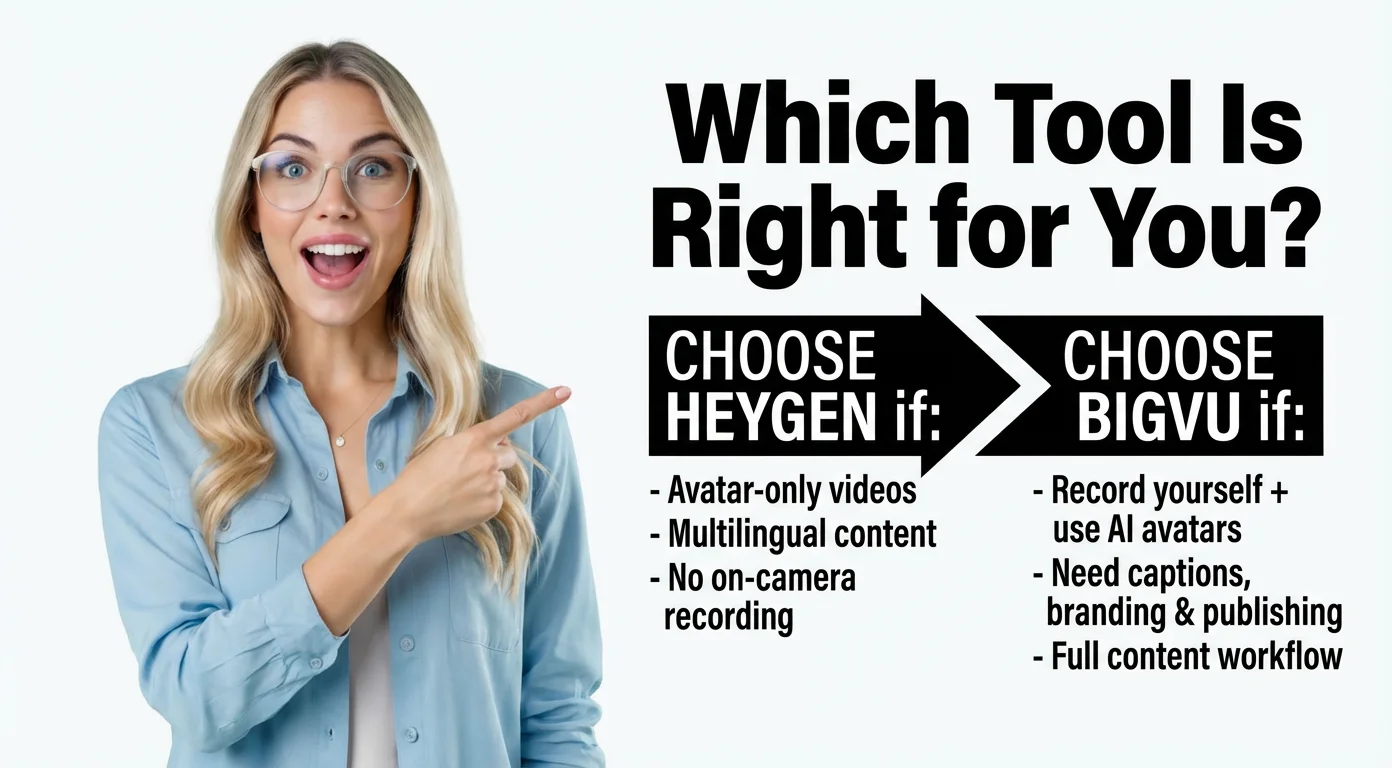
HeyGen and BIGVU are aimed at different parts of the video production problem, and the choice between them comes down to a single question: does your workflow start before the video exists, or after?
HeyGen starts at the generation step. You bring a script — or a prompt — and HeyGen produces a finished avatar-led video. For users who never want to appear on camera, or who need to produce at a volume that makes filming impractical, that's exactly the right starting point. HeyGen's multilingual capabilities, its avatar realism, and the Video Agent's ability to go from prompt to structured video are genuine advantages in that lane.
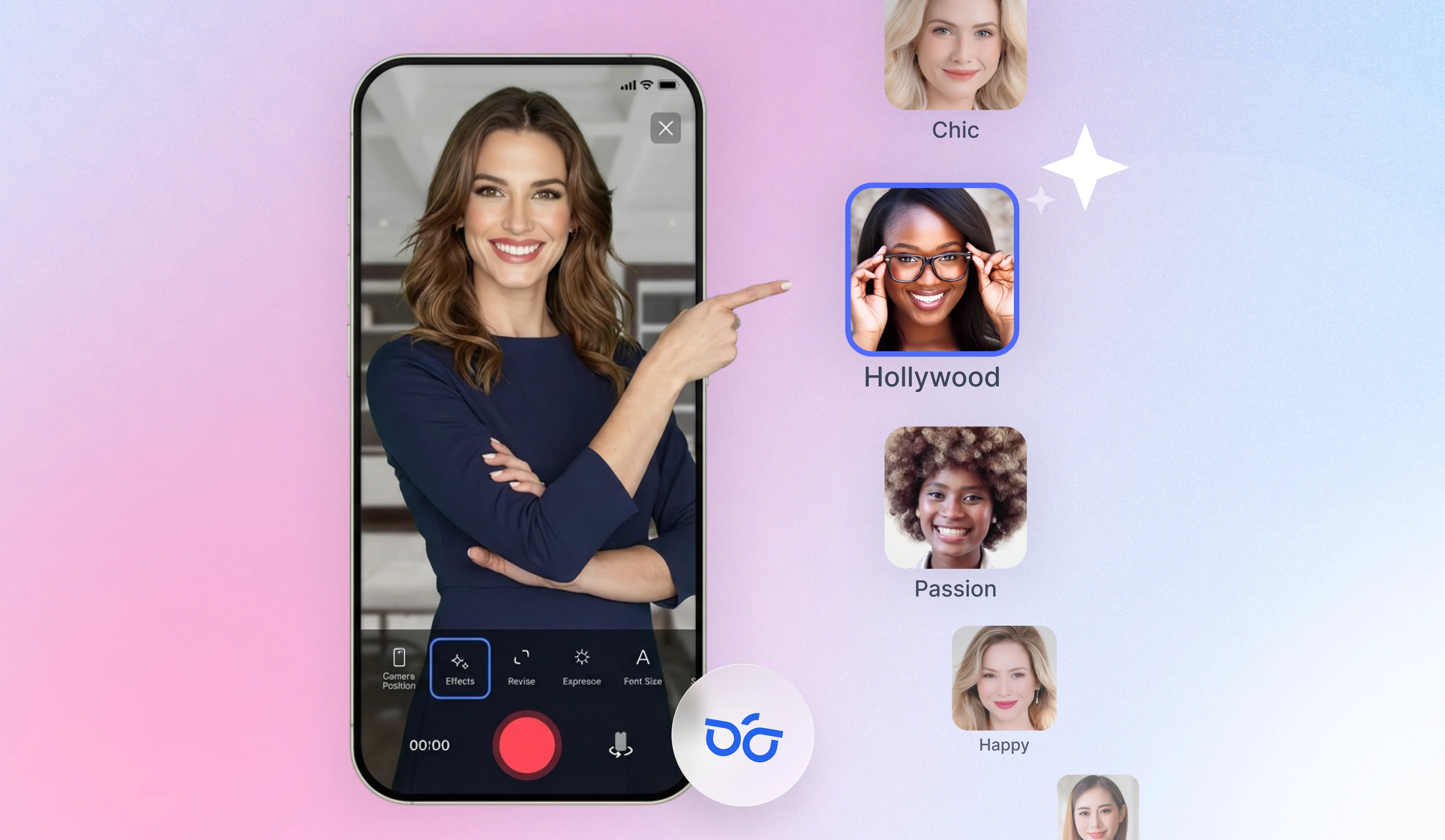
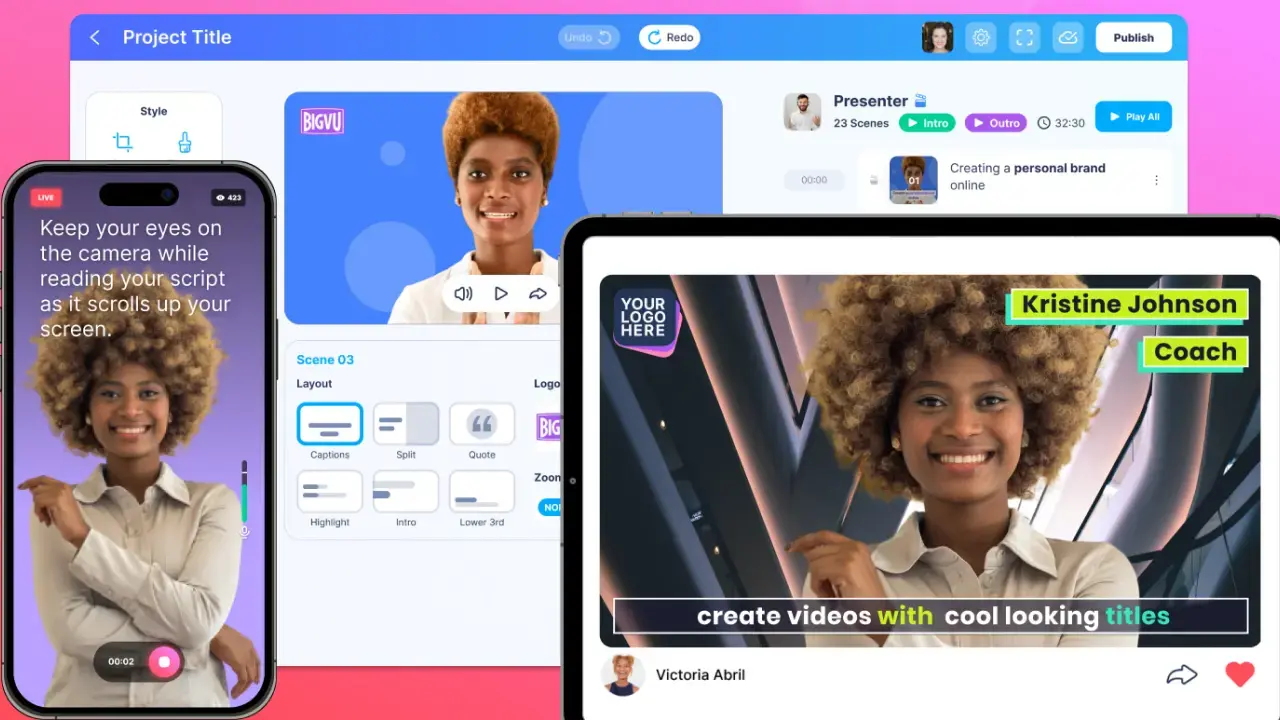
BIGVU starts earlier. The AI Script Generator helps you write content before you record. The teleprompter runs simultaneously with the camera so you maintain eye contact while reading. AI Eye Contact Correction removes the slight downward gaze that teleprompter reading creates. After recording, auto-captions, Brand Kit application, editing, and direct publishing are all inside the same app. BIGVU also includes Portrait to Video — its own photo-to-talking-video feature powered by OmniHuman technology — for users who want avatar-style generation within the same workflow as their real-camera recordings. And Video Email lets you send finished videos directly from Gmail or Outlook with watch-time tracking, which no avatar tool including HeyGen supports.
The practical difference: HeyGen produces an excellent avatar video and hands you a file. BIGVU produces the video and connects it to the next step — whether that's captioning, branding, repurposing with Auto-Shorts, or sending directly to a lead. For creators, founders, coaches, real estate agents, and sales professionals whose content is genuinely personal and trust-dependent, that connected workflow matters more than avatar realism.
Where HeyGen retains a clear edge: multilingual dubbing and translation is more developed than anything in BIGVU's current toolkit. For teams distributing content across multiple languages at scale, HeyGen's translation workflow is a genuine differentiator. Its stock avatar library (700+ on Creator) also gives immediate access to professional presenters without any setup. And for users who specifically never want to appear on camera, HeyGen's avatar-first design is more suited to that goal.
Verdict: is HeyGen worth it in 2026?
For the right use case, HeyGen is one of the best AI video tools available. If you produce training content, internal communications, or multilingual marketing videos at any scale, and your goal is consistent, camera-free production, the Creator or Pro plan delivers real value. The Avatar IV quality is convincing, the Video Agent produces structured results from minimal input, and the translation workflow is industry-leading.
Go in understanding the credit system. The Creator plan's 200 monthly Premium credits runs out quickly if Avatar IV is your primary output. Most serious users will find Pro at $79/month annually is the effective working tier. And the free plan, while limited to 3 videos at 1-minute max, includes trial access to all Premium features — which means you can evaluate avatar quality, translation, and Video Agent output before committing to any paid plan.
HeyGen is not the right tool if you want to appear as yourself on camera, need a teleprompter for confident delivery, require a brand-consistent workflow from script through distribution, or want to send tracked video emails to leads. For those use cases, BIGVU covers the full loop in a single mobile and web platform.
The simplest way to decide: if your video problem is that you don't want to film yourself and need polished presenter-style output at scale — especially across languages — HeyGen belongs on your shortlist. If your video problem is showing up confidently on camera and getting content from idea to published efficiently, a broader platform is the better fit.