Why Finding Music for Videos Takes Forever — the 3 Real Problems
BIGVU's music library lives inside the video creation workflow — not on a separate site you have to leave for. No downloading files, checking license docs, or importing audio into another editor. The music step happens right after you record or import, before you export.
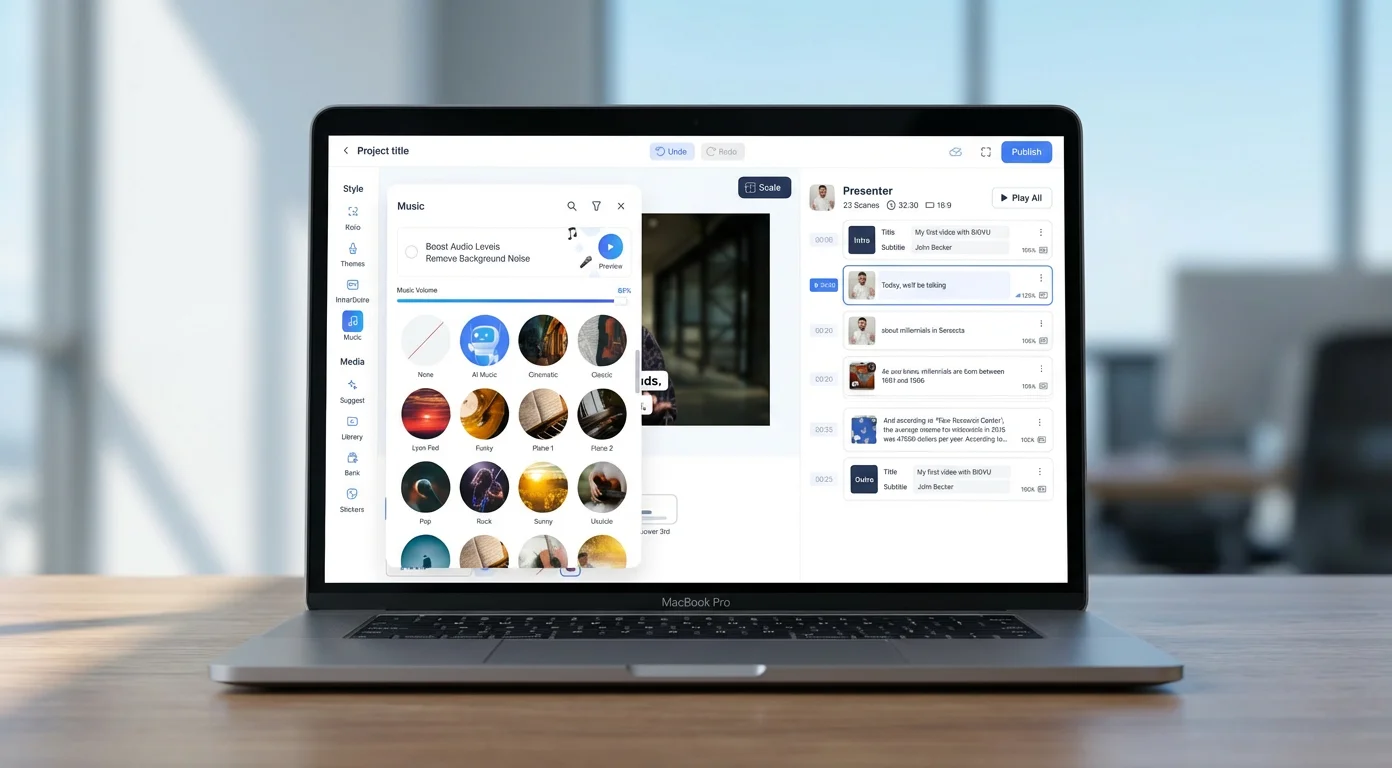
Here's how it works. After recording your talking-head video (or importing any clip), you land on the Music screen. Up top are two toggles — Boost Audio Levels and Remove Background Noise — that clean up your spoken audio before any music is added. Below that is a search bar and a filter icon. Tap the filter and you get the three-layer system: Genre, Mood, and Vibe. Pick any combination — say Corporate genre, Inspiring mood, Dynamic vibe — and the library instantly narrows to the tracks that match all of it.
Prefer to browse? Every track has a cover, a name, and a preview, so you get a feel for the sound before you commit. Like something? Find similar tracks in a tap, or save it to a playlist so it's ready for the next project. The library spans 1000 purpose-built tracks across 94 unique instruments — each one tagged across the full genre, mood, and vibe system, so the right track surfaces from multiple angles.
This is also where the “almost-right track” problem gets solved. Instead of wrestling with stems in a separate audio editor, BIGVU manages the relationship between your voice and the music for you: it automatically ducks the music under your speech and lets you set the music level so nothing competes with your voice. You get the control without the busywork.
And the licensing is the easy part. Every track is commercial-free — usable in marketing content, paid ads, client work, social posts, sales outreach, and training — with no copyright claims, no Content ID headaches, no per-use fees, no attribution, and no platform lock-in. There's no separate music subscription, and the track you pick stays cleared wherever you publish. When the library doesn't have exactly what you need, BIGVU's AI music generator creates an original, custom track on demand — describe the mood, tempo, and style, and you get a composition that's exclusively yours, with no risk of another creator using the same song.
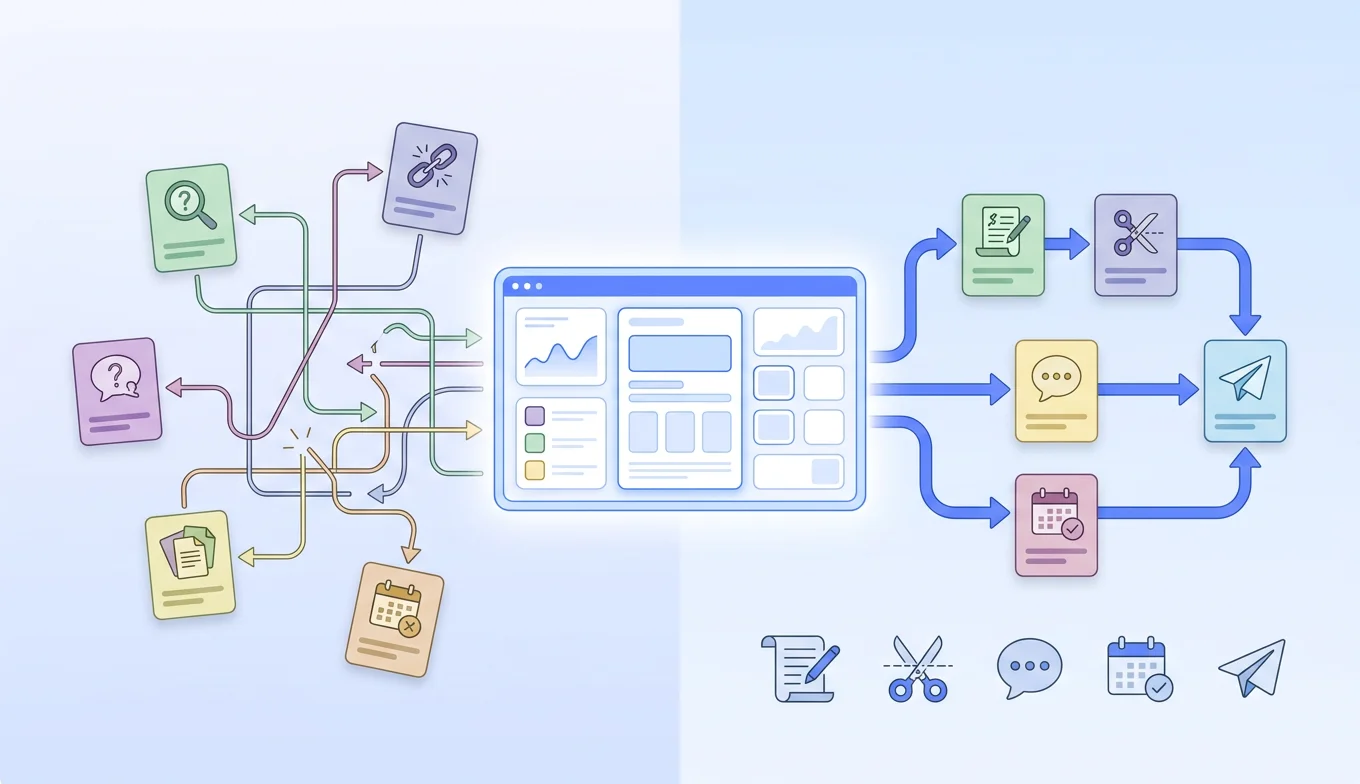
Because it's all one workflow — record with the teleprompter, add captions, apply your brand colors, drop in music, export — you're not bouncing between a recorder, an editor, a music site, and a license checker every time you publish.
![[object Object]](/blog/images/airtable/section1-add-music-videos-free-1000-commercial-free-tracks.webp)
How to Choose the Right Track: Genre, Mood, and Vibe Explained
Picking music isn't about finding a song you'd personally listen to — it's about matching the audio to the job your video needs to do. The fastest way to do that is layered filtering, and BIGVU organizes its 1000 tracks along three dimensions: genre, mood, and vibe. Stacking these is how you go from a thousand tracks to a tight shortlist in seconds.
Genre is the broadest filter — the musical style and instrumentation. A corporate explainer needs a different sound than a travel vlog or a fitness reel. BIGVU spans 18 genres: Acoustic, Ambient, Cinematic, Classical, Corporate, EDM, Electronic, Folk, Jazz, Latin, Lo-fi, Lounge, Pop, Retro, Symphonic, Tribal, Urban, and World — with the deepest selections in the categories business creators reach for most.
Mood is what you want the viewer to feel. A product launch wants Inspiring; a testimonial works better Warm or Peaceful; a brand-story cold open can lean Dark or Mysterious. BIGVU offers 11 moods: Dark, Dreamy, Elegant, Expressive, Happy, Inspiring, Mysterious, Peaceful, Romantic, Sensual, Serious, and Warm — weighted toward the warm, peaceful, and inspiring end that fits professional content.
Vibe is the energy and texture — the personality layer on top of mood. Two tracks can both be “inspiring,” but one is Atmospheric (slow build, textured) while another is Dynamic (driving, forward-moving). BIGVU's 13 vibes include Atmospheric, Chill, Down-to-earth, Dramatic, Dynamic, Energetic, Epic, Funky, Groovy, Low-key, Meditation, and Upbeat.
The power is in combining them. Select Corporate + Inspiring + Dynamic and you get a short list built for a product demo or investor pitch. Select Lo-fi + Peaceful + Chill and you're in podcast-intro territory. Found something close? Use it as a starting point to surface similar tracks, and save the ones you love to a playlist so they're one tap away on your next project.
Quick-reference for common business videos:
- Corporate explainers and product demos: Corporate or Cinematic genre, Inspiring or Serious mood, Dynamic or Atmospheric vibe.
- Social media content: Pop, Electronic, or Urban genre, Happy or Upbeat mood, Energetic or Groovy vibe.
- Testimonials and case studies: Acoustic or Ambient genre, Warm or Peaceful mood, Down-to-earth or Atmospheric vibe.
- Training and educational videos: Lo-fi or Ambient genre, Peaceful mood, Chill or Low-key vibe.
- Brand storytelling: Cinematic or Symphonic genre, Dramatic or Dreamy mood, Epic or Atmospheric vibe.
Across all 1000 tracks you've got 94 unique instruments to work with — from piano, acoustic guitar, and orchestral strings to world instruments like sitar, koto, and djembe — so the same three-layer search keeps working no matter how specific your brief gets.
![[object Object]](/blog/images/airtable/section2-add-music-videos-free-1000-commercial-free-tracks.webp)
Add Music to Your Videos in BIGVU — No Licensing Headaches
BIGVU's music library lives inside the video creation workflow — not on a separate site you have to leave for. No downloading files, checking license docs, or importing audio into another editor. The music step happens right after you record or import, before you export.
Here's how it works. After recording your talking-head video (or importing any clip), you land on the Music screen. Up top are two toggles — Boost Audio Levels and Remove Background Noise — that clean up your spoken audio before any music is added. Below that is a search bar and a filter icon. Tap the filter and you get the three-layer system: Genre, Mood, and Vibe. Pick any combination — say Corporate genre, Inspiring mood, Dynamic vibe — and the library instantly narrows to the tracks that match all of it.
Prefer to browse? Every track has a cover, a name, and a preview, so you get a feel for the sound before you commit. Like something? Find similar tracks in a tap, or save it to a playlist so it's ready for the next project. The library spans 1000 purpose-built tracks across 94 unique instruments — each one tagged across the full genre, mood, and vibe system, so the right track surfaces from multiple angles.
This is also where the “almost-right track” problem gets solved. Instead of wrestling with stems in a separate audio editor, BIGVU manages the relationship between your voice and the music for you: it automatically ducks the music under your speech and lets you set the music level so nothing competes with your voice. You get the control without the busywork.
And the licensing is the easy part. Every track is commercial-free — usable in marketing content, paid ads, client work, social posts, sales outreach, and training — with no copyright claims, no Content ID headaches, no per-use fees, no attribution, and no platform lock-in. There's no separate music subscription, and the track you pick stays cleared wherever you publish. When the library doesn't have exactly what you need, BIGVU's AI music generator creates an original, custom track on demand — describe the mood, tempo, and style, and you get a composition that's exclusively yours, with no risk of another creator using the same song.
Because it's all one workflow — record with the teleprompter, add captions, apply your brand colors, drop in music, export — you're not bouncing between a recorder, an editor, a music site, and a license checker every time you publish.
![[object Object]](/blog/images/airtable/section3-add-music-videos-free-1000-commercial-free-tracks.webp)
How to Mix Music and Voice for a Professional Sound
Finding the right track is only half the job. How you sit it under your spoken audio is what separates a polished video from an amateur one. Bad mixing is one of the most common problems in creator content — music too loud, music that cuts off abruptly, or a track that fights the energy of the speech. You don't need a sound engineer to fix it. You need three principles: volume balance, ducking, and emotional sync.
Volume balance: the -20 dB rule. Music should sit far enough below your voice that viewers never strain to hear you, but present enough to carry the mood. A reliable benchmark is to keep the music roughly 15–20 dB under your spoken audio. If you can clearly follow the melody or lyrics while someone's talking, it's too loud. If you have to hunt for the music to notice it's there, it's probably too quiet to do its job.
Ducking: the trick pros use automatically. Ducking lowers the music when speech is present and lifts it back during pauses. You've heard it in every podcast and ad without noticing — the music swells between sentences and pulls back when the speaker returns, so dialogue feels effortless. BIGVU does this for you as part of its audio processing, alongside noise removal and level boosting. No keyframes, no automation curves — the relationship between your voice and the music is balanced from the first listen.
Emotional sync: match the music's energy to the video's arc. The most underrated mixing decision isn't volume — it's timing. A track that opens at full intensity can feel jarring; one that builds matches how most business videos flow: calm open, building middle, confident close. Use vibe to think about the arc, not just the moment. An Atmospheric track works as a steady backdrop; a Dynamic track is better when energy should rise toward a call to action; an Epic track can anchor a cinematic brand opener but may overwhelm a simple walkthrough.
A few habits that improve every mix:
- Start and end with a couple of seconds of music-only, before your first word and after your last, so nothing begins or ends abruptly.
- Avoid tracks with strong melodic hooks if your video needs deep listening — the brain will follow the music instead of your words.
- For short-form (under 60 seconds), pick a track that feels complete even when it's cut off.
- For videos with on-screen text, match the tempo to the reading speed — fast text over slow music creates friction, and vice versa.
Done right, the music disappears into the experience. Viewers won't comment on it — they'll just feel how confident and engaging the video is from start to finish.
The Best Free Music Libraries for Video Creators — and How AI Music Is Changing Everything
Before you commit to a music workflow, it helps to see the whole landscape — and where each option creates friction. The market splits into four buckets, and in 2026 AI generation has firmly joined the mix.
Free libraries. Tools like the YouTube Audio Library and Pixabay Music give you genuinely free tracks, and for some genres the quality is solid. The catch is curation and consistency: you sift through a lot of filler, tagging is uneven, and licensing varies track by track — some are free to use anywhere, others need attribution, and few are built for a polished commercial deliverable. They also don't live inside your editor, so the workflow stays fragmented: find a track, download it, import it, check the license, then keep editing.
Subscription platforms. Artlist and Epidemic Sound are the heavyweights — large, well-curated catalogs with strong search, “find similar” features, mood and genre filtering, and clear licensing. Both make the legal side easy and cover monetized YouTube, social, and podcasts; some plans add stems, editor extensions, and even stock footage and AI voiceovers. The trade-offs are cost and the fact that the subscription follows the creator, not the content — which gets complicated when you're producing for clients — and they're still separate tools you manage alongside your editor.
Commercial (radio) music licensing. If you specifically want recognizable songs by mainstream artists, platforms like Lickd license commercial tracks for use on YouTube by linking to your channel so claims are cleared automatically. It's far simpler and cheaper than chasing a label license used to be, though premium tracks are typically priced per use on top of a subscription.
AI music generators. Tools like Suno can generate an original track — instrumental or with vocals — from a short text prompt in seconds, and the quality is genuinely impressive for backgrounds and intros. The appeal is a soundtrack no other creator has. The watch-outs: free tiers are usually personal-use only, you need a paid plan to use the output in monetized content, and AI-audio copyright ownership is still unsettled. Like everything above, it's another tab to leave your editor for.
One question that catches everyone out: what happens when you stop paying? With most subscription platforms, videos you published while subscribed stay cleared, but you can't use the tracks in anything new once you lapse — and you have to resubscribe to keep going. It's worth understanding before you build a library on a plan you might pause.
The case for a built-in library. What every external source shares — free libraries, subscriptions, radio licensing, and AI generators alike — is friction at the point of production. Separate account, leave your workflow, generate or download, import, verify licensing, then keep editing. For one video a month, fine. For anyone publishing regularly — weekly social posts, outreach videos, course content, listing tours — that overhead compounds with every upload. A commercially licensed library built into your video tool removes every one of those steps: you choose music while you're already in the flow, the licensing is uniform across all 1000 tracks, there's nothing to download or verify, and when you need something the library doesn't have, the AI music generator handles it on demand — without leaving the app.
So which should you use? If you want genuinely free music and don't mind sifting, a free library works. If you want a deep, high-quality catalog and licensing peace of mind, a subscription like Artlist or Epidemic Sound is strong. If you need recognizable radio songs, Lickd is the route. If you want something totally custom, AI generation is the play. And if what you really want is to stop treating music as a separate task altogether — to record, soundtrack, and publish in one place with every track cleared for commercial use — that's exactly what BIGVU is built for.