What OpusClip actually is — and what it's built for
OpusClip (officially at opus.pro) is an AI-powered video repurposing tool. You give it a long video — a podcast, a webinar, a YouTube recording, a Zoom call — and its AI scans it, finds the strongest moments, and outputs a set of short vertical clips with captions and reframing already applied.
That's the entire product. OpusClip is not a recording tool. It has no teleprompter, no script generator, no mobile app for creating new content, and no video email capability. The workflow only starts once you already have a long video. If you need to create the content first, OpusClip doesn't help with that part.
The tool is purpose-built for people who produce long-form video regularly and don't have time to scrub through it manually. Podcasters with a backlog of hour-long episodes, YouTube creators who want Shorts without editing each one by hand, marketing agencies batch-processing content from multiple clients, social media managers turning webinar recordings into a week's worth of posts — these are the people OpusClip is designed for.
The scale of its adoption reflects that fit. OpusClip has over 10 million users who have collectively generated more than 172 million clips. It raised around $50 million — including a 2025 SoftBank Vision Fund 2 investment — at a reported $215 million valuation, which makes it the current market leader in AI video repurposing by both recognition and funding.
![[object Object]](/blog/images/airtable/section1-opus-clips-worth-the-hype.webp)
How OpusClip works — what happens after you upload
The workflow starts when you paste a link or upload a file. OpusClip accepts YouTube, Zoom, Loom, Google Drive, Dropbox, Twitch, and several other sources. Credits are deducted based on the length of the source video — one credit per minute — regardless of how many clips come out. A 45-minute podcast costs 45 credits whether the AI generates 3 clips or 20.
Before processing, you configure a few settings: language, preferred clip length, content genre (podcast, vlog, sports, and others), and whether to enable an AI hook at the start of each clip. Some models and multi-genre options are locked to paid plans, so what you configure at the entry level is a subset of what Pro users can set up.
Once processing completes — typically a few minutes for shorter videos, longer for hour-plus recordings — you get a set of clips each with a Virality Score from 0 to 100. This is one of OpusClip's most genuinely useful features: the score predicts how likely each clip is to get views, which helps you prioritize what's worth spending time on rather than reviewing everything. It's only available on paid plans.
What you can do with those clips depends heavily on your plan. On the Starter tier, you can download what the AI produced but you can't edit it — the clip editor, AI hook customization, and B-Roll insertion are all locked behind Pro. So at the entry level, the AI's output is final. On Pro, you can trim, refine, add B-roll, apply an AI hook, and schedule directly to YouTube, TikTok, Instagram, Facebook, LinkedIn, and X. The social scheduler is also Pro-only, and TikTok connections are documented to drop periodically and require re-authentication.
One aspect worth knowing before committing: the AI generates clips that are often good, but not always publishable without review. Across consistent testing and user feedback, expect to discard somewhere between 20 and 40 percent of what gets generated — either because the AI picked a contextually incomplete moment or because the caption alignment drifted. That's not a dealbreaker at scale, but it means OpusClip is a first-pass tool rather than a set-and-forget one.
![[object Object]](/blog/images/airtable/section2-opus-clips-worth-the-hype.webp)
OpusClip pricing: what you actually get on each plan
OpusClip has four plans. The gaps between them are larger than the pricing page makes obvious.
The free plan gives you 60 credits per month — enough to process about 60 minutes of footage — but every export carries an OpusClip watermark, clips expire after three days, and neither the Virality Score nor any editing tools are accessible. It's genuinely useful for testing the interface, but it isn't a working tier for anyone running a brand or publishing regularly.
The Starter plan at $15 per month removes the watermark and gives you 150 credits monthly plus one brand template. The significant catch: you still can't edit clips. The editor, AI hook, and B-Roll features are all Pro-gated. If you subscribe to Starter, you download whatever the AI produces and work with it as-is. For most creators, this is a frustrating middle ground — you're paying but still missing the tools that make the output actually usable.
The Pro plan at $29 per month (or around $14.50 monthly when billed annually at $174 per year) is where the platform starts delivering its full value. You get 300 credits monthly, the clip editor, AI hook customization, B-Roll insertion, social scheduling, XML export to Premiere Pro and DaVinci Resolve, two team seats, and two brand templates. The annual plan also allows an upfront purchase of 3,600 credits at once, which works well if you batch-process content in bursts rather than steadily.
The Business plan uses custom pricing for agencies and larger teams, with API access, dedicated support, and flexible credit volumes.
The credit math is worth thinking through before subscribing. If you regularly process long recordings — a 90-minute webinar, a two-hour podcast episode — a single video can consume most or all of a month's credits on Pro. The Starter plan's 150 credits don't go far if your average source video runs 45 minutes or longer.
One documented issue worth flagging: multiple Trustpilot reviews describe projects becoming inaccessible after subscriptions lapse, even when paid credits remained. Unexpected charges after cancellation have also been reported by a meaningful number of users. This doesn't appear to be universal, but it's specific enough and consistent enough across independent reviews that it's worth noting the cancellation terms carefully before you subscribe and confirming the process with your payment provider.
![[object Object]](/blog/images/airtable/section3-opus-clips-worth-the-hype.webp)
OpusClip vs BIGVU Auto-Shorts: which one fits your workflow?
OpusClip is a single-purpose repurposing tool. BIGVU is a full-cycle video creation platform that includes a repurposing feature. That distinction matters when you're deciding where to spend your budget.
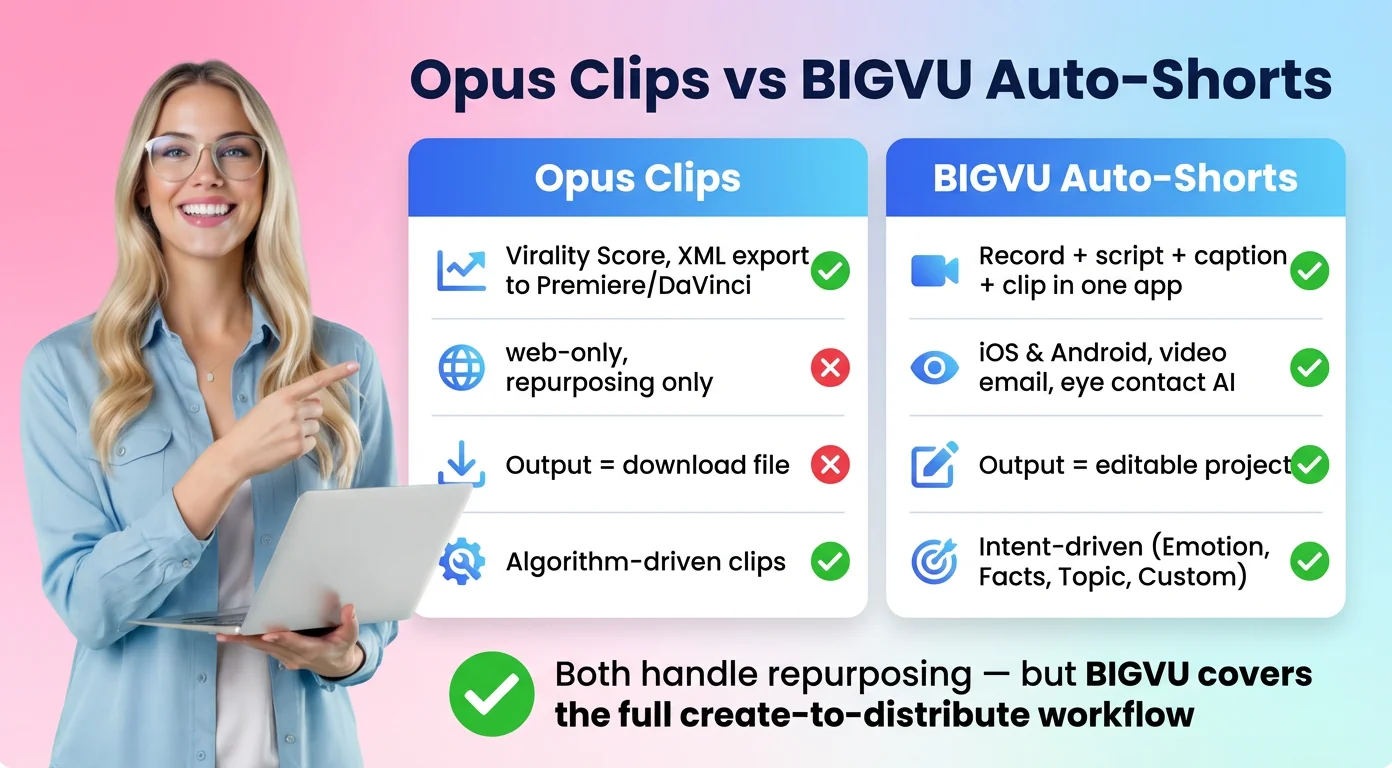
When BIGVU's Auto-Shorts generates clips, they appear as Takes inside BIGVU's video editor — not as standalone download files. You can refine them, re-record sections, add captions, apply eye contact correction, or send the clip as a video email directly from the same interface. OpusClip's output is a file. BIGVU's output is a live project inside the platform you already use.
The intent model is also different. Instead of a Virality Score, BIGVU's AI asks what you want the clips to communicate: Emotion, Facts & Tips, Main Topic, or a custom brief. For a real estate agent clipping a property walkthrough or a sales professional pulling highlights from a demo call, communicating the right message matters more than optimizing for algorithmic views. These are different goals, and the tools reflect them.
Beyond repurposing, BIGVU includes an AI script generator, a teleprompter, AI eye contact correction, auto-subtitles, a Brand Kit, B-roll generation, a social scheduler, and video email — all inside one iOS and Android app. OpusClip does none of this and has no mobile app.
Where OpusClip genuinely leads: its Virality Score is a differentiated feature with no direct equivalent in BIGVU. Its ClipAnything mode handles more video genres. XML export to Premiere Pro and DaVinci Resolve serves professional editors who want to finish clips in dedicated software. And for agencies processing 50 or more hours of footage per month, OpusClip's credit-based system is purpose-built for that kind of volume.
The decision comes down to where your workflow starts. If you already have the long video and you just need clips fast, either tool works. If you need to record, script, caption, repurpose, and distribute from a single platform — or if you work primarily from your phone — OpusClip is one piece of a stack that requires multiple other tools. BIGVU covers the full stack.
Verdict: is OpusClip worth it in 2026?
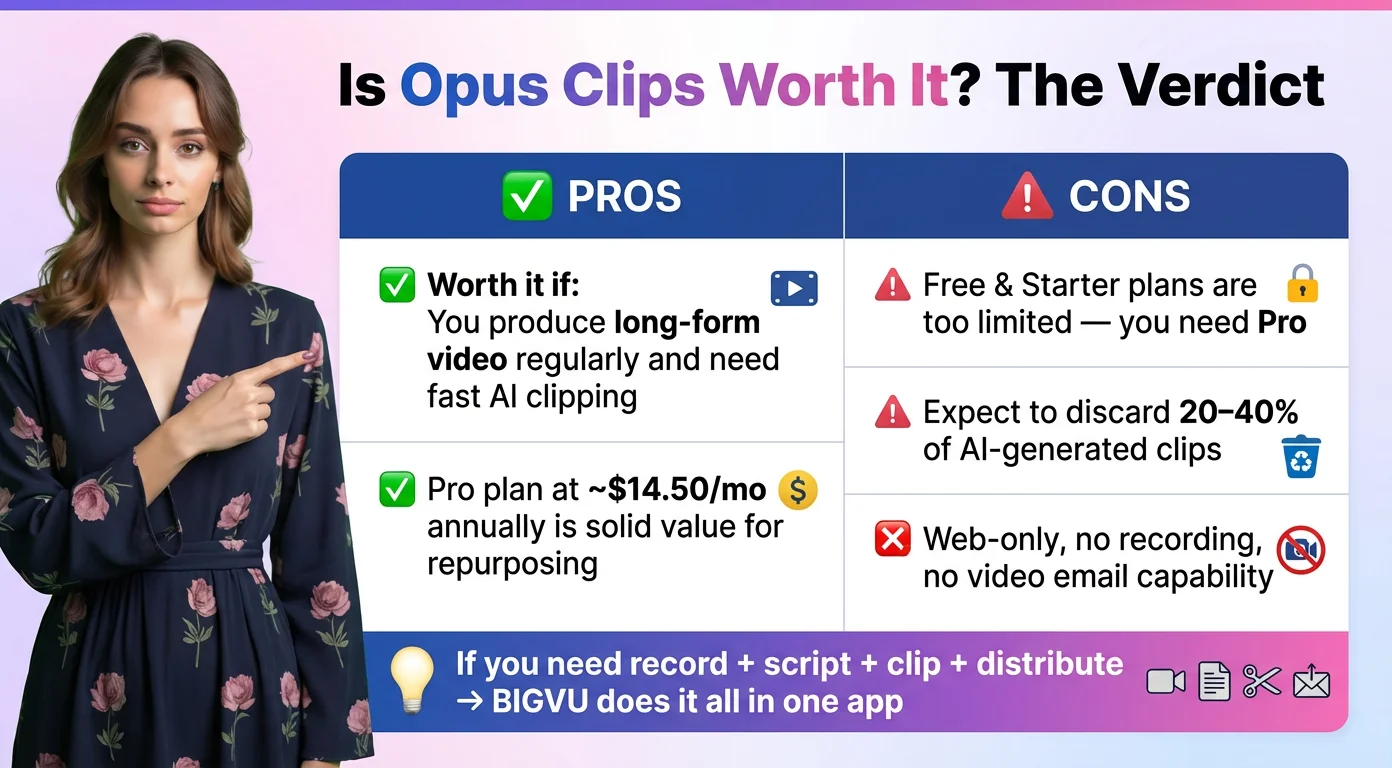
For the right use case, yes. If you produce long-form video consistently — weekly podcasts, regular webinars, a YouTube channel with episodes over 30 minutes — and your main bottleneck is the time it takes to manually extract social clips, OpusClip solves that problem. At Pro pricing of around $14.50 per month on an annual plan, that's genuinely good value for the workflow it serves.
Go in with accurate expectations, though. The free plan and Starter plan are significantly limited — you need Pro to meaningfully use the platform. Expect to review and discard 20 to 40 percent of AI-generated clips before publishing. OpusClip is web-only with no recording capability. And the billing cancellation process has been a documented issue for a meaningful number of users, so it's worth understanding the terms before subscribing.
If your work starts before the long video exists — if you need to record, script, caption, repurpose, and distribute — OpusClip is one piece of a multi-tool workflow. BIGVU covers all of it in one place, including Auto-Shorts for the repurposing step, on iOS and Android.
OpusClip is a feature. BIGVU is a platform. Which one you need depends on where your workflow actually starts.